ACU-RITE MILLPWR
G2
197
8.2 Additional Milling Functions
Advanced Custom Pocket Machining
Machining of custom pockets can be further enhanced using special
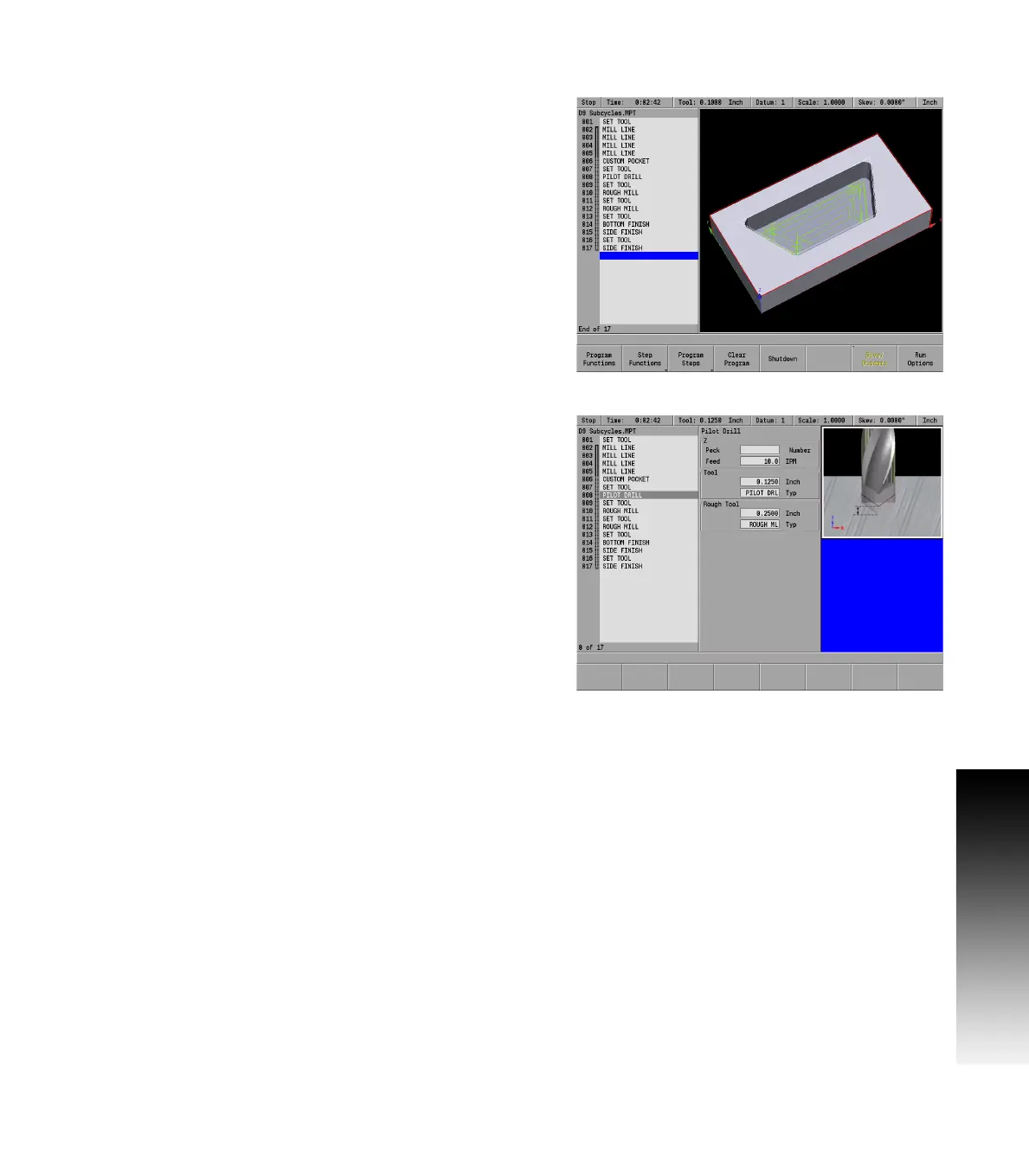
cycles. These optional steps apply specifically to the custom pocket
and programmed after the custom pocket/island path. In the program
listing, they are shown as part of the custom pocket using dashed
continuity lines.
Pilot Drilling
If the tool programmed to machine the custom pocket is not able to
feed directly into the material, a pilot tool step and pilot drill step
should be programmed as part of the custom pocket. The system
determines the location of each entry move and drills pilot holes at the
entry locations.
A Pilot Drill is programmed before rough milling. If no rough milling
steps are programmed after the Pilot Drill, the rough and finish
operations are performed using the parameter settings in the custom
pocket step.
To program a pilot drill operation:
From the PGM screen, place the cursor immediately below the
custom pocket step.
Program a Set Tool step with the pilot drill tool's size and parameter
settings.
Press the Program Steps soft key.
Press the Custom Pocket soft key.
Select Pilot Drill in the popup menu.
Enter either the number of pecks or the distance between each
peck.
Enter the Z axis feed rate.
Press the USE key.



 To Next Page