ACU-RITE MILLPWR
G2
185
8.1 Milling and Drilling
The slot is machined at the feed rate programmed in the step.
When the tool makes a cut greater than the step over such as the
initial cut down the center of the slot, the full cut override is applied
to the feed. The full cut override only applies to the rough pass. The
finish pass runs entirely at the programmed finish feed.
The Z step size is determined by the system and will not exceed the
specified distance or number of passes.
The tool retracts to the active datum's retract position between Z
passes.
A finish allowance is optional. If specified, this amount is left on the
bottom and sides of the pocket to be removed on the finish pass.
When finish feed is 0, the finish pass will be skipped.
Finish direction applies to both the bottom and side finishes.
Hole patterns
MILLPWR
G2
includes several built-in routines that let you program
hole patterns quickly and easily. The following hole patterns are
described here:
Row of Holes
Rectangle Frame
Rectangle Array
Bolt Circle
Row of holes
A row of holes, can be programmed two ways:
By entering the coordinates of the first and last hole
By entering the coordinates of the first hole, the spacing between
each hole and the row’s angle.
The “From” point refers to the center of the first hole, while the “To”
point is the center of the last hole. Any additional holes will be spaced
equally between these two.
You’ll also be prompted for peck and tool retract values. “Peck” lets
you break chips and reduce chip buildup during drilling operations.
“Tool Retract” allows you to program MILLPWR
G2
to raise the tool at
regular intervals.
To program a row of holes:
MILLPWR
G2
includes several built-in routines that let you program
hole patterns quickly and easily
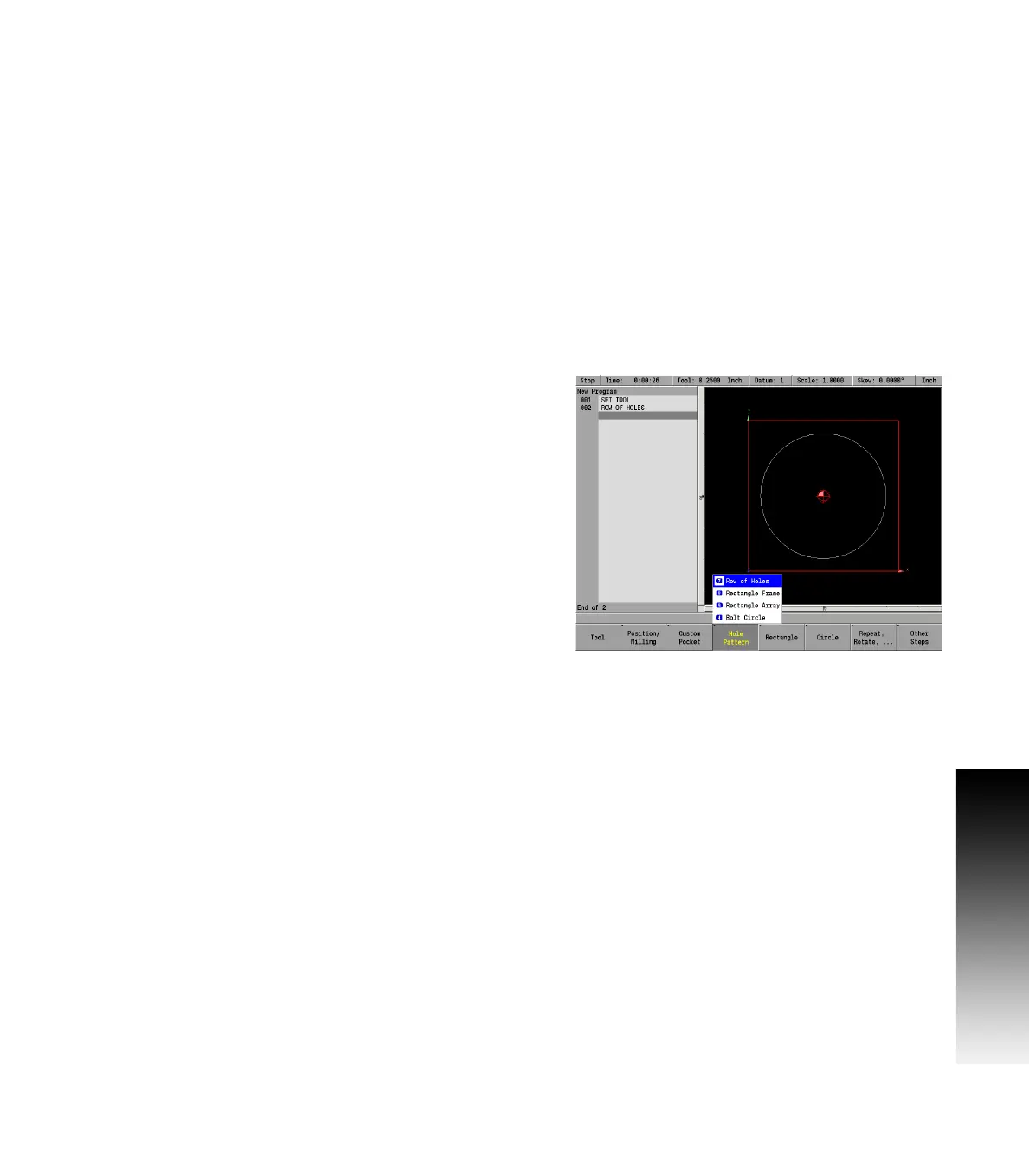
From the PGM screen, press the HOLES key to access the HOLES popup
Menu.



 To Next Page