ACU-RITE MILLPWR
G2
225
10.1 Setup
Job setup
Three soft keys are available: Tool Table, Message Log, and Install
Setup, which are used to setup the MILLPWR
G2
for operation, and
programing.
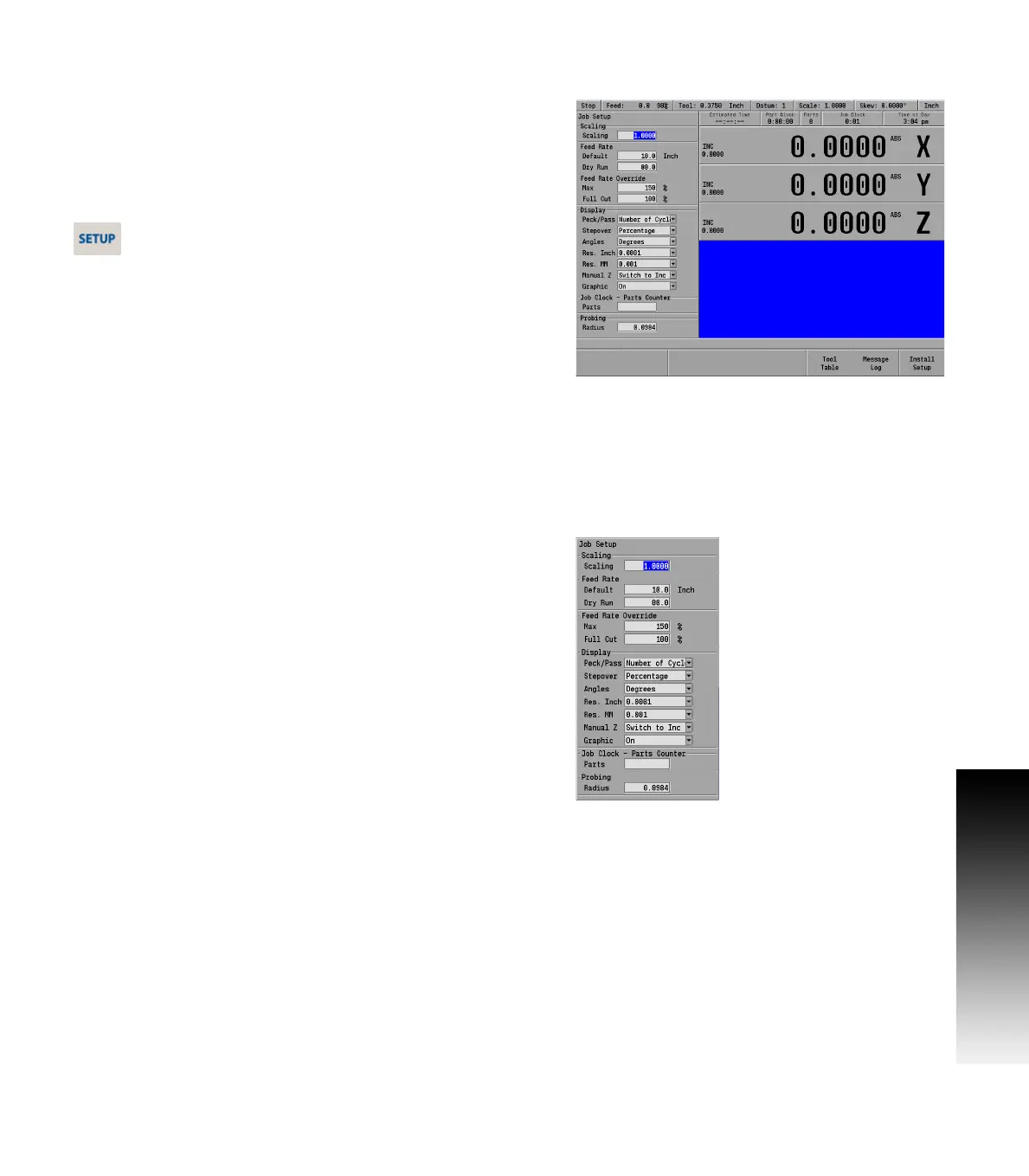
The Job Setup dialogue is displayed by default when the SETUP key is
selected.
Job setup
Press the SETUP key to access the Job Setup dialogue.
In the Job Setup dialogue there are parameters that can be set which
the MILLPWR
G2
will default to when not overridden by another
setting.
Scaling:
Typically most jobs are scaled at 1 to 1 (full scale). Occasionally a
job may be scaled down to as an example 1/2 scale. In such a case,
before programming the job, the scale factor should be changed
here so that it becomes the default scale factor for the program.
Feed Rate:
The Default setting is the setting that the MILLPWR
G2
will use
though this setting can change per job, and material used. The
MILLPWR
G2
will use this as the default in a program unless it is
changed (for example by a step that is in the program), then that
new feed rate will be used until changed again.
Feed Rate Override:
The Max field determines the feed potentiometers maximum
override percentage. The acceptable range is 150% to 200%. The
last click of the dial will allow the max setting. The second to the
last click will always be 140%.
The Full Cut field override percentage is applied to a pocket's
programmed feed rate when the tool makes cuts greater than the
programmed step over percentage.
Display:
For Peck/Pass:
The setting can either be in Distance, or Number Of Cycles.
For Stepover:
This defines the step over amount for milling pockets as either a
percentage of the tool’s diameter or as a distance.
For Angles:
The setting can either be in Degrees or DMS.
For Res. Inch and Res. MM:
Select the desired display resolution for the DRO display.



 To Next Page