216 9 Geometry/RPM Calculator
9.2 Geometry User Interface
Program example
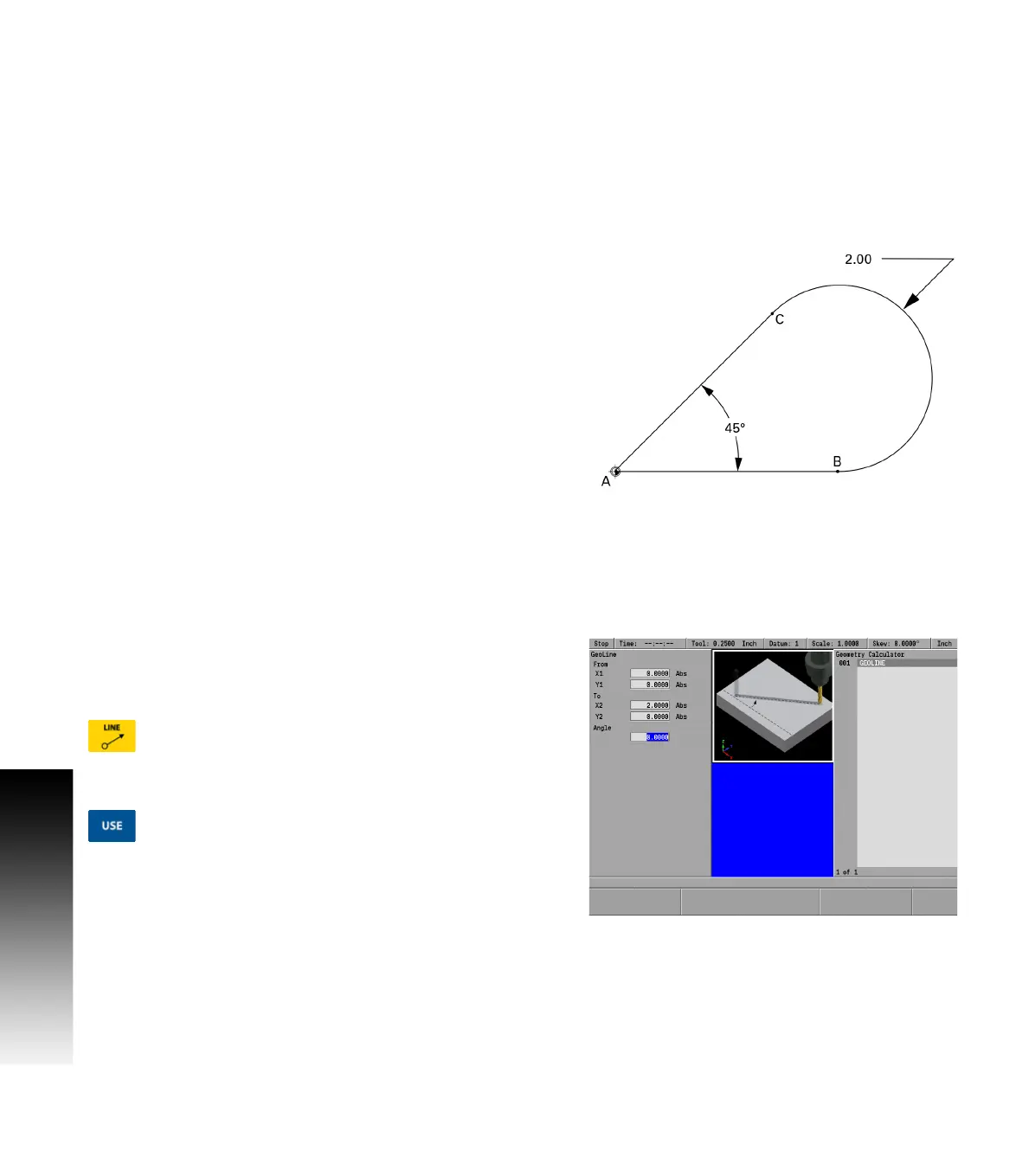
In some cases, a part drawing may not provide all of the dimensions
needed to program the part. In the following illustration the
coordinates of points B and C, where the arc is tangent to the sides,
are unknown.
The coordinates will have to be identified before lines A-B and A-C and
the arc that extends from point B to point C can be programmed.
Locating points B and C
First program an extended line from A to B, then program an extended
line from A to C. Now use GeoCalc to calculate the rest.
Enter the extended line from A to B
Enter the extended line from A to C at 45°
Select lines A-B and A-C, and then use the Find Arc soft key
Recalculate point B, then return its coordinate and the arc into the
program
This example is explained fully in the following step by step
illustrations.
Creating the program
Step 1
Point A is shown as the datum. Its absolute coordinates are 0, 0. In the
part program. The first step will be to draw the line by entering the
absolute coordinates for point A (0, 0) in the “From” field and point B
(2, 0) in the “To” field.
Press the LINE key and enter the data in the GeoLine
dialogue. Enter 0 in the From X1 field, and 0 in the
From Y1 field.
Enter 2 in the To X2 field, and 0 in the Y2 field.
Press the USE key to enter the data into the program.



 To Next Page