ACU-RITE MILLPWR
G2
229
10.1 Setup
Tool table
MILLPWR
G2
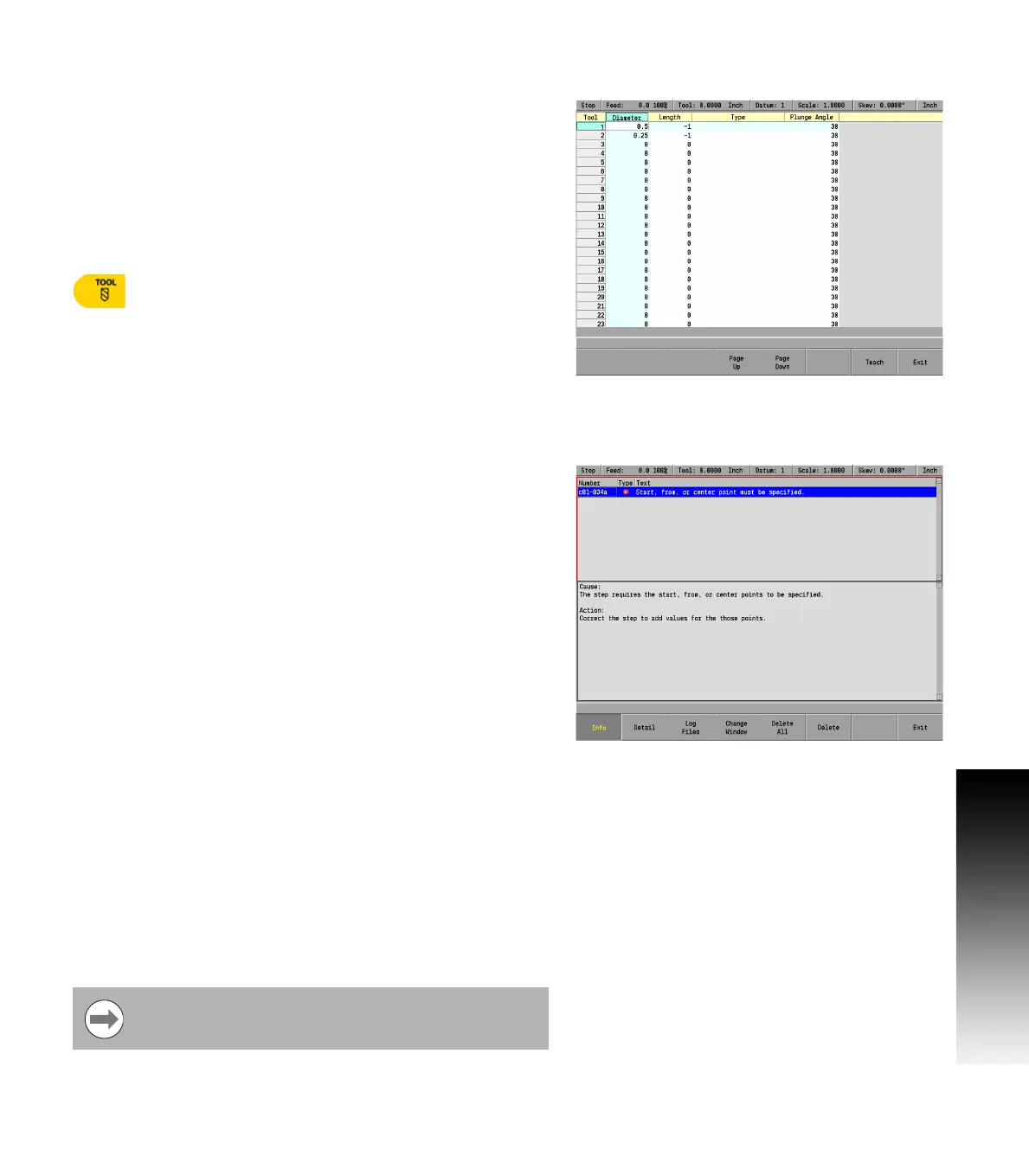
contains a tool table that can store the diameter, length,
and tool type for up to 99 tools. MILLPWR
G2
only requires that you
provide the tool's diameter; however, it may be helpful to the operator
if additional information is provided so that each tool is easier to
identify from the tool list. Chapter 4 provides complete information
regarding the tool table. See "Tool Table" on page 68
Set up the tool table so that the tools used most often appear first.
The tool table can be accessed a number of different ways. Use the
following as one method to access the tool table
Press the TOOL key, then press the Tool Table soft
key.
Message log
MILLPWR
G2
includes a built-in message log that will record
messages. If an error is detected, MILLPWR
G2
will automatically
record the date, along with a brief description of the error. Only the last
128 errors will be saved.
If an error is present that prevents running of another program the
front panel indicator light will flash.
Press the Info soft key to display additional information on the
highlighted message which will open in its own display window. The
additional information includes Cause and suggested corrective
Action.
Press the Detail soft key to display the detailed information
available on the source of the error. This will also open in its own
display window.
Press Log Files to generate Service Files. See "Service files" on page
230 for more details.
Press Change Window to toggle focus between the list of
messages on the top section and the Info or Details section on the
bottom.
Press the Delete soft key to clear the highlighted message.
Pressing the Delete All soft key will clear all messages.
Pressing the Delete All soft key will also exit the Message Log
dialogue.
Pressing the Delete soft key will only exit the dialogue if there was
only one error message.
To exit the Message Log, press the Exit soft key.
A quick method for clearing all messages in the log is to
press the “0” on the numeric keypad.



 To Next Page