ACU-RITE MILLPWR
G2
175
8.1 Milling and Drilling
Rectangle slot
You can program a slot two ways:
By entering the center point of each arc and the slot's width
By entering the center point of one arc, the length and width of the
slot, and an angle.
Using the coordinates of the center and the length of the slot.
By entering the center point of the slot and the slot's width and
length.
Choose a method based upon the information available from your
print.
To program a slot:
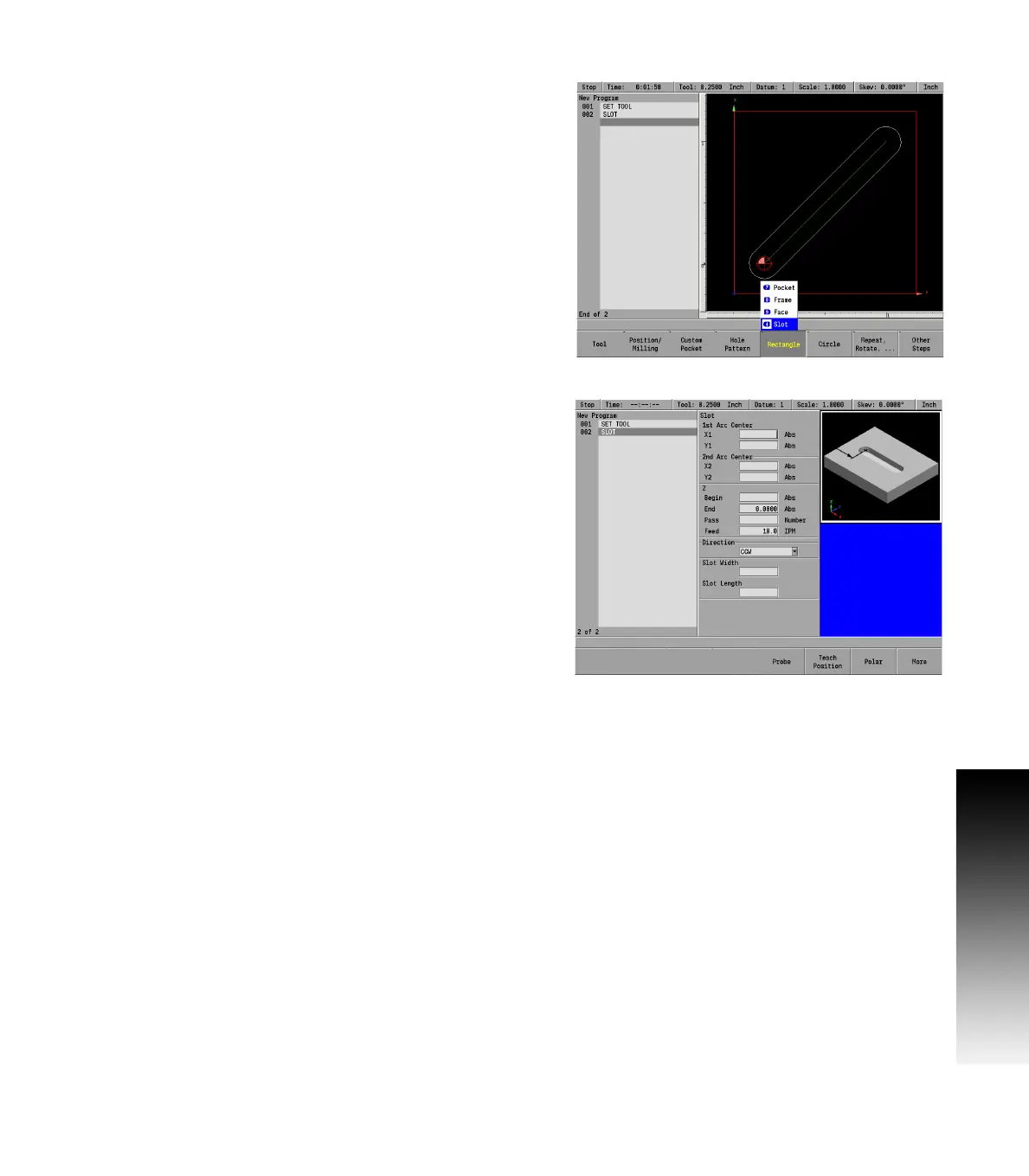
From the PGM screen, press the RECT key to access the RECT popup
Menu.
Select Slot from the popup Menu.
Entering data:
Enter the 1st Arc Center X1 and Y1 axes coordinates.
Now enter the size of the pocket in the 2nd Arc Center fields X2 and
Y2 axes coordinates.
Enter the Begin and End depths for Z. If this information was
entered on a previous program step, it will automatically be
displayed. If necessary, adjust the data for this program step.
Enter either the number of passes or the distance between each
pass. Pass refers to the cuts that are used to machine the slot to its
End depth. Which choice is shown in the dialogue was selected in
Job Setup.
Enter the Z axis Feed Rate.
For Direction, press either the CW soft key for a clockwise cutting
direction or the CCW soft key for a counter-clockwise cutting
direction.
Enter the Slot Width. The slot length will automatically be
calculated.
ARROW DOWN or press the More soft key and enter the table’s feed rate.
Enter the Center X and Y axes coordinates.



 To Next Page