ACU-RITE MILLPWR
G2
219
9.2 Geometry User Interface
Finding the points of tangency
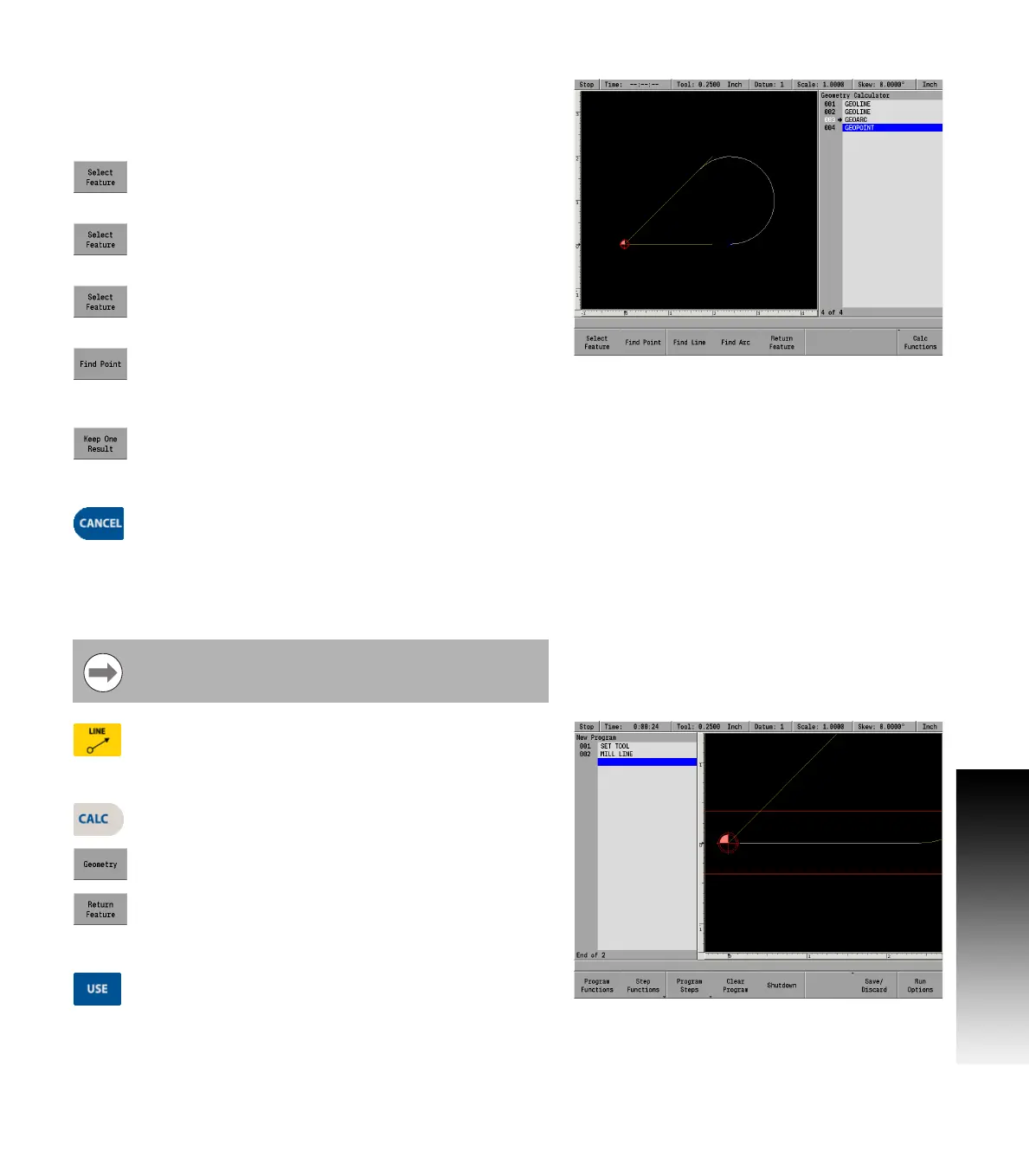
The points of tangency between the lines and the arc need to be
determined. Now that the arc is in place, the coordinates of its end
points are needed. Use GeoCalc’s find point feature to find the end
points of the arc.
Highlight 001 GeoLine and press the Select Feature
soft key. This will de-select the line and cause the
arrow to disappear.
Highlight 002 GeoLine and de-select it.
Highlight 003 GeoArc and press the Select Feature
soft key to select it.
Press the Find Point soft key. Three points will
appear: one is the center of the arc and the others are
the ends of the arc. The point on the bottom is the
one needed; it’s point B on the drawing.
Using the ARROW key, scroll down through the list of
GeoPoints until the point on the bottom is
highlighted. Press the Keep One Result soft key.
Press the CANCEL key to return to the program.
Returning the line coordinate
Bring the GeoCalc results back into the program. When you press the
Return Feature soft key, GeoCalc will transfer the feature you’ve
identified into your part program.
Press the LINE key to begin a new Mill Line dialogue.
Enter coordinates for the From point (point A). ARROW
down to the X2 field. This is point B, one of the points
found in GeoCalc.
Press the CALC key.
Press the Geometry soft key.
Highlight the GeoPoint representing point B
(step 004). Press the Return Feature soft key. The
program screen will return, and point B’s coordinates
will appear in the To field.
Press the USE key to accept the line into the part
program.
Program the tool step prior to proceeding.



 To Next Page