ACU-RITE MILLPWR
G2
79
5.1 Programming Introduction
Program function screen
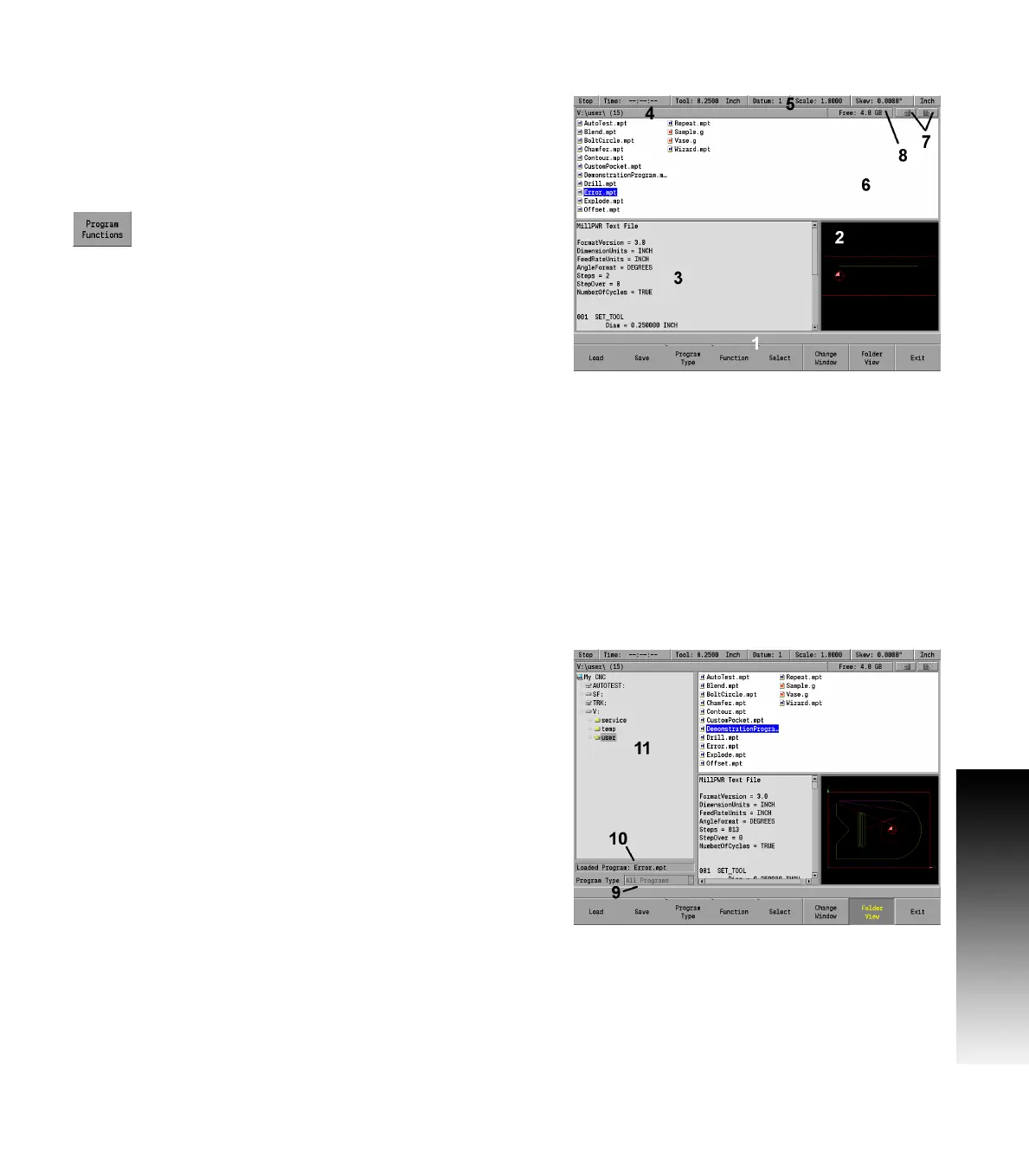
The Program Function screen displays several windows, and soft keys
which are defined in the contents of this chapter. The display area
window is briefly described in the following table. The Program
Functions soft key provides access to Network or USB memory
devices by pressing the Folder View soft key. The features of this soft
key are explained on the following page.
Press the Program Functions soft key to access
programs stored in the Console, on a Network, USB
memory devices, or to create a new program.
The Program Functions screen displays all programs that are stored in
a selected folder. The default storage folder for the console is v:\user\.
General Information and the programming steps of the highlighted
program are displayed in the lower left window [3], for a quick access
review. If a program has ran in its entirety (without errors), graphic
preview [2] is also displayed.
Folder view
The Folder View soft key includes additional access to the user. The
Folders Tree [9]is displayed which allows the user to access different
folders, and narrow a search to selected program types.
Access to Network or USB memory devices is available in the Folders
Tree.
The Folder View soft key stays active until it is pressed again.
1 Available soft keys.
2 Program graphic preview.
3 Program steps preview.
4 Current folder selected (number of programs within selected
folder of the active program type).
5 Constant status bar.
6 List of all the programs stored in the current location (or folder).
7 Folder navigation history.
8 Free space available on the current drive.
9 Shows the type of programs being displayed (e.g. MILLPWR
G2
,
or G-Code programs to be displayed; or DXF files).
10 Displays the current program loaded.
11 The Folders Tree can be used when connected to a network, USB
memory devices, or folder management.



 To Next Page