ACU-RITE MILLPWR
G2
203
8.2 Additional Milling Functions
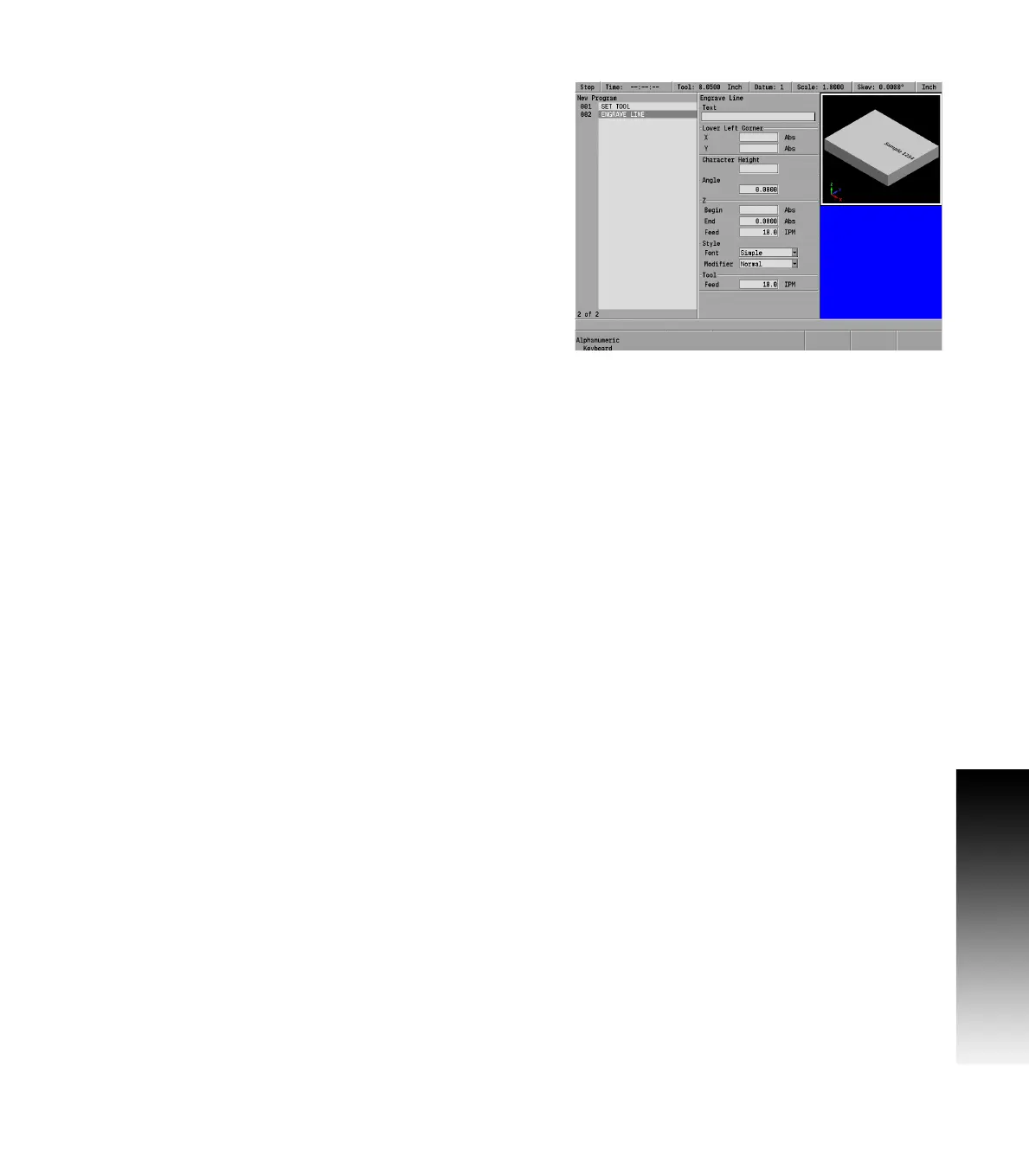
Engrave line
All ASCII characters within the range of x032 - x126 are allowed, which
includes Uppercase, Lowercase, Numbers, and Punctuation.
From the PGM screen, press the Program Steps soft key.
Then press the Other Steps soft key.
In the popup menu select Engrave Line.
With the cursor in the Text input field, press the Alphanumeric
Keyboard soft key, and insert the desired text.
Enter the X and Y axes coordinates for the point at the lower left
corner of the engraving.
Enter the character height.
Enter the tilt angle if there is to one.
Enter the begin and end depths for the Z axis.
Enter the Z axis feed rate.
Select the font required from 3 choices, Simple, Stencil, or Stick,
soft keys, or the drop down menu.
Select the Modifier as either the Normal or Mirrored soft key.
Normal is readable from left to right; Mirrored will make the
engraving appear backwards.
Enter the table’s feed rate.
Press the USE key.


 To Next Page