Version 16.10 AF-6600 AF-5000 Series Install Manual 106
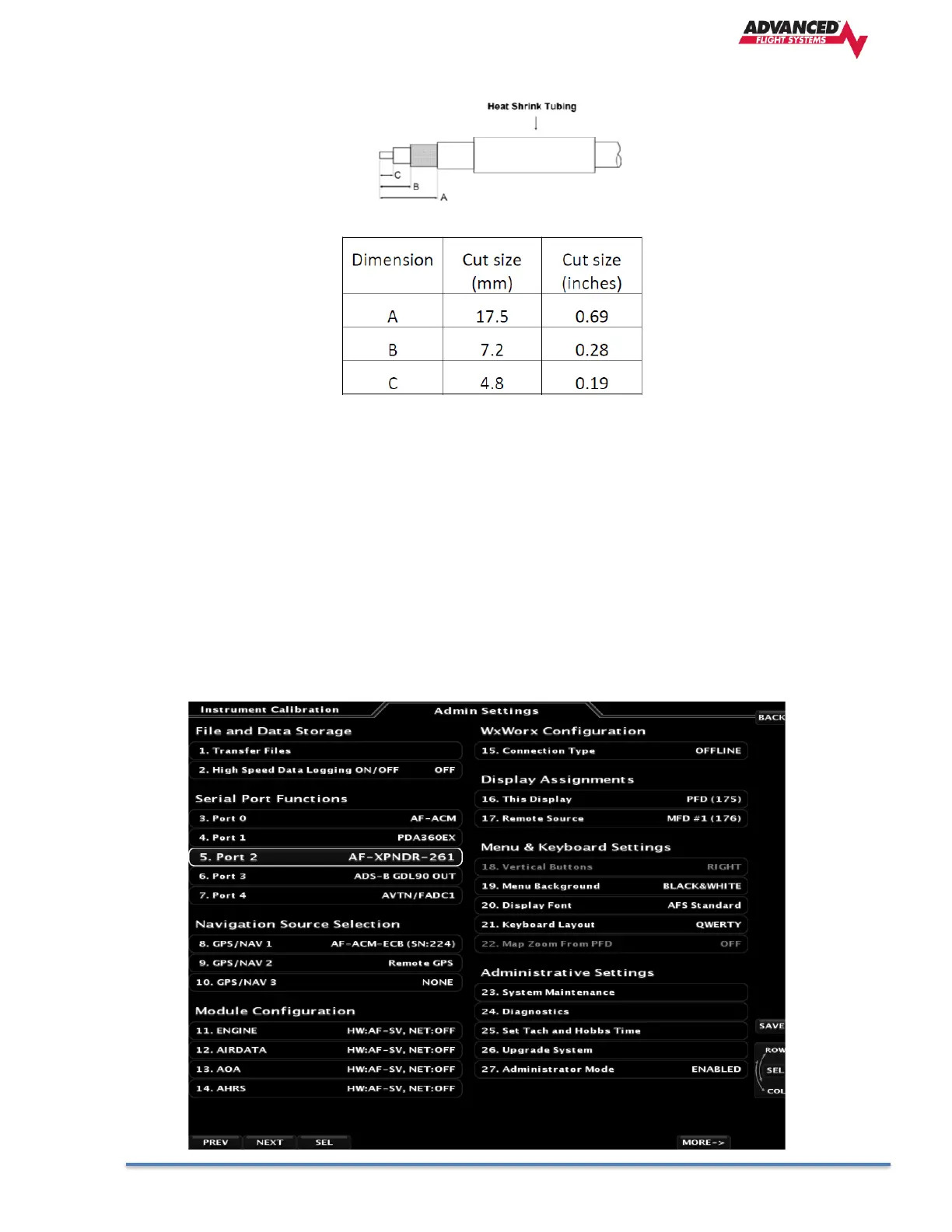
• Crimp the center contact to the cable.
• Insert the cable into the connector – the center contact should click into place in the body, the inner shield
should be inside the body of the connector and the outer shield should be outside the body.
• Crimp the outer sleeve over the shield.
• Slide heat shrink tubing forward (flush to connector) and heat to shrink the tubing.
AF-5000 Configuration for SV-261 Transponder
The configuration of the Transponder is done from the AF-6600 / AF-5000 Instrument Calibration menu.
Serial Port Setup
The AF-6600 / AF-5000 serial port that is wired to the Transponder should be set to AF-XPNDR-261 in the Configure
Admin Settings menu.



 To Next Page