Version 16.10 AF-6600 AF-5000 Series Install Manual 107
Transponder Settings
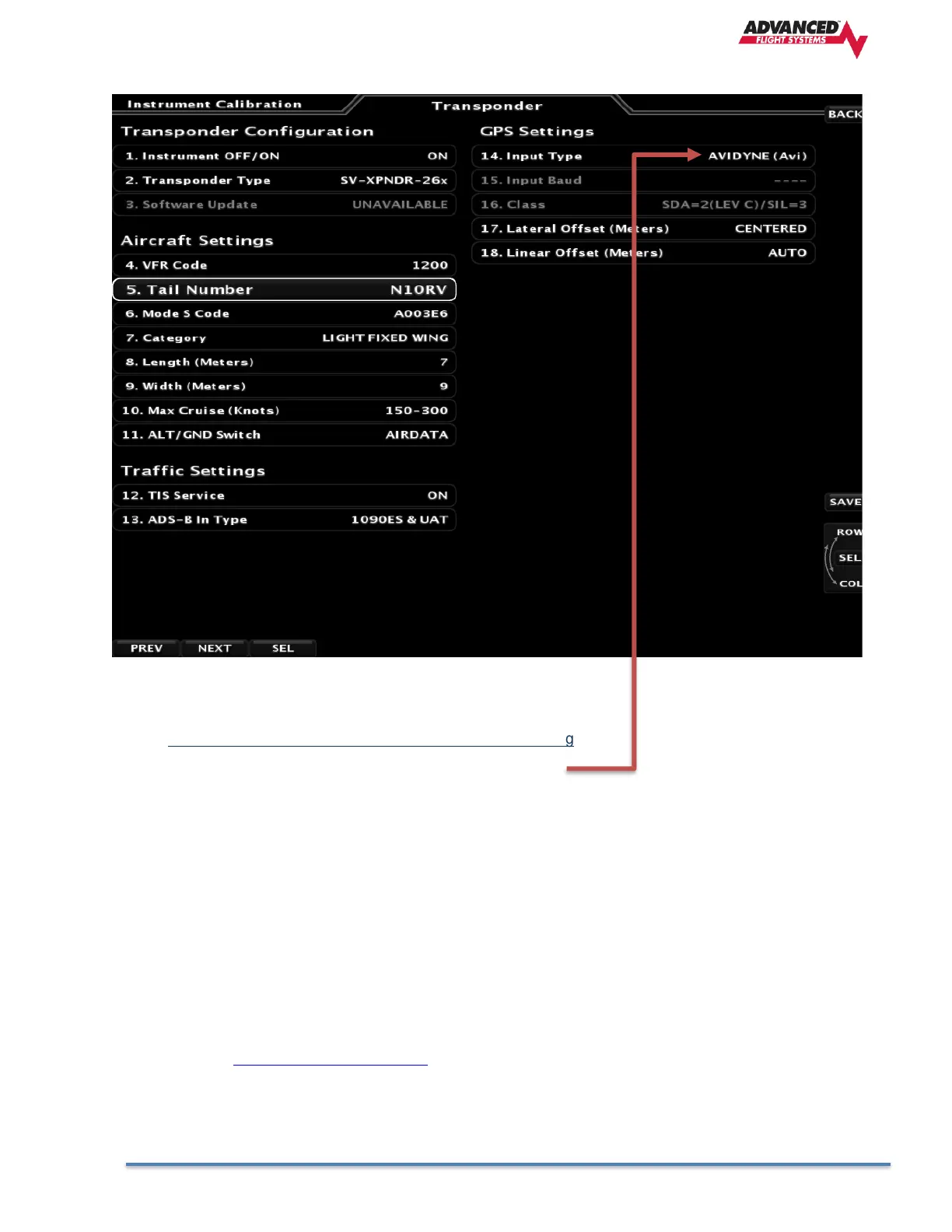
14. Input Type (Configure for the GPS providing position data)
GPS Wired to Transponder Input Type Setting
Avidyne IFD AVIDYNE (Avi)
GTN GARMIN ADSB+
Dynon GPS-2020 AF-GPS-2020
The following settings need to be configured before testing and using the transponder. They are all accessed from the
Transponder menu.
• AIRCRAFT Mode S CODE: The Mode S Code is a 24 bit number issued to the aircraft by the registration
authority for the aircraft. The website http://www.airframes.org provides hex codes for most countries’
aircraft that can be directly inputted into AF-5000. The hex code is the value shown in the ICA024 result field.
Alternatively, Mode S codes for US-registered aircraft can be found at the FAA aircraft registry at
http://registry.faa.gov/aircraftinquiry/. The FAA aircraft register shows both the octal number and the
hexadecimal. Setting up the SV- 261 requires the hexadecimal number. If you only have the octal number,
you must convert it to hexadecimal. There is an Octal to Hexadecimal converter tool available in the support
section of http://www.trig-avionics.com/.
The hex code needs to be set to the aircraft’s assigned code for the transponder to function properly. The
default code of 000000 is not a valid code. If the code is left at 000000, the transponder will only work in SBY
mode.



 To Next Page