Anatel A643a - Printer Output 115 of 220
RPS - June 2007 - Edition 12
Anatel Operator Manual
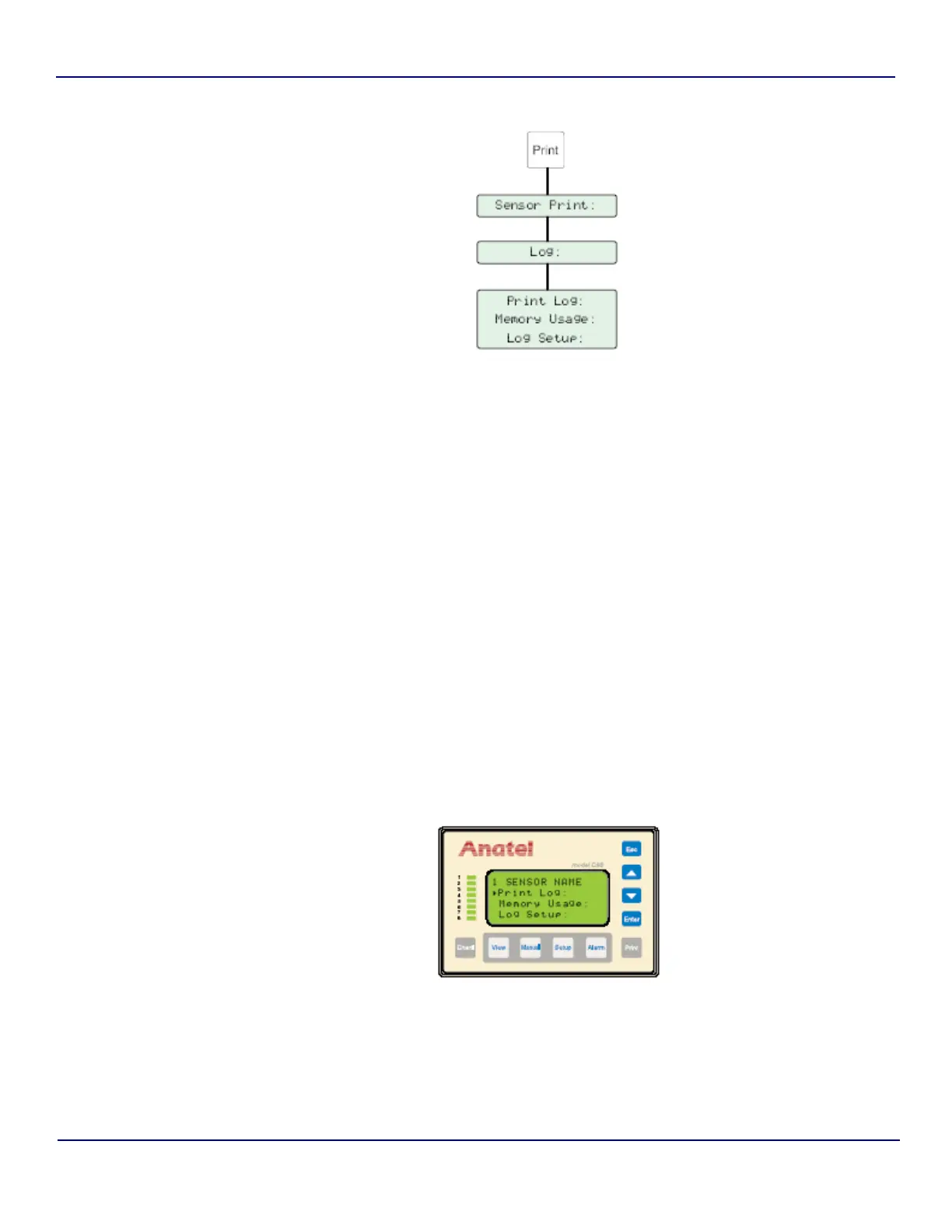
To access Log information:
1) With the desired Analyzer selected in any View, press the Print Key to access its
submenu.
2) Select Sensor Print and then press Enter to display that menu.
3) Use the Up and Down Keys to specify Log.
4) Press Enter to display the available options:
5) Use the Up and Down Keys to specify the desired Log function.
6) Press Eto perform the specified function.
Fig 8-2 : Log Setup
Print Log Generates a printout of all the data currently stored in the
Analyzer’s memory. Print All outputs all records: Print Range
outputs only those records over a certain period of a specified
time.
Memory Usage Estimates the percentage of the Analyzer’s memory log
occupied by data.
Log Setup Specifies the amount of information stored in the log. Data &
Audit also includes all TOC analysis and Purge Mode data: Audit
Only records only instrument events.
Fig 8-3 : Log Screen


 To Next Page