116 of 220 Printer Output - Anatel A643a
RPS - June 2007 - Edition 12
Operator Manual Anatel
If a Print Range has been specified, there may a slight delay before the default Range is
displayed, depending on how full the data log is. During this delay, ?? is displayed in Range
fields. If no data records are contained in the log over the specified range, zeros are displayed
in the Range fields and no data will be printed. Once the default Print Range is displayed, the
block cursor begins flashing to indicate that the span can be altered.
The Print Range function is inactive when the Log Setup selection is set to “Audit Only.”
7) Press Enter to enable the Controller’s Edit Mode and the flashing block cursor
becomes an underscore, indicating the year which starts the “from” date. The year
must be between 1990 and 2050, inclusive. The year (yy) is interpreted as 20XX (2005,
for instance) if it is less than 90; otherwise, it is treated as 19XX (such as 1998). The
default Range includes the time span from the first to the last logged record.
8) Use the Up and Down Keys to scroll to the appropriate year and press Enter to
advance to the month field.
9) Similarly specify the month and press Enter.
10) Repeat the procedure with the hour and minute settings, then specify the
corresponding “to“ date and time.
11) With the desired Range displayed in the “from“ and “to“ fields, press Esc and the
logged records are output to the printer. The ongoing progress of the printout is
displayed as a percentage.
12) Press Esc to exit this function and return to the Log Menu.
Print log range
yymmdd hhmm
from 000105 0800
to 000105 1700
Fig 8-4 : Print Range
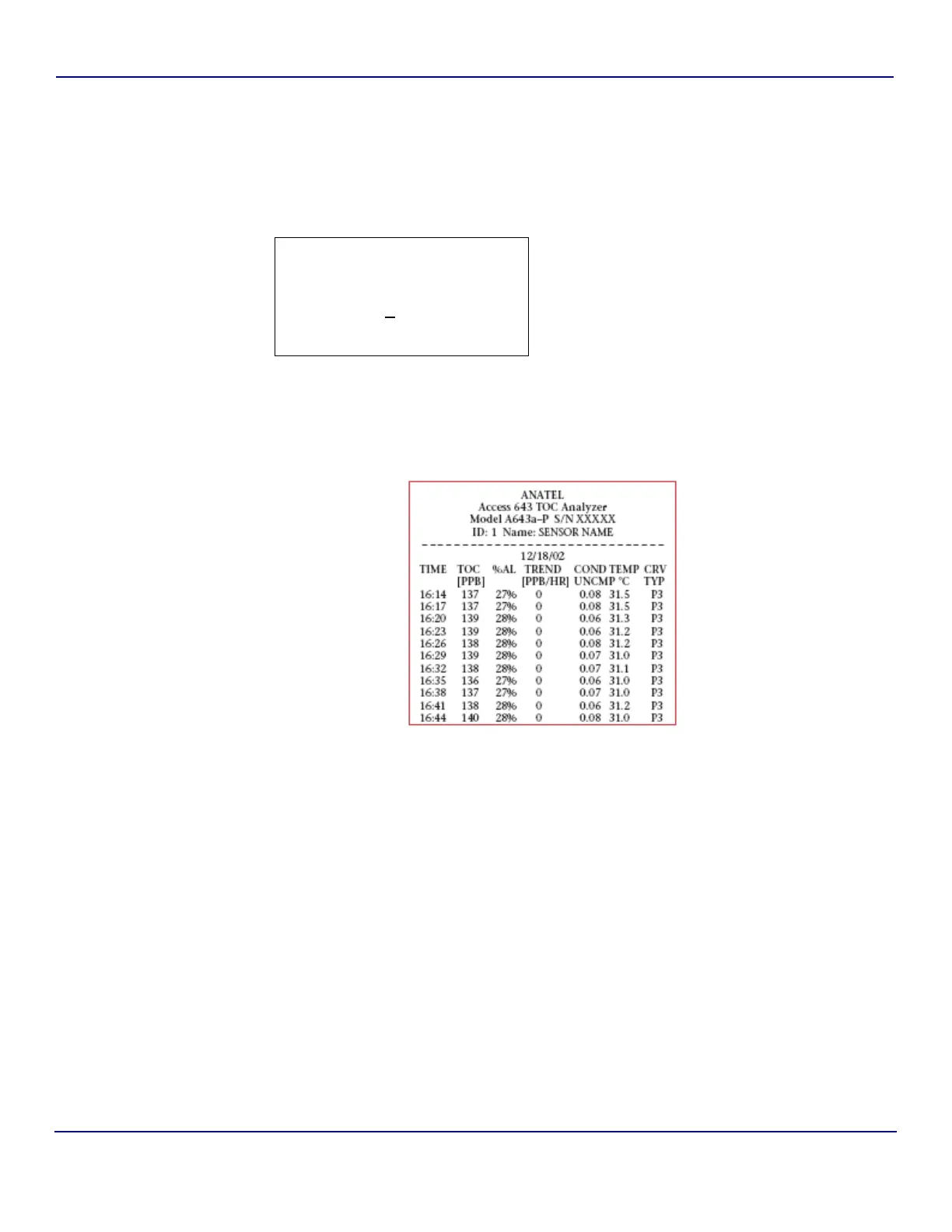
Fig 8-5 : Sample Log Printout


 To Next Page