Anatel A643a - Anatel A643a Setup 57 of 220
RPS - June 2007 - Edition 12
Anatel Operator Manual
To specify the reported display units:
1) With the desired Analyzer selected in any View, press the Setup Key to display its
submenu.
2) Use the Up and Down Keys to specify Sensor Setup.
3) Press Enter to access its submenu.
4) Specify Display/Print from among the available selections and press Enter to display
its options.
5) Specify Resis or Cond and press Enter.
6) Use the Up and Down Keys to select the desired format.
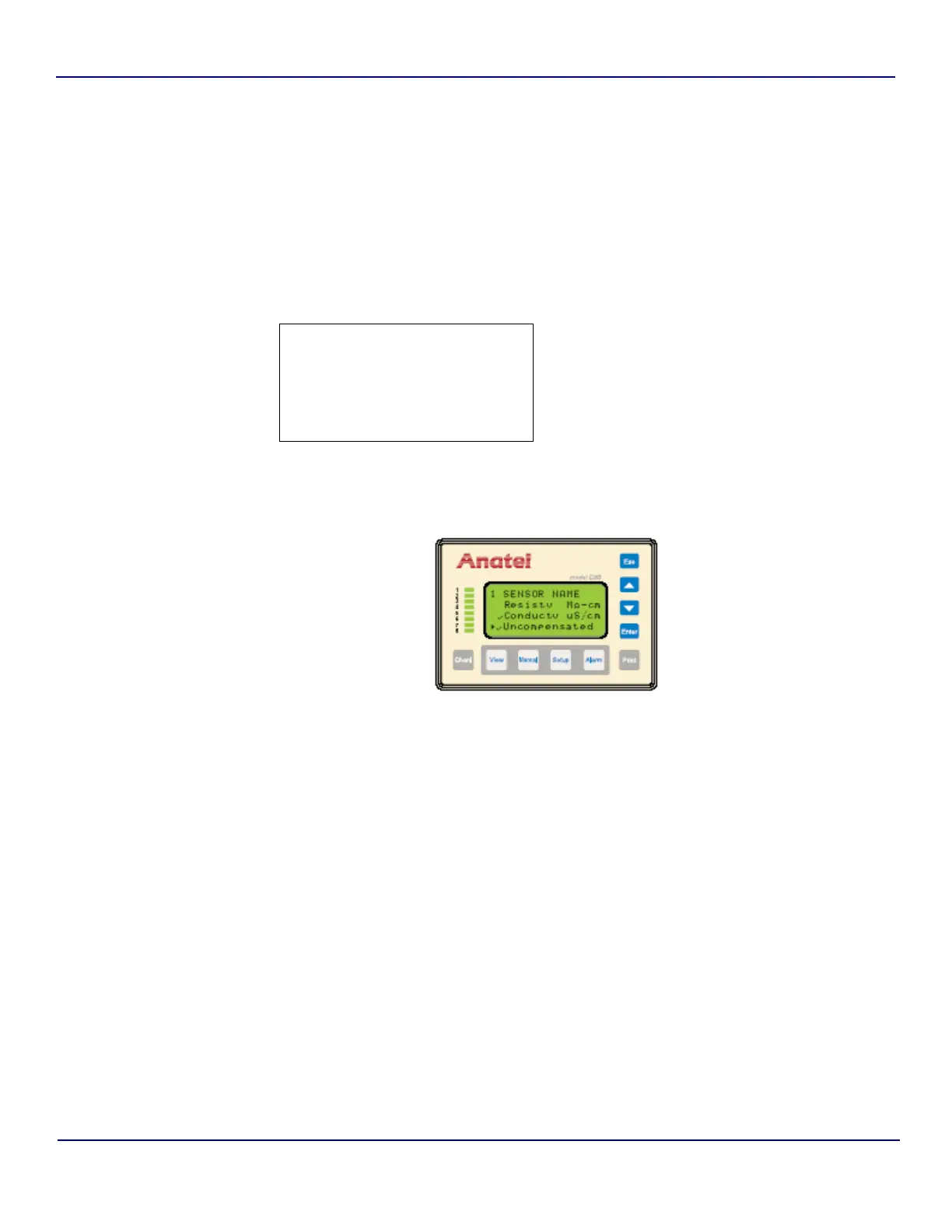
The A643a TOC Analyzer software can report the actual or temperature-compensated
conductivity (or resistivity) of the sample water. Compensated values are displayed as if the
solution was being measured at 25 °C: Compensated conductivities are displayed as µS C.
This calculation provides consistency from one analysis reading to the next regardless of
changes in temperature.
Compensation is not always desirable in pharmaceutical high-purity water applications,
however, so the uncompensated mode uses the actual sample water conductivity in its report
and alarm functions. Uncompensated conductivity is reported for the Analyzer in place of the
temperaturecompensated value on all the associated C80 Controller displays, as well as in all
reports and any output signals. Any reported uncompensated values have units displayed as
µS U to distinguish them from compensated values.
1 SENSOR NAME
X Res/Cont Units:
Printer Setup
Fig 5-10 : Display Units Menu
Fig 5-11 : Display Units Screen


 To Next Page