Chapter 5: Sorting 157
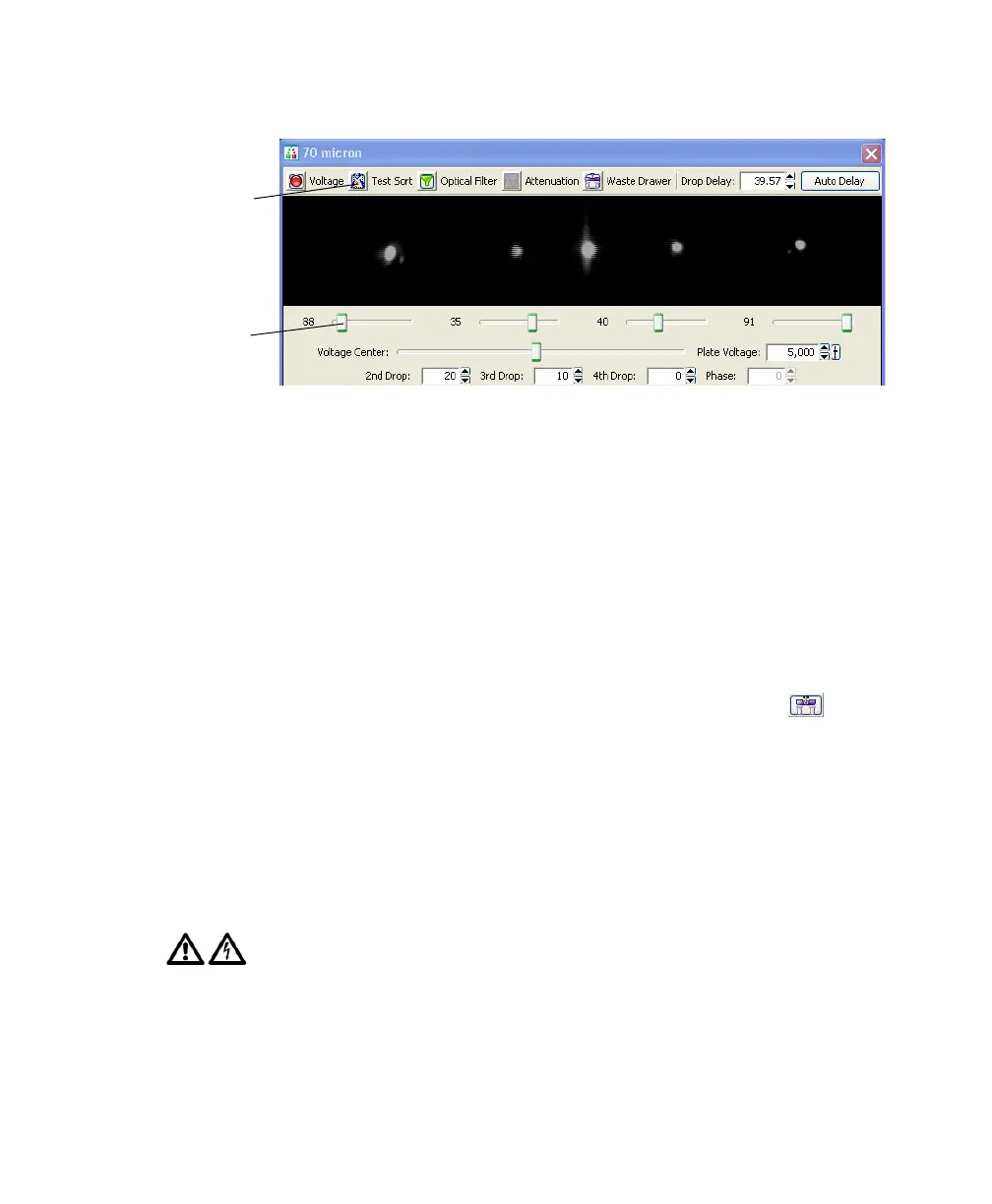
Figure 5-2 Turning on Test Sort
If you cannot see a stream image or the image is dim, adjust the micrometer
dial on the diode laser to better view the streams (Figure 1-17 on page 41).
5 Adjust the 2nd, 3rd, and 4th Drop settings to tighten the center stream and
fine-tune the side streams, if needed.
Generally, the Sort Setup mode provides good starting values for these
settings. Adjust the values only if needed to optimize the streams.
6 Open the aspirator drawer and aim the side stream(s) into each collection
tube.
• In the Sidestream window, click the Waste Drawer button ( ) to
open the drawer.
• Open the sort block door and aim each side stream into the bottom of
a tube as you adjust the corresponding slider control in the side stream
window.
• When you are satisfied with the side stream deflection, close the sort
block door.
A 12,000-volt potential exists between the deflection plates when they are
on. Contact with the charged plates results in serious electrical shock. Do
not touch the deflection plates when the plate voltage is on. The plates
remain energized even when the sort block door is opened.
Test Sort
button
Voltage
sliders



 To Next Page