Chapter 1: BD FACSAria Cytometer Components 29
Sample Injection Chamber
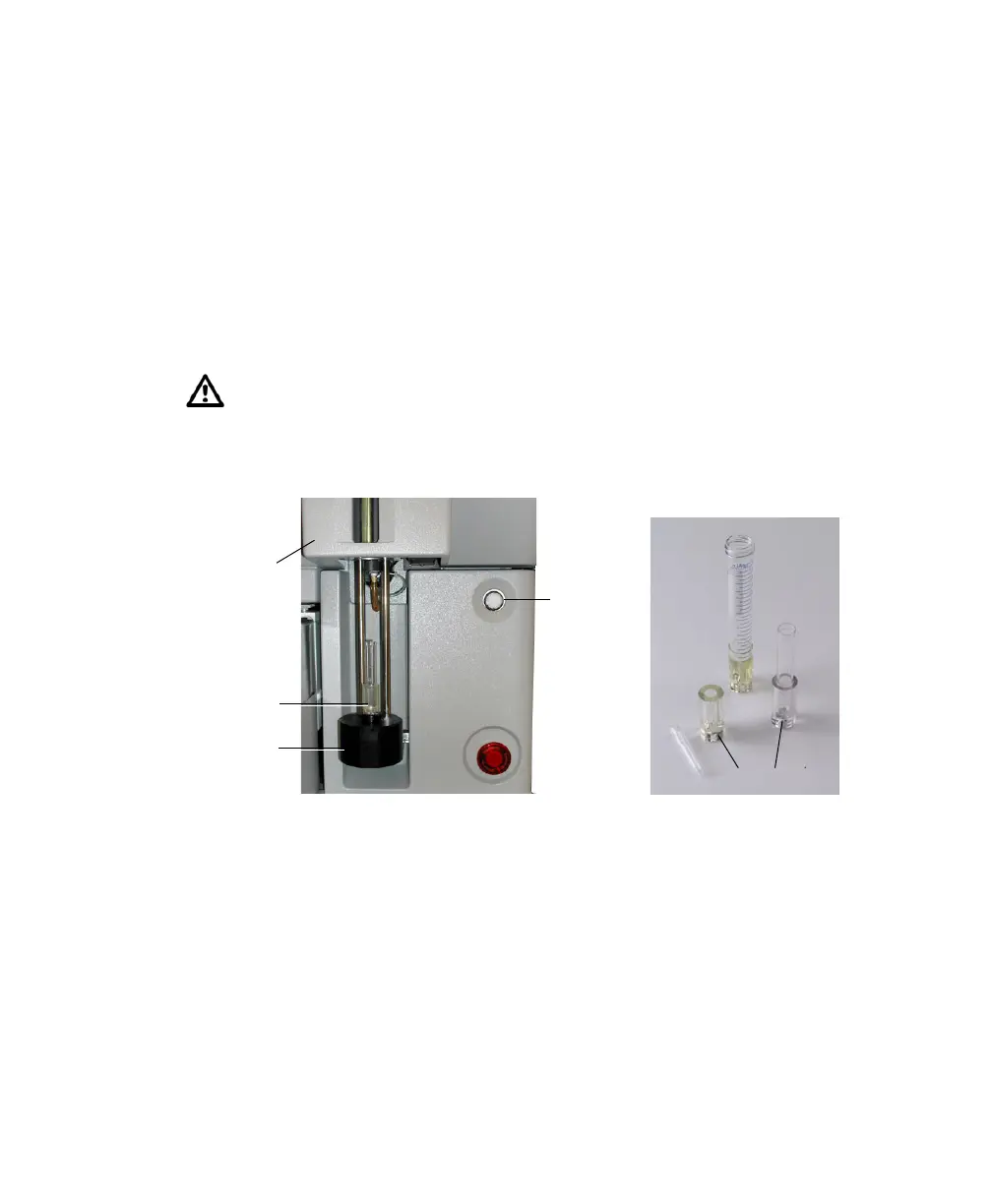
The sample injection chamber is where sample is introduced into the flow
cytometer. During acquisition, the chamber is pressurized to force sample toward
the cuvette flow cell.
Samples can be agitated and temperature-controlled within the sample injection
chamber using controls in the software (see Fluidics Controls on page 81). You
can view the amount of fluid remaining in your sample tube by pressing the
chamber light button shown in Figure 1-8.
Figure 1-8 Sample injection chamber and tube holders
A variety of tube holders are provided with the cytometer to accommodate tubes
from 15-mL centrifuge tubes to 1.0-mL microtubes (Figure 1-8). (For a list of
compatible tubes, see Labware on page 248.) To load a tube, install the
appropriate-size tube holder in the loading port, and place a tube in the holder.
When the Load button is clicked in the software (see Acquisition Controls on
page 91), the loading port rises to enclose the tube within the chamber.
After a tube is loaded, the Load button changes to Unload. Click the Unload
button to lower the loading port after data has been recorded. After each tube is
unloaded, sheath fluid flushes the sample tubing inside and out to reduce
Do not use the chamber light for long periods with samples stained with
light-sensitive reagents.
loading port
tube holder
sample
tube holders
15 mL
12 x 75 mm
1 mL
microtube
injection
chamber
chamber
light



 To Next Page