112
> Touch the icon «Decorative stitches».
> Select an appropriate decorative stitch.
> Turn the «Upper Multifunctional knob» and the «Lower Multifunctional knob» to adjust the stitch length
and the stitch width so that even when sewing with thick thread a nice stitch formation can be achieved.
> Touch the icon «i»-Dialog.
> Touch the icon «Long stitch» so that the stitch pattern is sewn less densely.
> Touch the icon «Upper thread tension» to adjust the upper thread tension if necessary.
6.3 Altering the stitch density
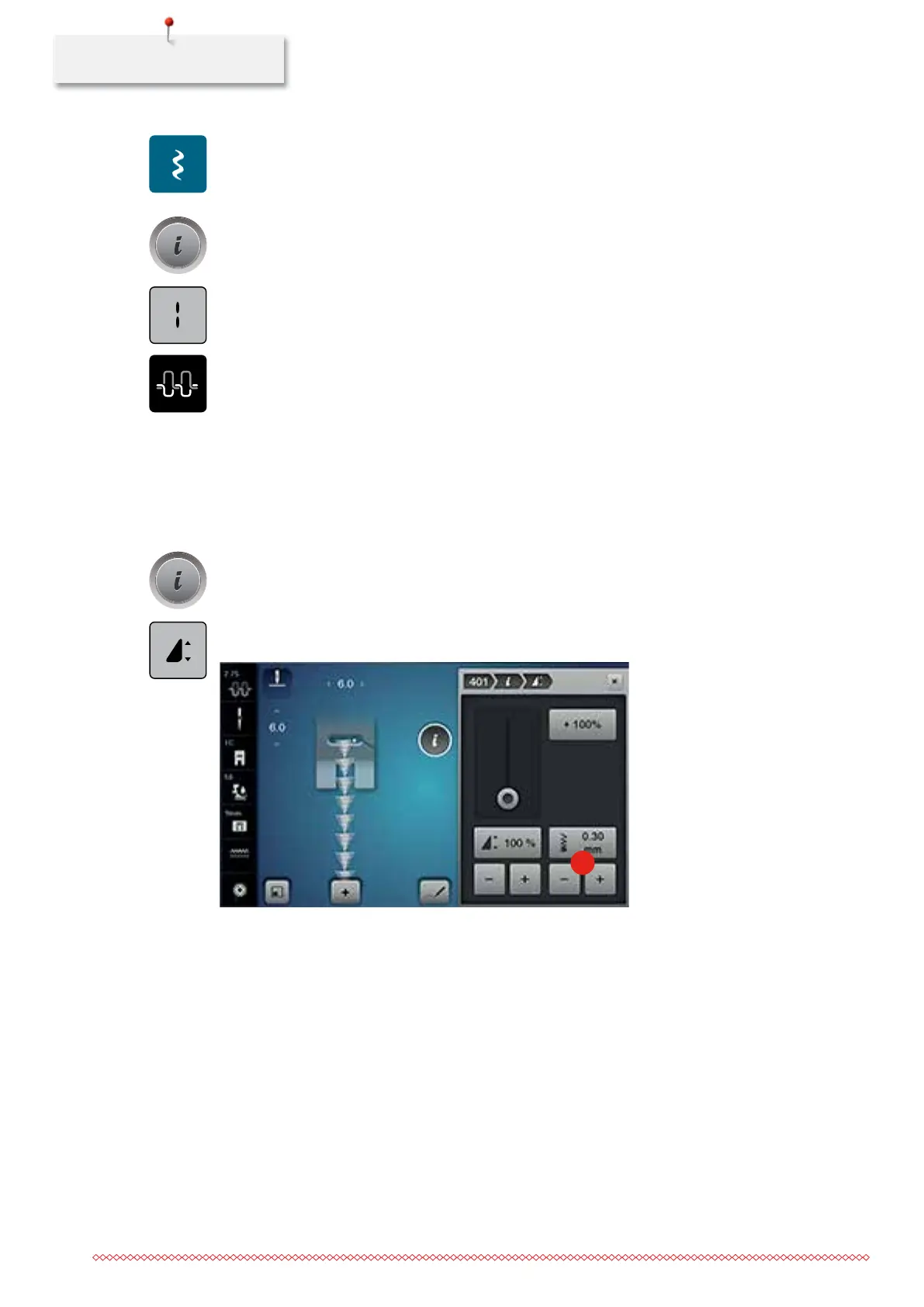
With certain decorative stitches (e. g. No. 401) the stitch density can be altered. If the stitch desnity is
increased, the stitch distance is enlarged. If the stitch density is decreased, the stitch distance is shortened.
The programmed length of the stitch pattern is not affected.
> Select the decorative stitch.
> Touch the icon «i»-Dialog.
> Touch the icon «Editing stitch pattern length».
> Adjust the stitch density via the icons (1) «-» or «+».
1
> Touch the yellow-framed icon to reset the alteration to basic setting.
035964.50.04_2014-08_Manual_B790_EN



 To Next Page