29
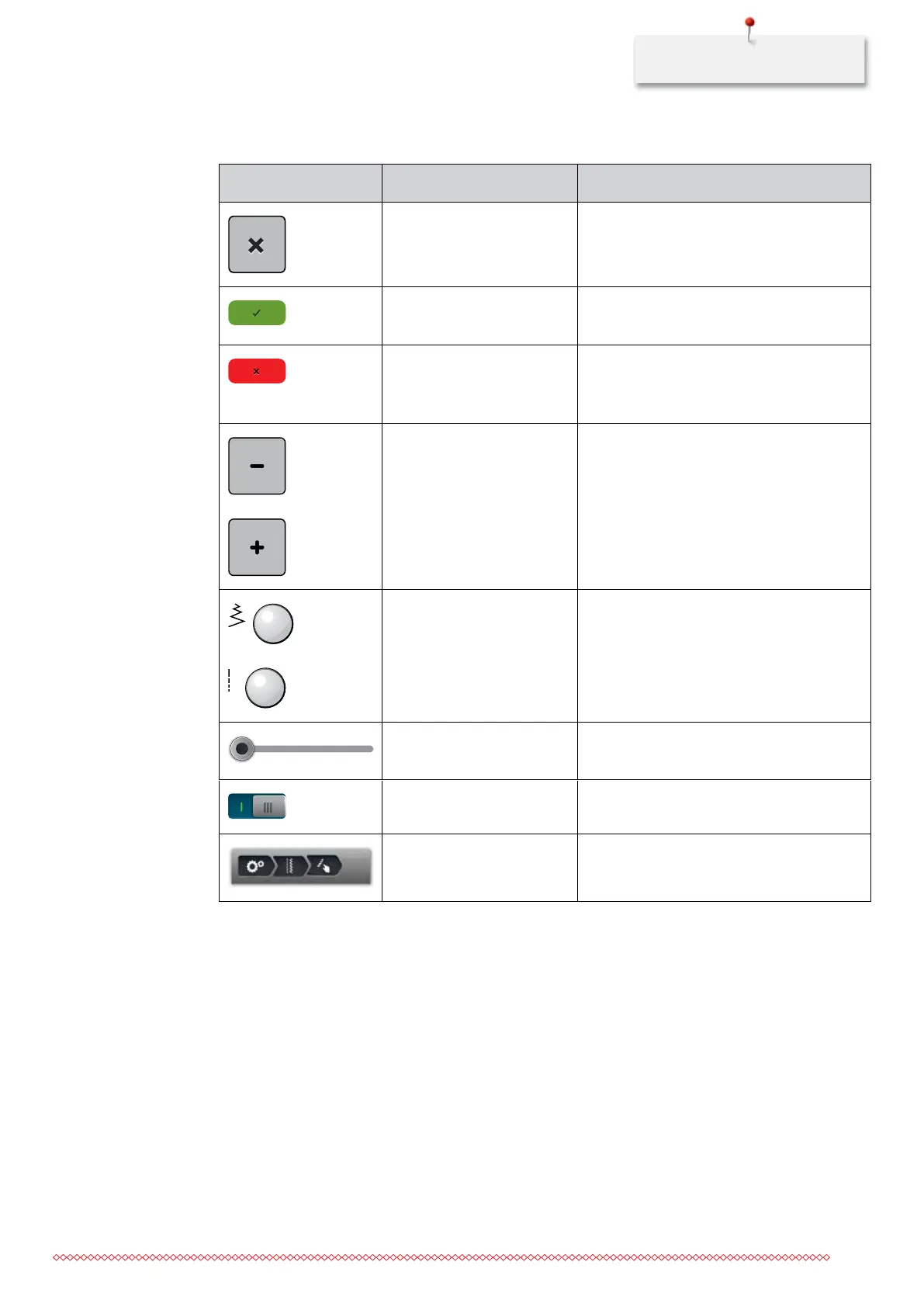
1.8 Buttons and icons
Icon Name Purpose
Close The screen is closed and the previously made
adjustments are saved.
Confirm Confirms any adjusted settings. The screen is
closed.
Cancel The process is canceled. The screen is closed
and the previously made adjustments are not
saved.
Icons «-/+» By touching the icons «-» and «+» the setting
values are changed.
«Upper Multifunctional
knob» and «Lower
Multifunctional knob»
Settings can be changed with the «Upper
Multifunctional knob» and the «Lower
Multifunctional knob».
Slide By moving the slide the setting values are
changed.
Switch Activates or deactivates functions.
Process navigation With the process navigation scrolling back in
the display is possible.
1.9 Needle, Thread, Fabric
In the course of time a needle wears out. Therefore it should be replaced regularly. Only a perfect point
results in a good stitching result. In general it can be said: the thinner the thread, the finer the needle. The
illustrated needles are either standard or optional accessory, depending on the machine.
• Sizes 70, 75: for thin fabrics.
• Sizes 80, 90: for medium fabrics.
• Sizes 100, 110 and 120: for heavy fabrics.
035964.50.04_2014-08_Manual_B790_EN



 To Next Page