77
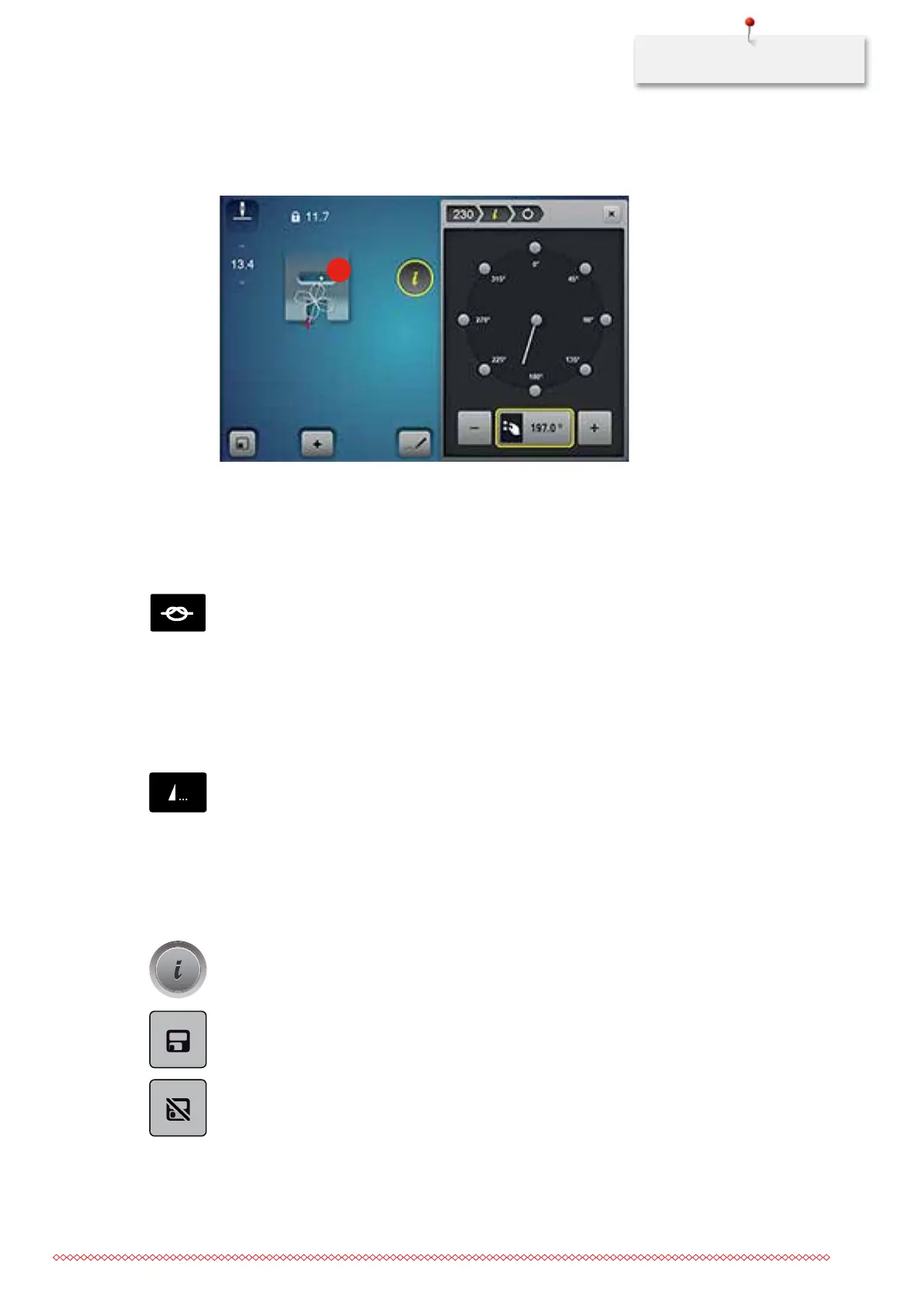
> Touch the yellow-framed icon to reset the alteration to basic setting.
– In the left portion of the display the start of the stitch pattern is marked with a white dot (2) and the
end with a red cross.
2
4.5 Securing
Securing a seam with the button «Securing»
The button «Securing» can be programmed with various securing stitches (see page 56).
> Press the button «Securing» before starting to sew.
– The stitch pattern/stitch pattern combination will be secured with the number of programmed stitches
when sewing is started.
> Press the button «Securing» while sewing.
– The machine stops immediately and secures with the number of programmed stitches.
Securing with the button «Pattern end»
The button «Pattern end» can be programmed with various functions (see page 54).
> Press the button «Pattern end» before sewing is started or while sewing.
– While sewing, a stop icon indicates that the function is activated and the stitch pattern or the current
combination of a stitch pattern will be secured at the end with the programmed number of stitches.
4.6 Administering stitch patterns
Saving settings of stitch patterns
> Select a stitch pattern, alphabet or buttonhole.
> Touch the icon «i»-Dialog.
> Edit the stitch, alphabet or buttonhole.
> Touch the icon «Saving stitch pattern settings» to save the alterations permanently.
> Touch the icon «Back to basic setting» to cancel the alterations.
035964.50.04_2014-08_Manual_B790_EN



 To Next Page