70
4 Creative sewing
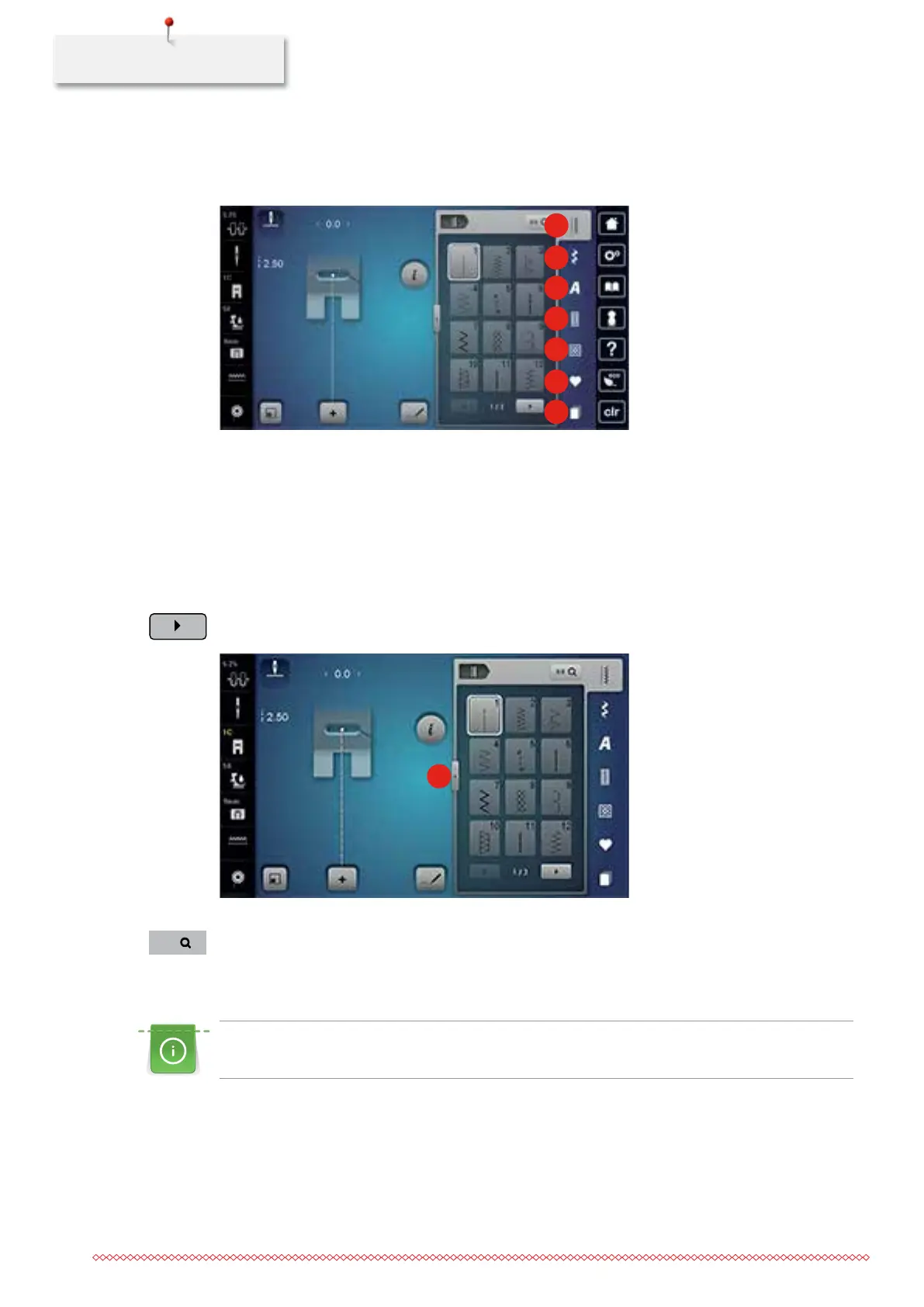
4.1 Overview Sewing functions
1
2
3
4
5
6
7
1 Practical stitches 5 Quilt stitches
2 Decorative stitches 6 Personal Memory
3 Alphabets 7 History
4 Buttonholes
Selecting a stitch pattern
> Select stitch pattern, alphabet or a buttonhole.
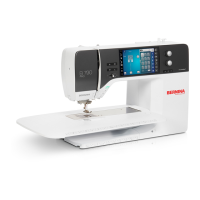
> Touch the icon «Scrolling» to have more stitch patterns displayed.
> Touch the icon «Display all the stitch patterns» (1) to scale up the stitch pattern menu.
1
> Touch the icon «Display all the stitch patterns» (1) again to downsize the stitch pattern menu.
> Touch the icon «Stitch pattern selection by number» to select the stitch pattern by entering the stitch
number.
4.2 BERNINA Dual Feed
It is recommended to match the presser foot pressure with the fabric. The thicker the fabric, the lower
the presser foot pressure.
The BERNINA Dual Feed feeds the fabric from above and from beneath simultaneously. This provides an even
and careful feed forward even for smooth and thin materials. Striped and checkered patterns can be
matched perfectly by even feeding.
-
0-9
035964.50.04_2014-08_Manual_B790_EN


 To Next Page