159
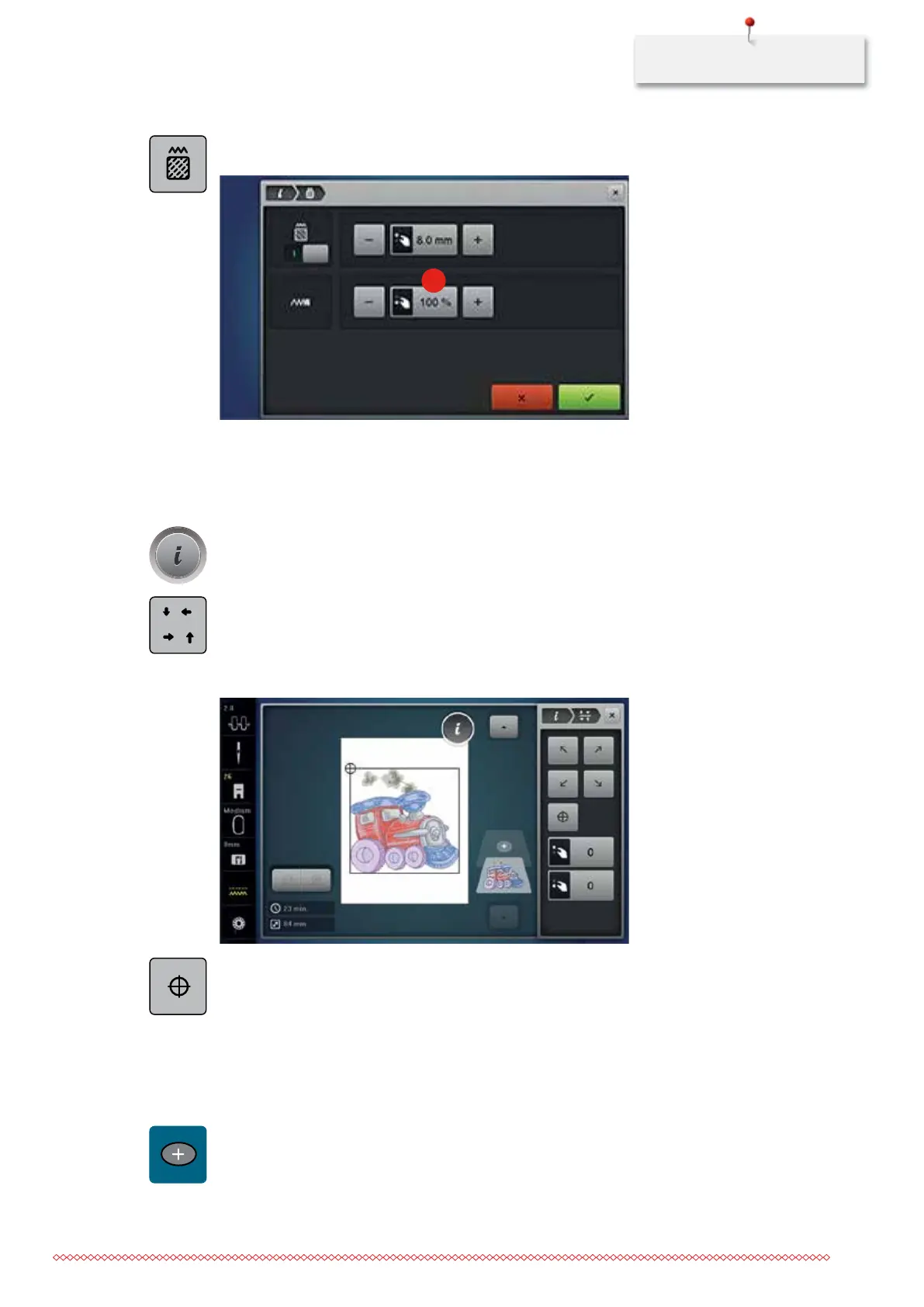
> Touch the icon «Altering the stitch type/stitch density».
> Adjust the desired stitch density (1) with the icons «-» or «+».
1
Checking the size of the embroidery motif
It can be checked whether or not the size of the embroidery motif fits in the hoop.
> Select an embroidery motif.
> Touch the icon «i»-Dialog.
> Touch the icon «Check embroidery motif size».
> Touch the icon «Corner top left» to select the top left corner of the embroidery motif.
> Touch the icon «Corner top right» to select the top right corner of the embroidery motif.
> Touch the icon «Corner bottom left» to select the bottom left corner of the embroidery motif.
> Touch the icon «Corner bottom right» to select the bottom right corner of the embroidery motif.
> Touch the icon «Embroidery motif center» to select the center of the embroidery motif.
> Turn the «Upper Multifunctional knob» to move the embroidery motif horizontally.
> Turn the «Lower Multifunctional knob» to move the embroidery motif vertically.
11.9 Combinations
Combining embroidery motifs
> Select an embroidery motif.
> Touch the icon «Adding an embroidery motif».
> Select another embroidery motif.
check
035964.50.04_2014-08_Manual_B790_EN



 To Next Page