147
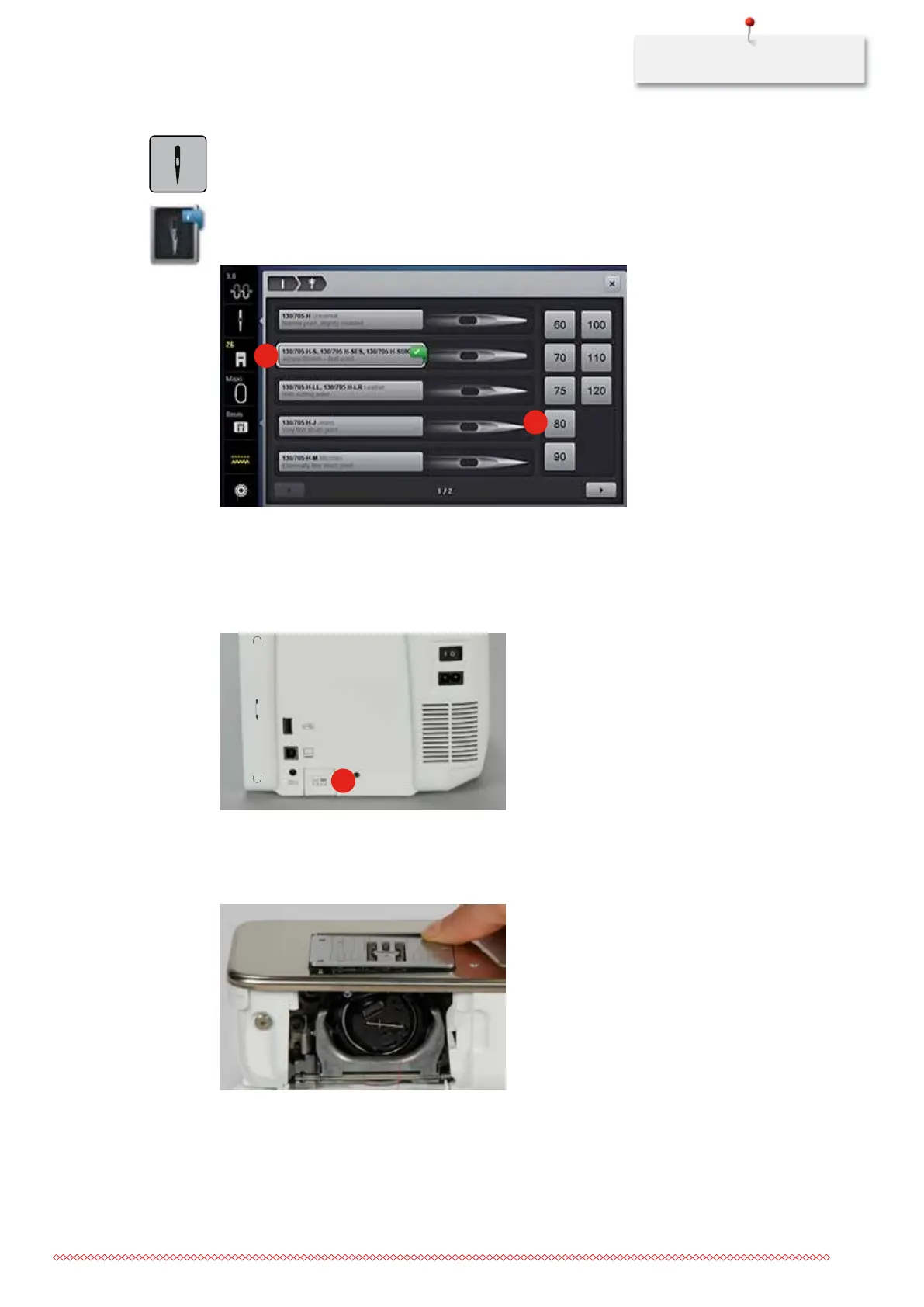
> Touch the icon «Needle selection».
> Touch the icon «Needle type/Needle size».
> Select the needle type (1) of the inserted needle.
> Select the needle size (2) of the inserted needle.
1
2
Attaching the stitch plate CutWork/Straight
The stitch plate CutWork/Straight has a small needle hole in the needle insertion area. The small needle hole
supports the fabric. This optimizes the stitching results.
> Lower the feed dog (1).
1
> Switch the machine off and disconnect it from the power supply system.
> Remove the needle.
> Remove the presser foot.
> Press the stitch plate down at the mark back right until it flips up.
> Remove the stitch plate.
> Place the openings of the stitch plate CutWork/Straight above the corresponding guide pins and press
down until it clicks into place.
035964.50.04_2014-08_Manual_B790_EN



 To Next Page