75
Editing stitch pattern length
The stitch patterns can be lengthwise extended or shortened.
> Select a stitch pattern or alphabet.
> Touch the icon «i»-Dialog.
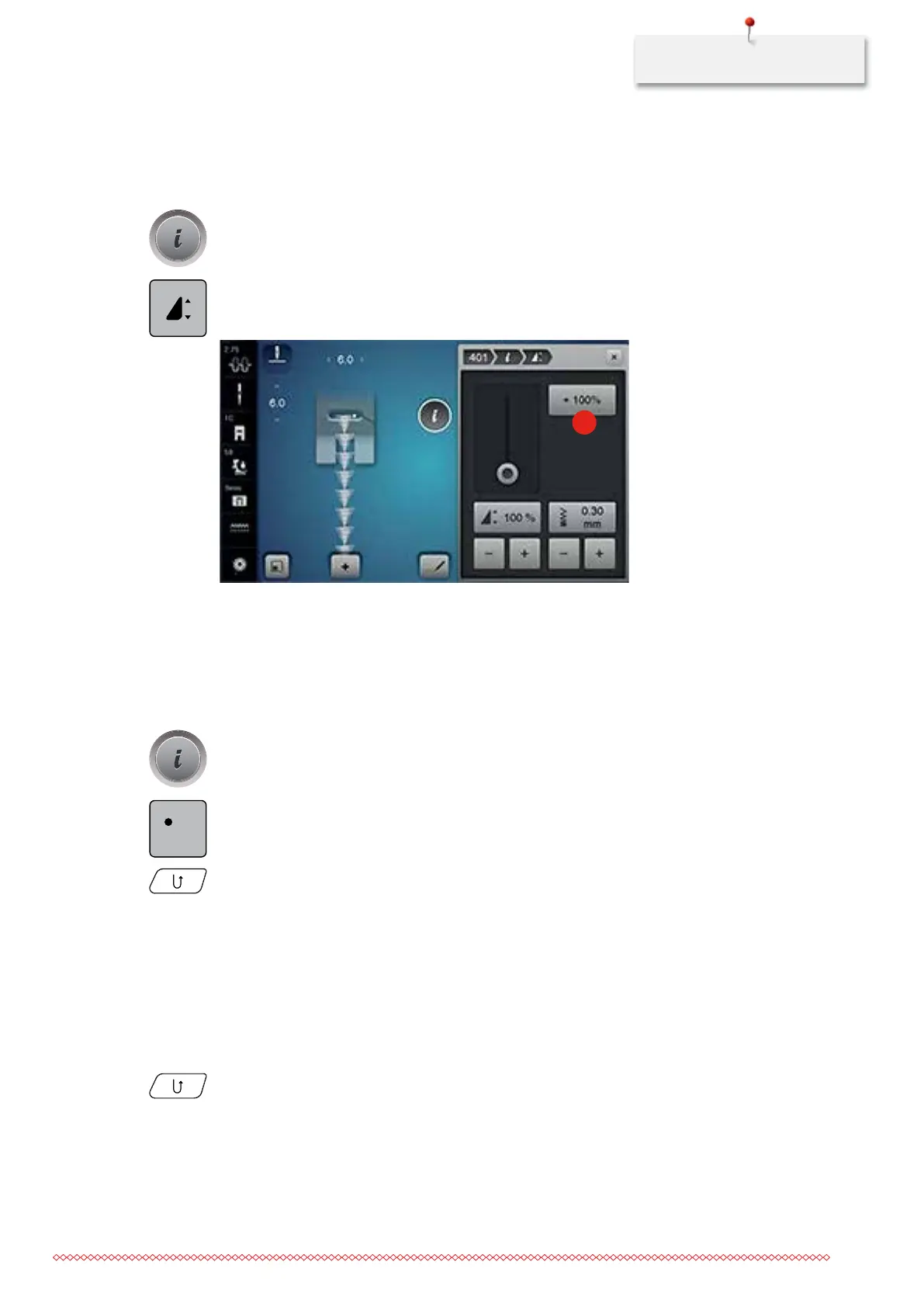
> Touch the icon «Editing stitch pattern length».
> Move the slide with the touchscreen pen or the finger to determine the length of the stitch pattern.
> Touch the icon «+100%» (1) to extend the stitch pattern length in 100%-steps.
1
> Touch the yellow-framed icon to reset the alteration to basic setting.
Programming the stitch counter function
The stitch counter function cannot be applied with all stitch patterns. If, for example, the honeycomb stitch
has been selected, the stitch counter function cannot be used.
> Select a stitch pattern.
> Touch the icon «i»-Dialog.
> Touch the icon «Stitch counter».
> Sew the desired length.
> Press the button «Quick reverse».
– The display changes to «Auto» and the selected stitch pattern in the new length is saved until the
machine is switched off.
Quick reverse
> Select a stitch pattern, alphabet or buttonhole.
> Program needle stop down (permanent) to switch immediately to Quick reverse as soon as the button
«Quick reverse» is pressed.
> Program needle stop up (permanent) to sew another stitch forward before the machine switches to
reverse sewing.
> Press the button «Quick reverse» and keep pressed.
REC
123
035964.50.04_2014-08_Manual_B790_EN



 To Next Page