Pattern Key Settings
To set up a pattern key on the upstream keyer in ATEM Mini Extreme:
1 Select the K1PTN button in the select bus.
2 Select the fill source from the select bus.
You can now adjust your pattern settings including selecting the key pattern using ATEM
Software Control.
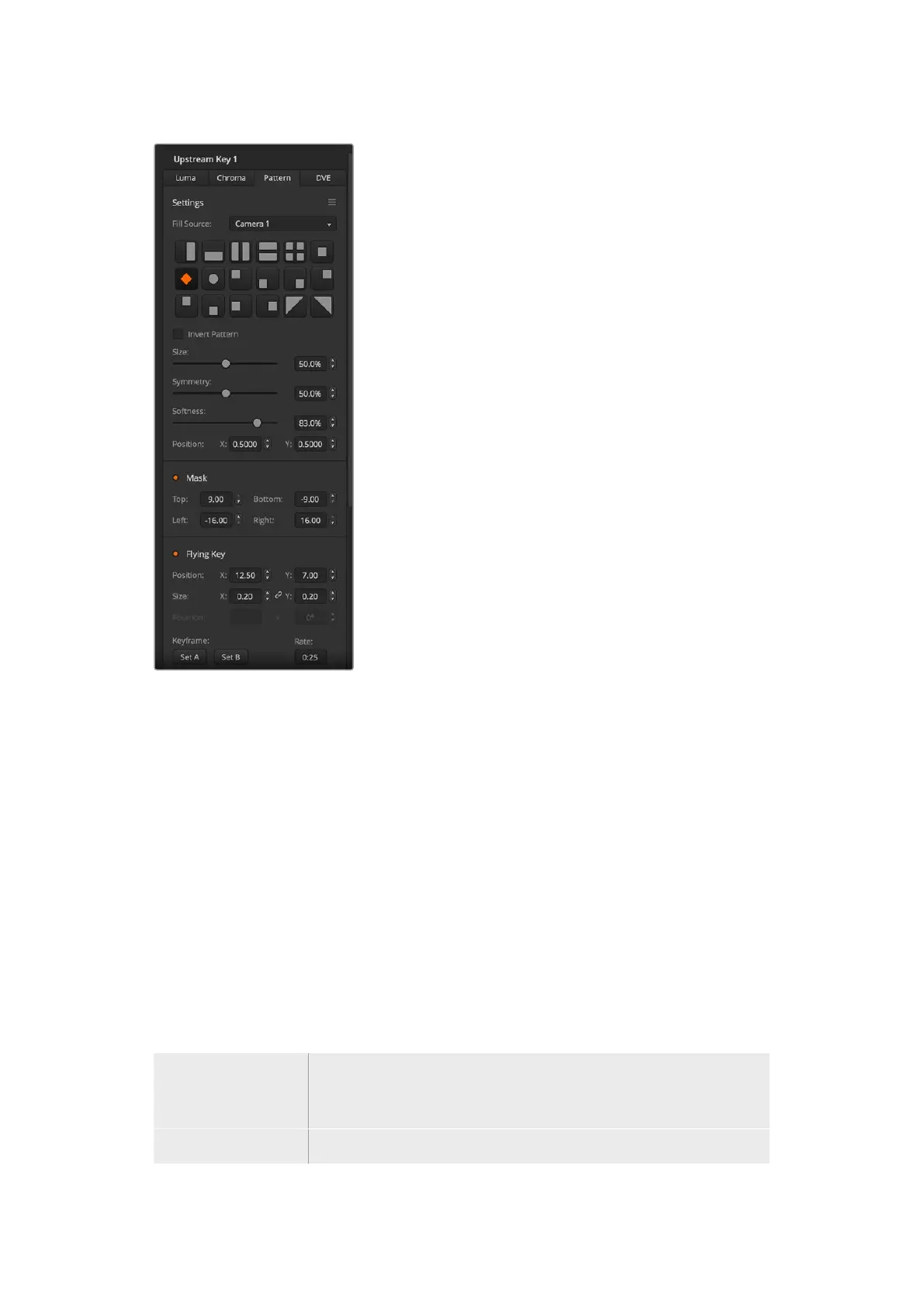
To set up a pattern key on the upstream keyer in ATEM Software Control:
1 Expand the upstream key palette and select pattern from the key types bar.
2 Select the fill source.
3 Select the key pattern.
4 Adjust the key parameters to refine the key. For a description of pattern key
parameters, refer to the table below.
Pattern key parameters:
Invert Pattern This button inverts which the region is filled with the fill source.
For example, fill a region outside of a circle by positioning the circle wipe as
desired and then setting invert pattern to ‘on’.
Size Increases and decreases the size of the selected pattern.
120Keying using ATEM Mini


 To Next Page
 Loading...




