104
Auxiliary functions
Procedure:
Key Action Description
MENU
Press for approx. 3 s
Switching from process level setting level.
/ Select CHARACT (To do this, the auxiliary function must be incorporated into the main
menu).
ENTER
Menu options of CHARACT are displayed.
/ Select FREE
SELEC
Press
The graphical display of the characteristic is displayed.
INPUT
Press
Submenu with the individual nodes (as %) is opened.
/ Select node
INPUT
Press
The SET-VALUE input screen for inputting values is opened.
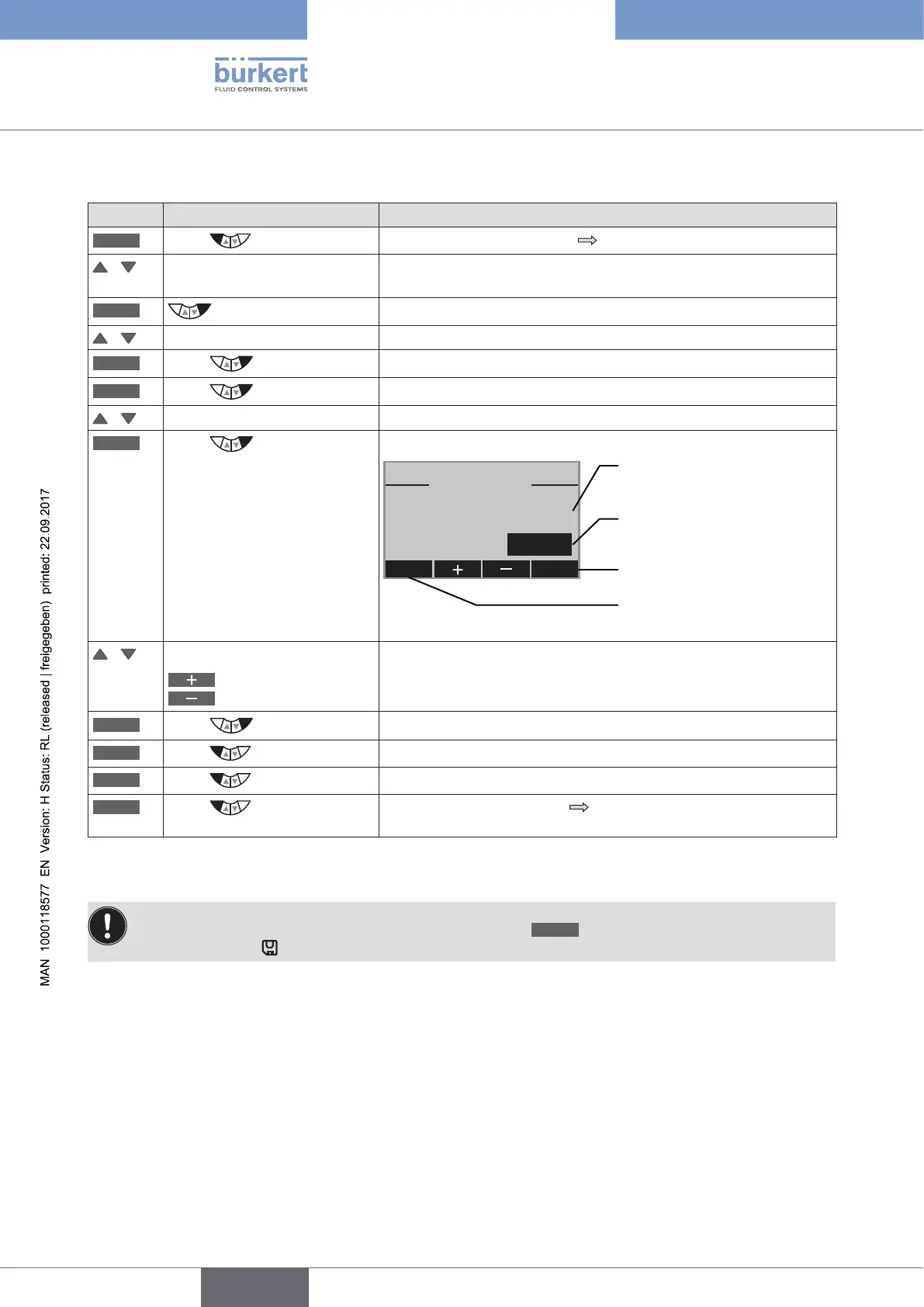
SET VALUE
y 0 –>: 2
[%]
ESC OK
2
This value is changed with
the arrow keys
Acknowledge value
Return without change
Previously set value (as %)
/ Input value:
Increase value
Reduce value
Input value for the selected node.
OK
Press
Acknowledge input and return to the FREE submenu.
EXIT
Press
Return to the CHARACT menu.
EXIT
Press
Return to the main menu (MAIN).
EXIT
Press
Switching from setting level process level.
The changed data is saved in the memory (EEPROM).
Table 55: FREE; Inputting the freely programmable characteristic
The changed data is saved in the memory (EEPROM) only when there is a switch to the process level,
by leaving the main menu (MAIN) using the left selection key
EXIT
. During the save process, the save
symbol is indicated
on the display.



 To Next Page