128
Auxiliary functions
ENTER
Press for
approx.
3 s
Reset the settings of CAL.USER to factory
settings
ENTER
ENTER
ENTER
ENTER
RUN
EXIT
EXIT
EXIT
EXIT
INPUT
INPUT
INPUT
INPUT
INPUT
INPUT
INPUT
INPUT
*
OK
*
*
*
OK
OK
OK
*
OK
*
*
*
OK
OK
OK
Input value
(POS.lower:)
Create and confirm
minimum value
Create and confirm
minimum value
Create and confirm
minimum value
Create and confirm
maximum value
Create and confirm
maximum value
Create and confirm
maximum value
Input value
(POS.upper:)
EXIT
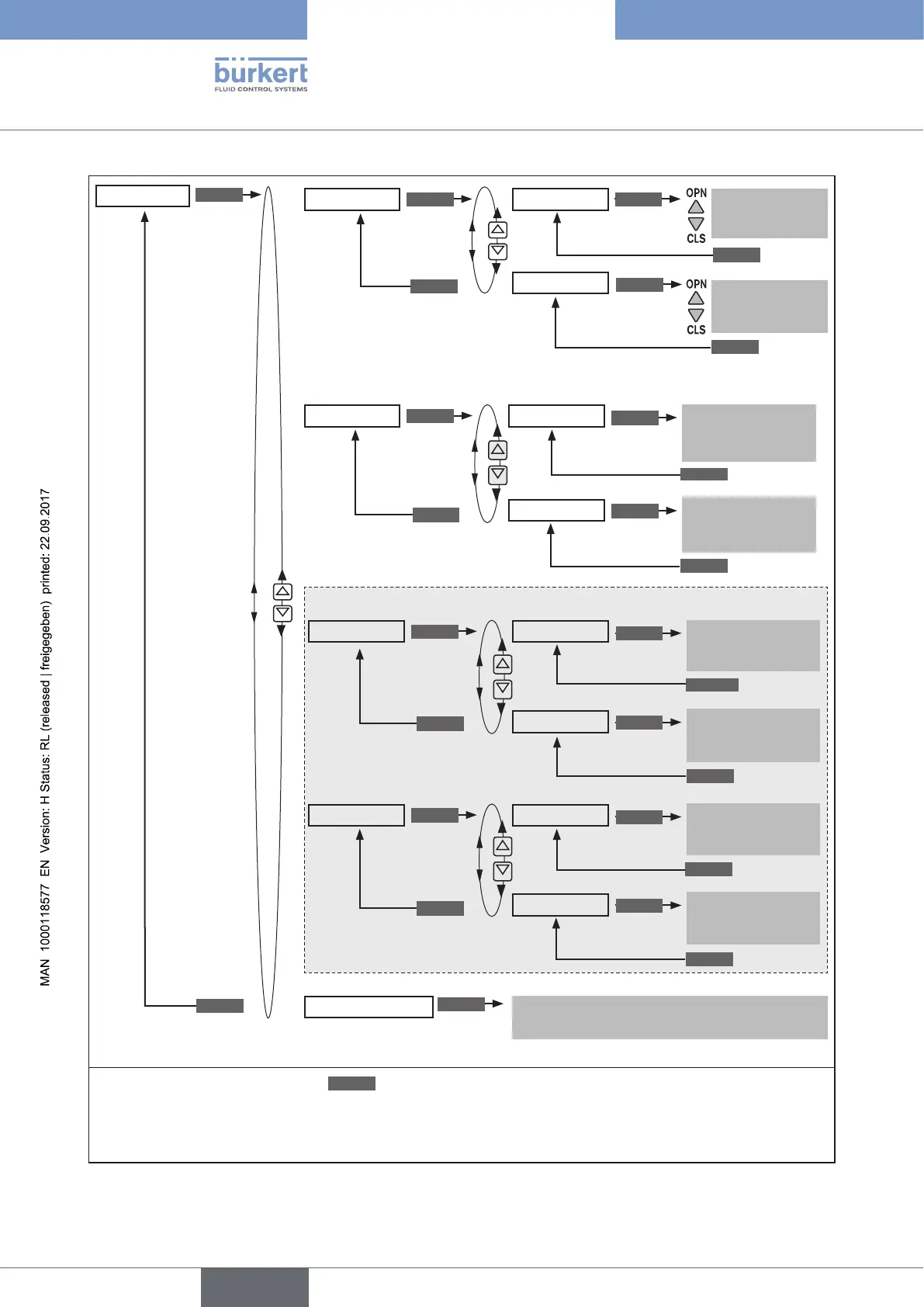
CAL.USER
calibr. POS
calibr. INP
calibr. SP
calibr. PV
***
POS. pMIN
POS. pMAX
INP 4mA 0**
SP 4mA 0**
PV 4mA 0
INP 20mA 0**
SP 20mA 0**
PV 20mA 0
Only for process controller Type 8793 (if P.CONTROL activated):
Only for positioner Type 8792
(or for Type 8793 if P.CONTROL not activated).
The calibr. menu option SP is available
for external set-point value default only
copy FACT
–>
USER
* If the submenu is left by pressing the
ESC
key, the value remains unchanged.
**
The signal type is displayed which was specified for the input signal.
*** If the Pt 100 signal type was specified for the process actual value, the input screen is displayed for the temperature value.
Figure 76: Operating structure CAL.USER



 To Next Page