136
Auxiliary functions
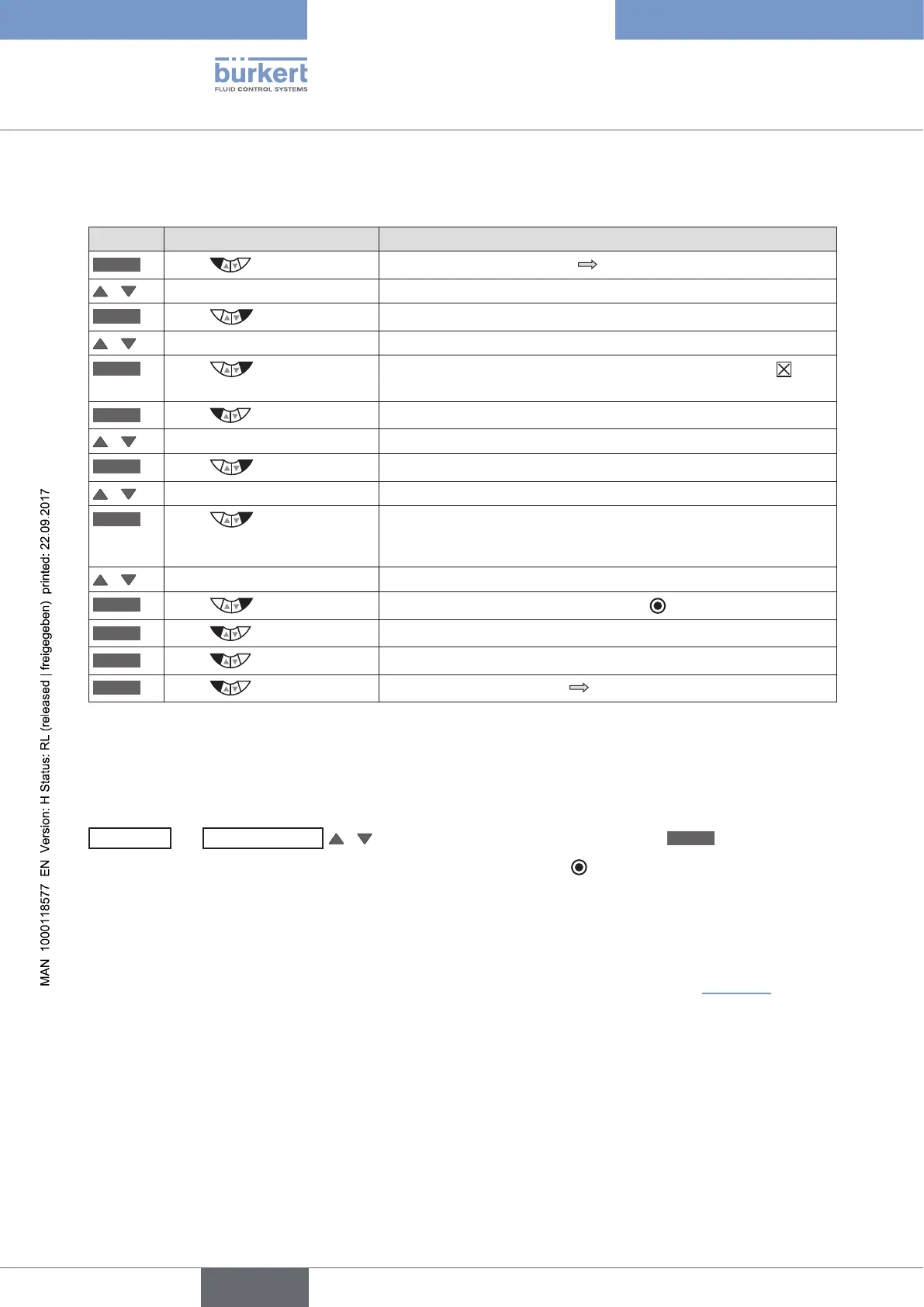
DISP.MODE - Select type of display
(black font on light background or white font on dark background):
Key Action Description
MENU
Press for approx. 3 s
Switching from process level setting level.
/ Select ADD.FUNCTION
ENTER
Press
The possible auxiliary functions are displayed.
/ Select EXTRAS
ENTER
Press
Activate the EXTRAS auxiliary function by checking the box and
transfer into the main menu.
EXIT
Press
Return to the main menu (MAIN).
/ Select EXTRAS
ENTER
Press
The submenus of EXTRAS are displayed.
/ Select DISP.MODE
ENTER
Press
The possible menu options for the type of display are shown.
normal = black font on light background
inverse = white font on dark background
/ Select the type of display
SELEC
Press
The selection is marked by a filled circle .
EXIT
Press
Return to the EXTRAS menu.
EXIT
Press
Return to the main menu (MAIN).
EXIT
Press
Switching from setting level process level.
Table 70: DISP.MODE; Select type of display
DISP.LIGHT - Define background lighting for display:
EXTRAS
→
DISP.LIGHT
/
Select background lighting and define with
SELEC
.
The menu option for the background lighting is marked by the filled circle
.
• on = Background lighting on.
off = Background lighting off.
user active = Background lighting switches off after 10 seconds with no user interaction. If a key is pressed
again, the background lighting goes on again.
The detailed procedure can be found in the extensive menu description for DISP.MODE (see “Table 70”). The
DISP.LIGHT and DISP.MODE menus are set in the same way.



 To Next Page