139
Auxiliary functions
26.2.21.1. SIGNAL.sim – Simulation of the set-point value
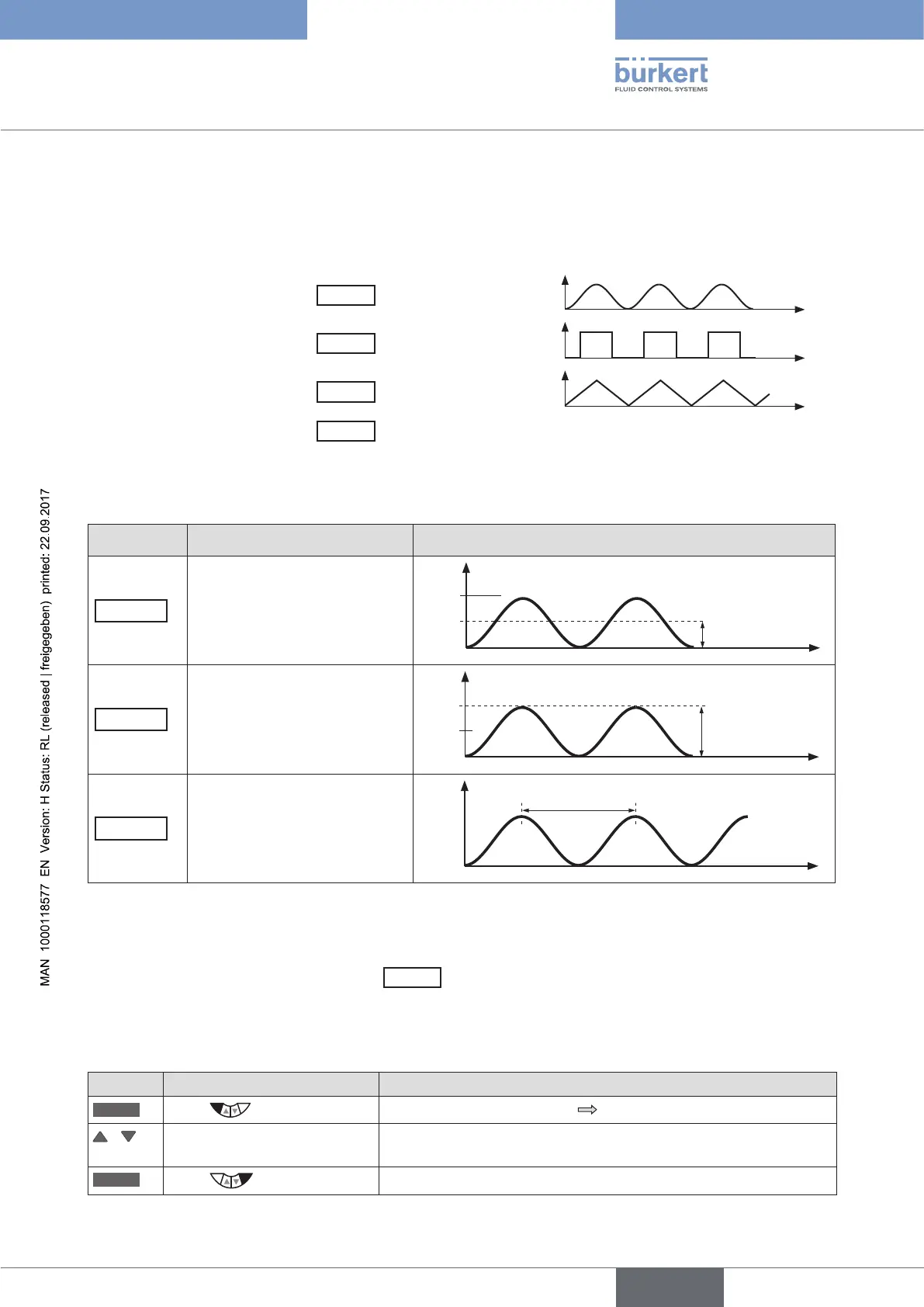
The settings to simulate the set-point value are made in the SIGNAL.sim menu.
Activation of the simulation:
In the SIGNAL.form submenu by selecting one of the following waveforms
Sine
Sine wave
Square
Square wave
Triangle
Triangle wave
Mixed
Single cycle of an alternating signal sequence.
Then the selection is set to External (set-point value simulation
inactive).
The following parameters can be set for the selected waveform.
Menu option Parameter setting Schematic representation with sine wave
Offset
(Zero offset as %)
70 %
50 %
Offset as %
t
Amplitude
(Amplitude as %)
70 %
50 %
Amplitude as %
t
Perisode
(Cycle duration in s)
70 %
50 %
Period in s
t
Table 72: SIGNAL.sim; parameter settings for set-point value simulation
Deactivation of the simulation:
In the SIGNAL.form submenu
Selection
Externally
= set-point value simulation inactive
(corresponds to the factory setting in the as-delivered state)
Activating and parameterizing the set-point value simulation:
Key Action Description
MENU
Press for approx. 3 s
Switching from process level setting level.
/ Select SIMULATION (To do this, the auxiliary function must be incorporated into the main
menu).
ENTER
Press
The submenu for setting the simulation is displayed.



 To Next Page