146
Auxiliary functions
26.2.22.5. Description of the DIAGNOSE main menu
1.
D.MSG
– Diagnosis messages
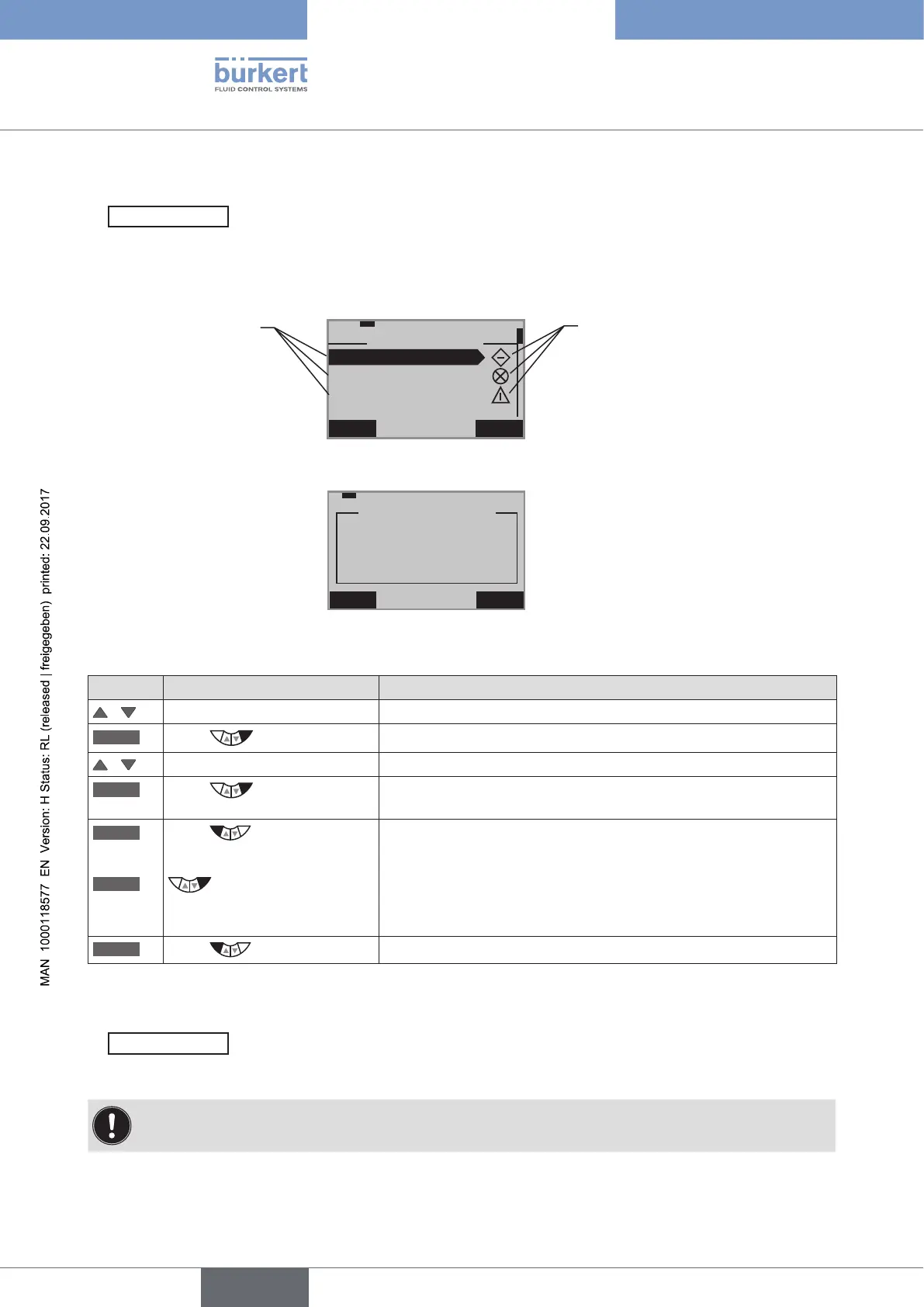
All generated diagnosis messages are listed in the D.MSG menu where they can be viewed and deleted. The status
signal, which is assigned to the diagnosis message, is indicated by a symbol.
Display example of a list with diagnosis messages
EXIT ENTER
29-1-1
>> D.MSG <<
SERVICE.TIME
PV.MONITOR
==================
TRAVEL.ACCU
Diagnosis
message
Symbol for the assigned status
signal
Display example of the description text of a diagnosis message
EXIT CLEAR
–––
TRAVEL.ACCU
travel accu
exceeded
Viewing and deleting a diagnosis message:
Key Action Description
/ Select D.MSG
ENTER
Press
All generated diagnosis messages are displayed.
/ Select required message
ENTER
Press
Opening the diagnosis message. The description text is displayed
(in English).
EXIT
Press
Closing the diagnosis message and return to D.MSG.
or
CLEAR
Hold down
as long as countdown (5 ...) is
running
Deleting the diagnosis message and return to D.MSG.
EXIT
Press
Return to the DIAGNOSE main menu.
Table 78: D.MSG; viewing and deleting a diagnosis message
2.
CONFIG.MSG
– Assignment of status signals according to NE 107 (NAMUR recommendation)
The status signals of the diagnosis messages can be changed in the CONFIG.MSG menu.
The menu indicates only diagnosis functions which can output a message and which have already been
activated in the ADD.DIAGNOSE menu.
The status signals have different priorities.



 To Next Page