147
Auxiliary functions
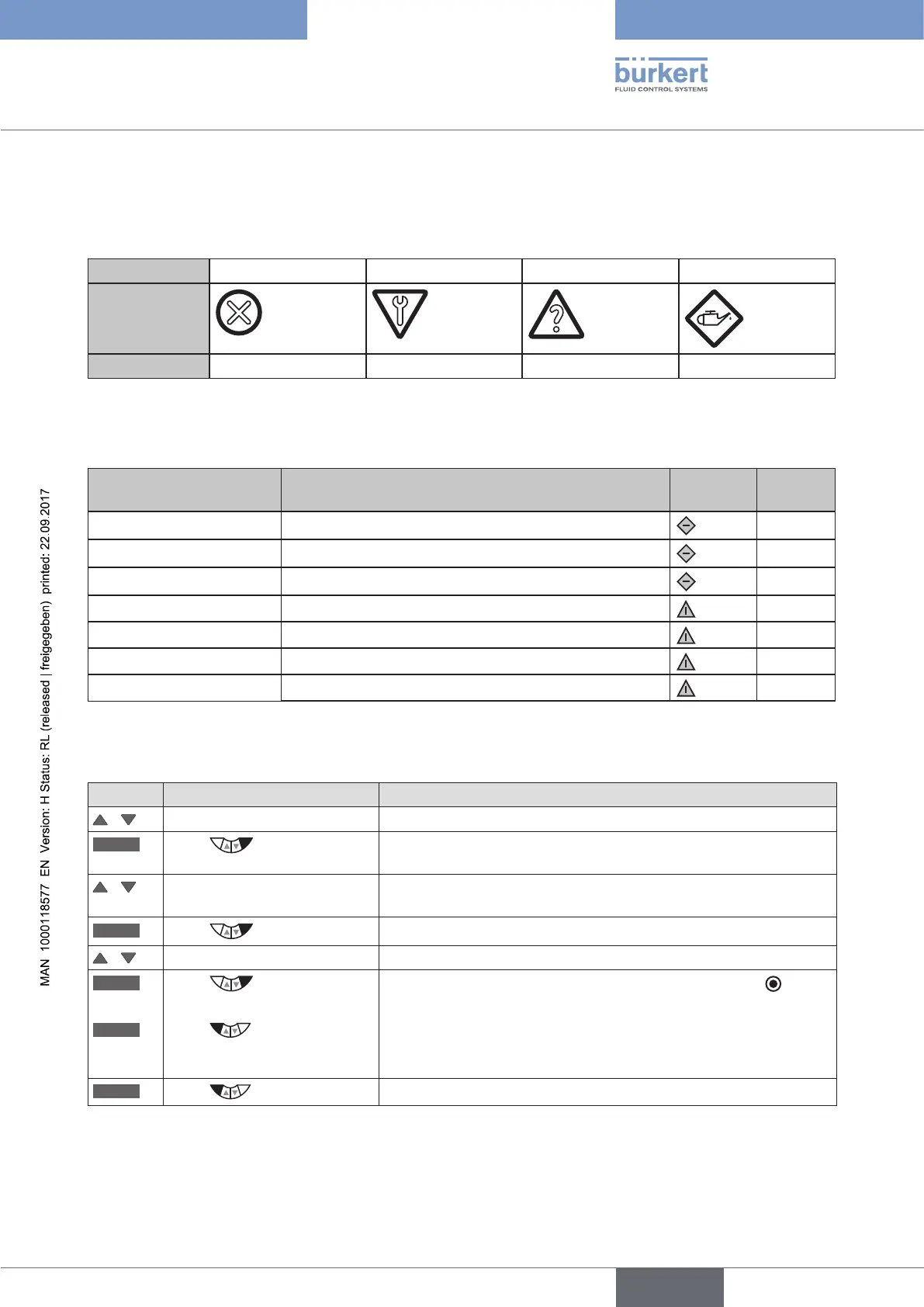
If several diagnosis messages are available with different status signals, the status signal with the highest priority
is shown on the display.
Overview of the status signals according to NE 107 (NE = NAMUR recommendation):
Priority
1 2 3 4
Status signal
Description
Failure Function check Out of specification Maintenance required
Table 79: CONFIG.MSG; overview of status signals
The following status signals have been preset at the factory for the messages of the diagnosis functions:
Diagnosis function Status signal according to NE 107 Signal
Miniature
Priority
SERVICE.TIME
Maintenance required
4
TRAVEL.ACCU
Maintenance required
4
CYCLE.COUNTER
Maintenance required
4
TEMP.CHECK
Out of specification
3
STROKE.CHECK
Out of specification
3
PV.MONITOR
Out of specification
3
POS.MONITOR
Out of specification
3
Table 80: CONFIG.MSG; factory setting (Default)
Assignment of status signals:
Key Action Description
/ Select CONFIG.MSG
ENTER
Press
All activated diagnosis functions, which can output a message, are
displayed.
/ Select required diagnosis
function
ENTER
Press
The list of possible status signals is displayed.
/ Select required status signal
SELEC
Press
The selected status signal is now marked by a filled circle .
EXIT
Press
Acknowledgment and simultaneous return to the CONFIG.MSG
menu.
The status signal is now assigned to the diagnosis function.
EXIT
Press
Return to the DIAGNOSE main menu.
Table 81: CONFIG.MSG; assignment of status signals



 To Next Page