149
Auxiliary functions
26.2.22.6. Description of the diagnosis functions
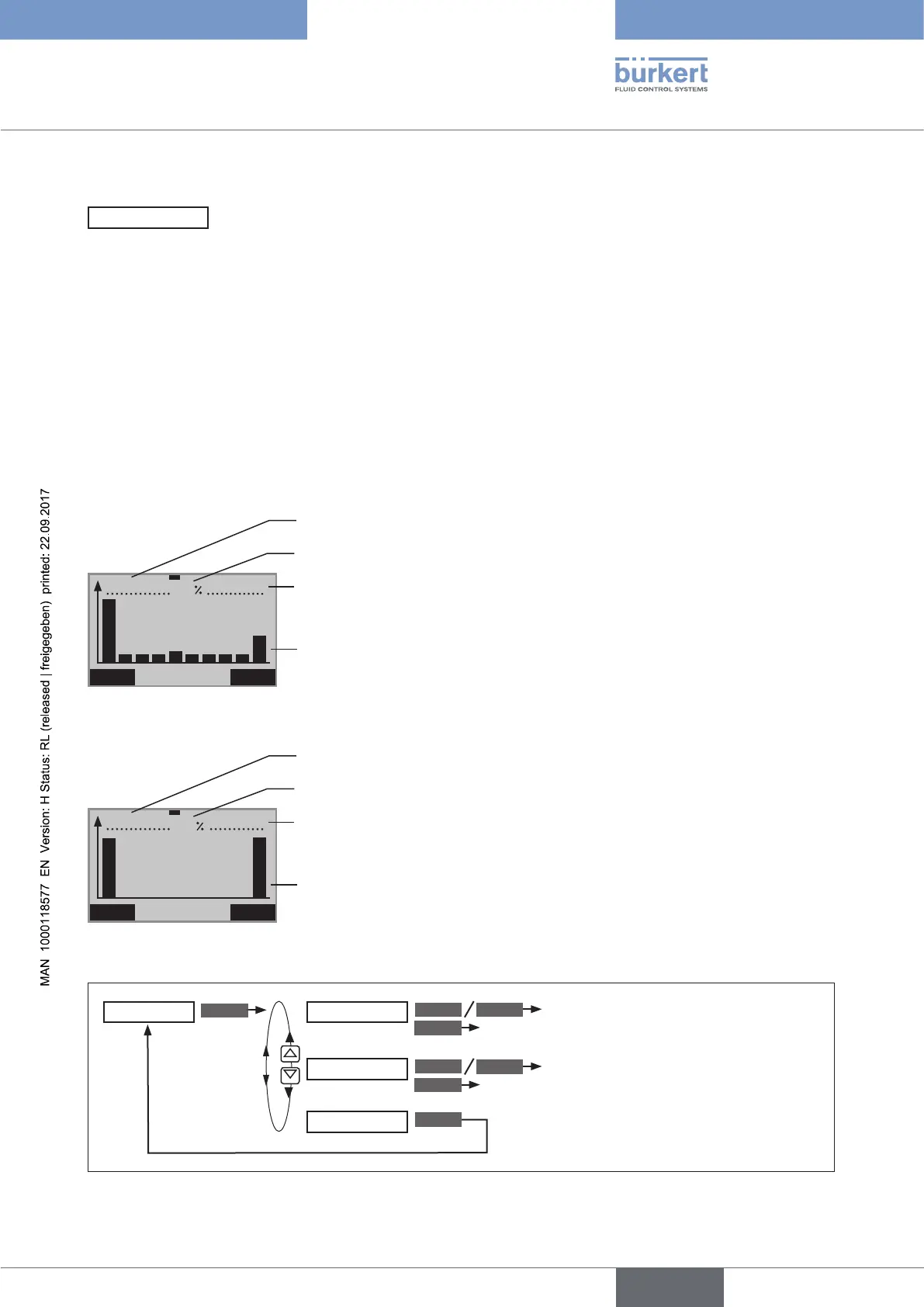
HISTOGRAM
– Output of histograms
The HISTOGRAM menu is divided into 2 parts:
1.
Outputting the histograms for
POS class (dwell time density) and
DIR class (movement range)
2. List of the characteristic values for
CMD Set-point position valve actuator
POS Actual position valve actuator
DEV Deviation from POS to CMD
TEMP Temperature
SP Process set-point value
PV Process actual value
Display description of the histograms:
STOP CLEAR
POS–Class
00
:
13
:
48 233 cM
44
Duration of histogram recording
Largest dwell time density which occurred (tallest bar)
Path covered by the actuator
10 histogram bars, each of which represents 10 % of the total stroke:
Bar on left = class 1 (0 - 10 %)
Bar on right = class 10 (91 - 100 %)
POS-Class
STOP CLEAR
DIR–Class
00
:
13
:
48 72
50
Duration of histogram recording
Most frequently occurring range between 2 changes in direction
Number of changes in direction
Histogram bar for the range between two direction reversal points
Bar on left = class 1 (0 - 10 %)
Bar on right = class 10 (91 - 100 %)
DIR-Class
Operating structure:
ENTER
START
START
STOP
STOP
EXIT
CLEAR
CLEAR
Start / stop both histograms
Start / stop both histograms
Delete both histograms
Delete both histograms
HISTOGRAM
POS-Class
DIR-Class
SYSTEM-DATA
Figure 85: HISTOGRAM; operating structure



 To Next Page