152
Auxiliary functions
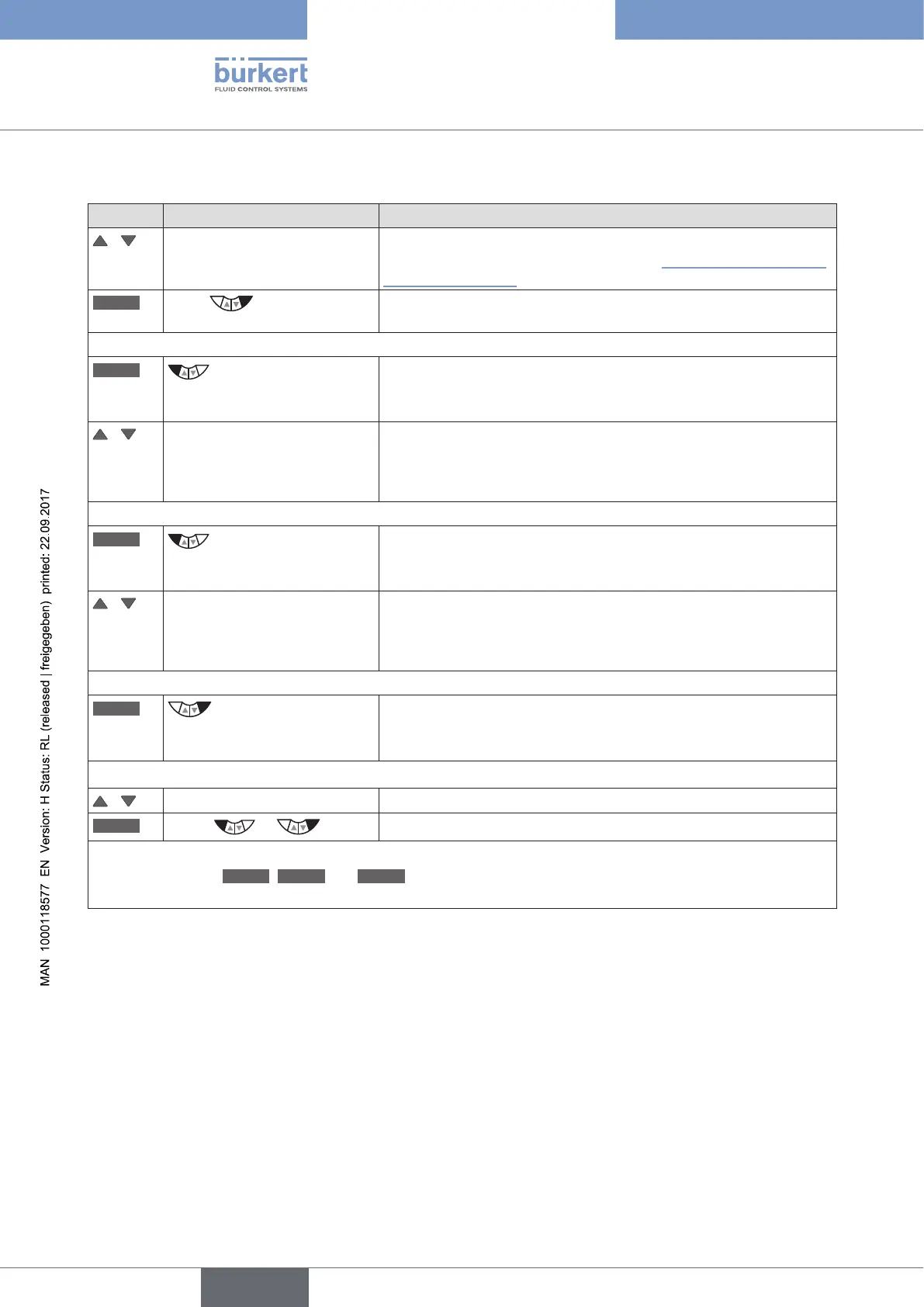
Starting, stopping and deleting the histograms
Key Action Description
/ Select HISTOGRAM (To do this, the HISTOGRAM function must be incorporated into
the DIAGNOSE main menu. See Chapter “26.2.22.4. Activation of
diagnosis functions”).
ENTER
Press
The empty matrix of the POS-Class submenu (dwell time density) is
displayed.
Starting histograms:
START
*
Hold down
as long as countdown (5 ...) is
running
Both histograms (POS class and DIR class) are started.
/ Changing the display view Selection options:
POS class (Histogram for the dwell time density),
DIR class (Histogram for the movement range),
SYSTEM DATA (list of the characteristic values).
Stopping histograms:
STOP
*
Hold down
as long as countdown (5 ...) is
running
The recording of both histograms (POS class and DIR class) is
stopped.
/ Changing the display view Selection options:
POS class (Histogram for the dwell time density),
DIR class (Histogram for the movement range),
SYSTEM DATA (list of the characteristic values).
Deleting histograms:
CLEAR
*
Hold down
as long as countdown (5 ...) is
running
Both histograms (POS class and DIR class) are deleted.
Return to the DIAGNOSE main menu:
/ Select SYSTEM DATA
EXIT
Press or
Return to the DIAGNOSE main menu.
*
The key functions
START
,
STOP
and
CLEAR
are available only in the display views of the histograms POS
class and DIR class.
Table 83: HISTOGRAM; starting, stopping and deleting histograms



 To Next Page