153
Auxiliary functions
SERVICE.TIME
– Operating-hours counter
The operating-hours counter records the time during which the device was switched on.
If the duty cycle reaches the specified time limit, a message is generated.
• To do this, a history entry is made in the HISTORY submenu. For description see “26.2.22.7. History entries in
the HISTORY submenu”.
• The status signal, which is assigned to the message, is indicated at short intervals on the display.
See also D.MSG and CONFIG.MSG in Chapter “26.2.22.5”, page 146.
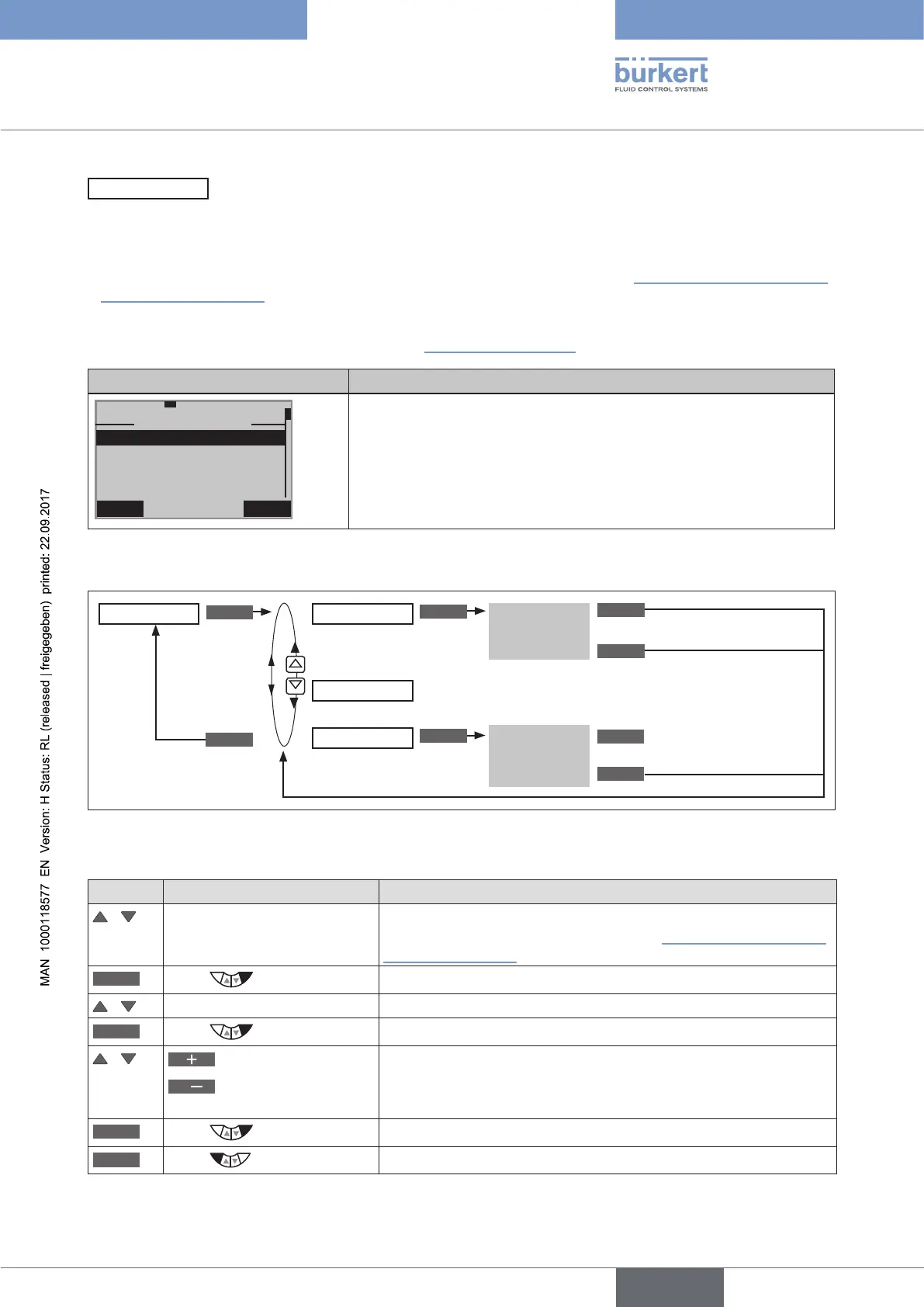
Display SERVICE.TIME Description of the functions
EXIT INPUT
29-5-1
SERVICE.TIME
LIMIT
HISTORY
NEXT.M
89d. 23h
90d.
00h
The interval for messages preset at the factory for 90 days can be
changed in the LIMIT submenu.
After NEXT.M the remaining time is displayed until the next message
appears.
The history entries of the last 3 messages can be viewed and deleted in
the HISTORY submenu.
Table 84: SERVICE.TIME; operating-hours counter
Operating structure:
ENTER
INPUT
ENTER
OK
ESC
EXIT
CLEAR
Input interval
History entry
is displayed
Display the remaining time until the next message
SERVICE.TIME LIMIT
NEXT M.
HISTORY
Delete history entry
EXIT
Figure 92: Operating structure SERVICE.TIME
Specifying interval for the output of messages
Key Action Description
/ Select SERVICE.TIME (To do this, the SERVICE.TIME function must be incorporated into
the DIAGNOSE main menu. See Chapter “26.2.22.4. Activation of
diagnosis functions”).
ENTER
Press
The menu is displayed.
/ Select LIMIT
INPUT
Press
The preset value is displayed.
/
Increase value
<
Change the
(time unit: d/h/m)
Set interval for outputting the message.
OK
Press
Return to the SERVICE.TIME menu.
EXIT
Press
Return to the DIAGNOSE main menu.
Table 85: SERVICE.TIME; specifying interval.



 To Next Page