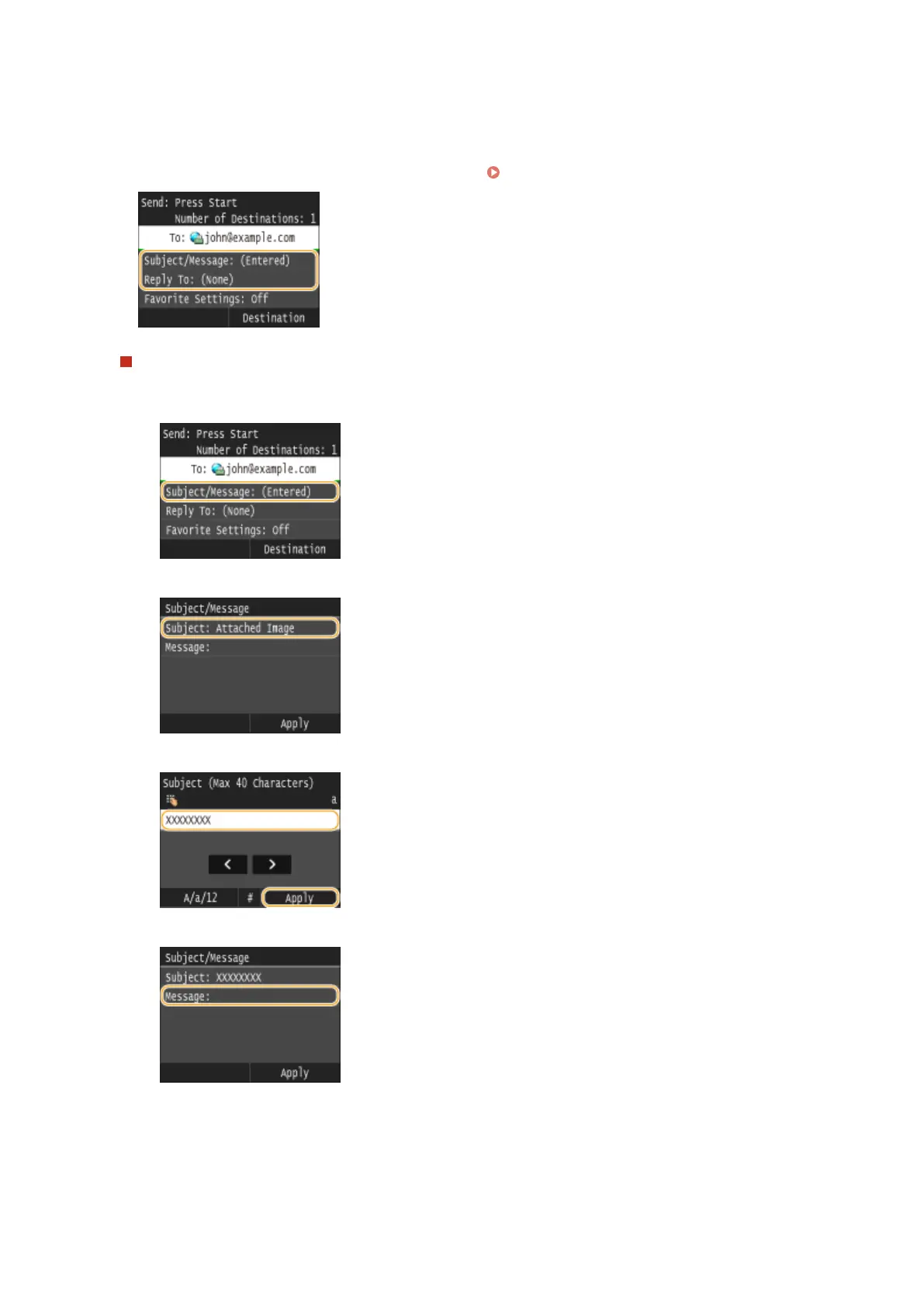
● The subject is set to "Attached Image" by default.
● The body is not set by default. Enter it as necessary. Without the body text, only scanned documents are sent.
● The reply-to address is not set by default. If you want to specify an e-mail reply-to address that is different
than the machine's e-mail address, specify the address from among those registered in the Address Book. If
no destination is registered in the Address Book, see
Registering in the Address Book(P. 78) .
To specify subject/body
1
Tap <Subject/Message>.
2
Tap <Subject>
3
Enter the subject using the numeric keys, and tap <Apply>.
4
Tap <Message>.
5
Enter the body using the numeric keys, and tap <Apply>.
Faxing
226



 To Next Page