6
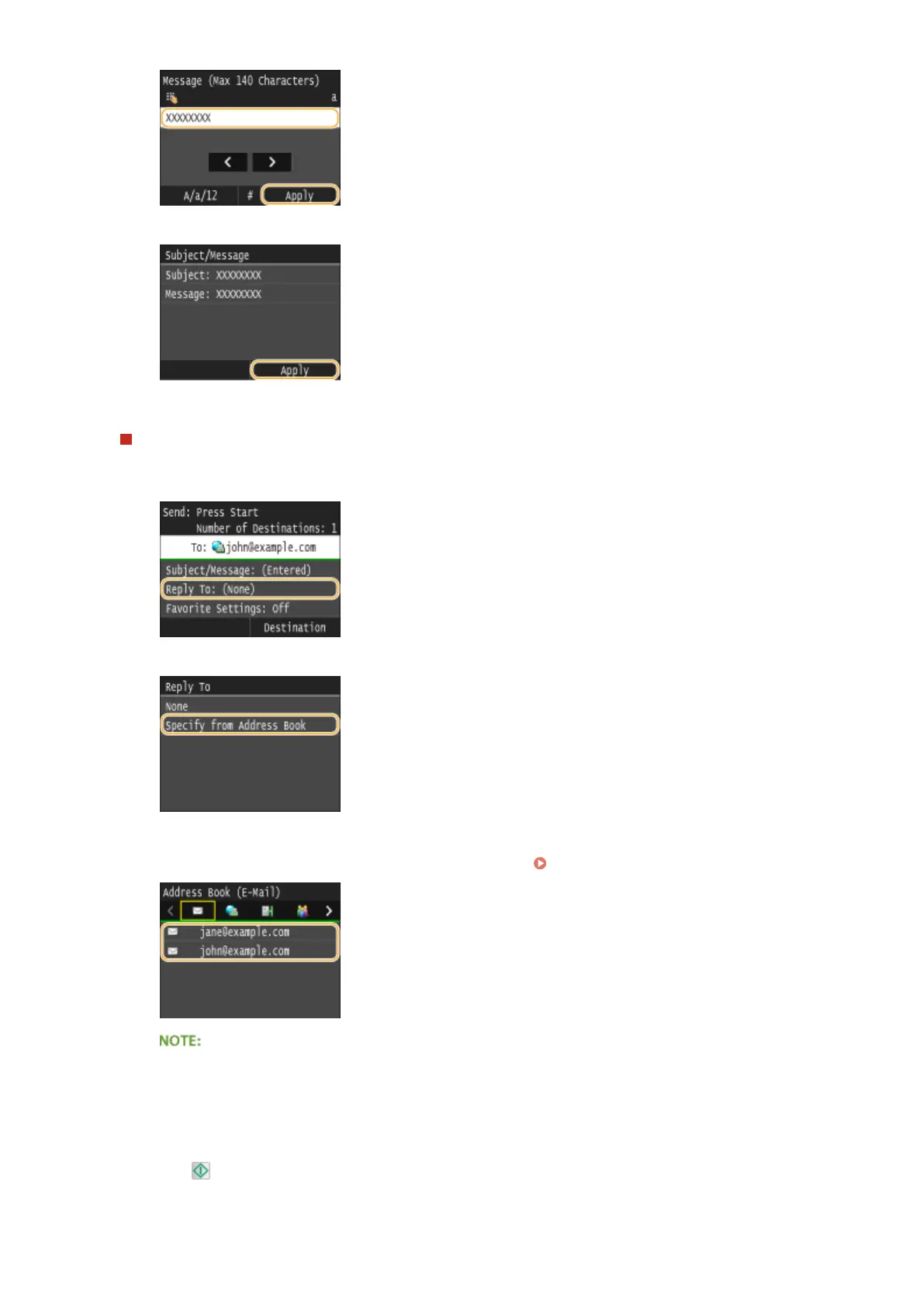
Tap <Apply>.
To specify reply-to address
1
Tap <Reply To>.
2
Tap <Specify from Address Book>.
3
Select a reply-to address from the Address Book.
● For instructions on how to use the Address Book, see Specifying from Address Book(P. 154) .
● The reply-to address that can be specied is always one of the e-mail addresses registered in the
Address Book.
8
Press to start sending.
➠ Scanning of the document starts.
Faxing
227


 To Next Page
 Loading...







