4
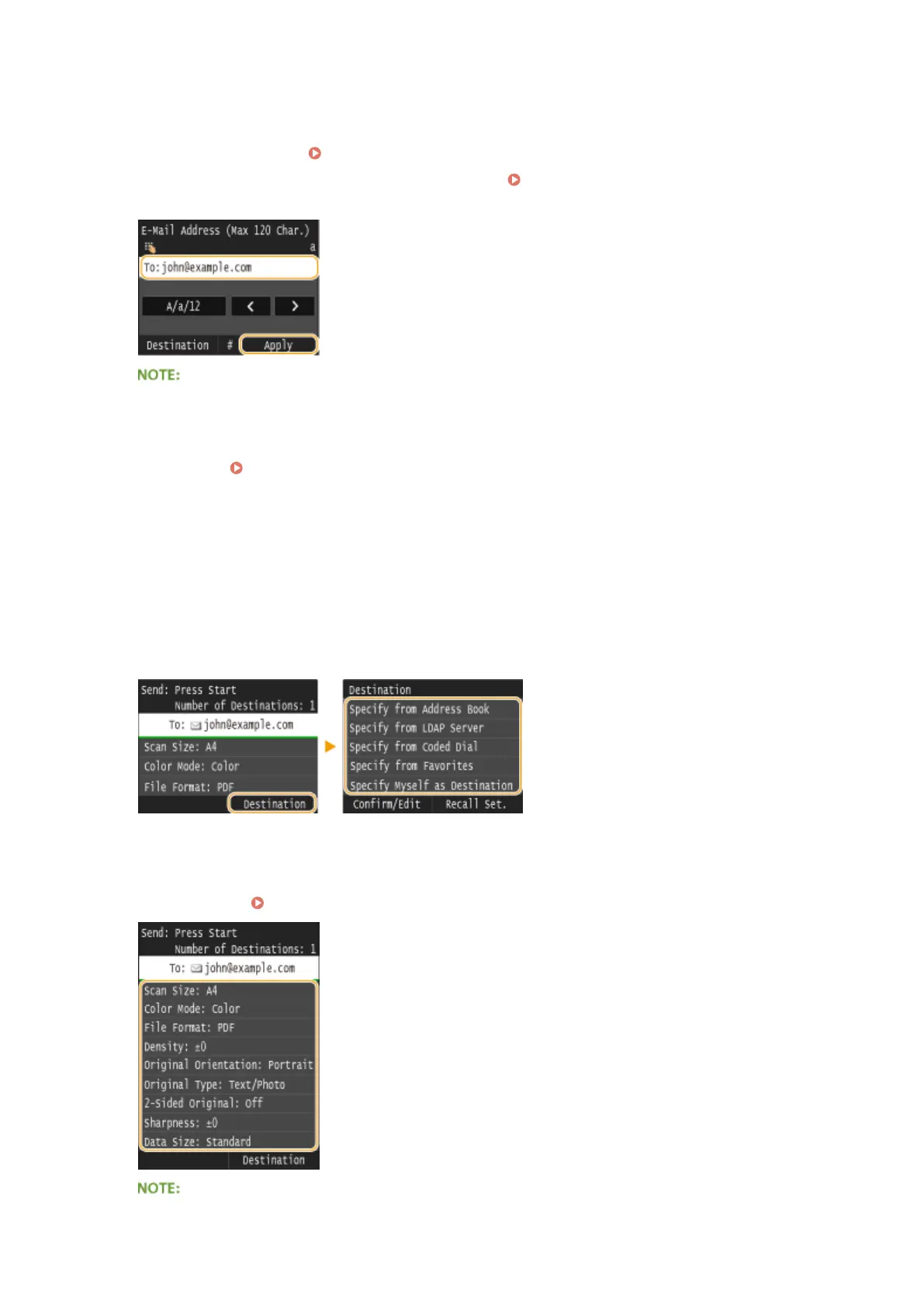
Enter the destination using the numeric keys, and tap <Apply>.
● On how to enter text, see Entering Text(P. 41) .
● To use the Address Book to quickly specify destinations: Sending Using Registered Destinations (E-
Mail/I-Fax/Shared Folder/FTP Server)(P. 361)
If the screen above is not displayed
● You can only send to your own e-mail address. To send to other destinations, you must congure the send
function authentication settings so that e-mail transmission is not restricted. Contact your administrator
for details. LDAP Server Authentication(P. 536) .
5
Specify multiple destinations, including Cc/Bcc destinations, as necessary.
● Tap <Destination>, and select the method for specifying destinations.
● If you tap <Specify from LDAP Server> or <Specify Myself as Destination>, the destination is selected as the
<To> destination.
● <Cc> and <Bcc> addresses can only be selected using <Specify from Address Book>, <Specify from Coded
Dial>, or <Specify from Favorites>.
6
Specify the scanning settings as necessary.
● Tap the settings. Specifying Detailed Settings(P. 347)
Using the Machine as a Scanner
336











 To Next Page