If a Send Error Occurs
Error notications are sometimes sent to the e-mail address set to the machine. If you leave it as-is, it may
result in an insucient remaining capacity of mailbox depending on your mail server. It is recommended that
you clear the mailbox periodically.
To clear the mailbox
● When the mailbox is cleared, all e-mail in the server mailbox is deleted. When you specify the e-mail
account that you use usually, you should rst check whether any e-mail in the mailbox needs to be kept.
1
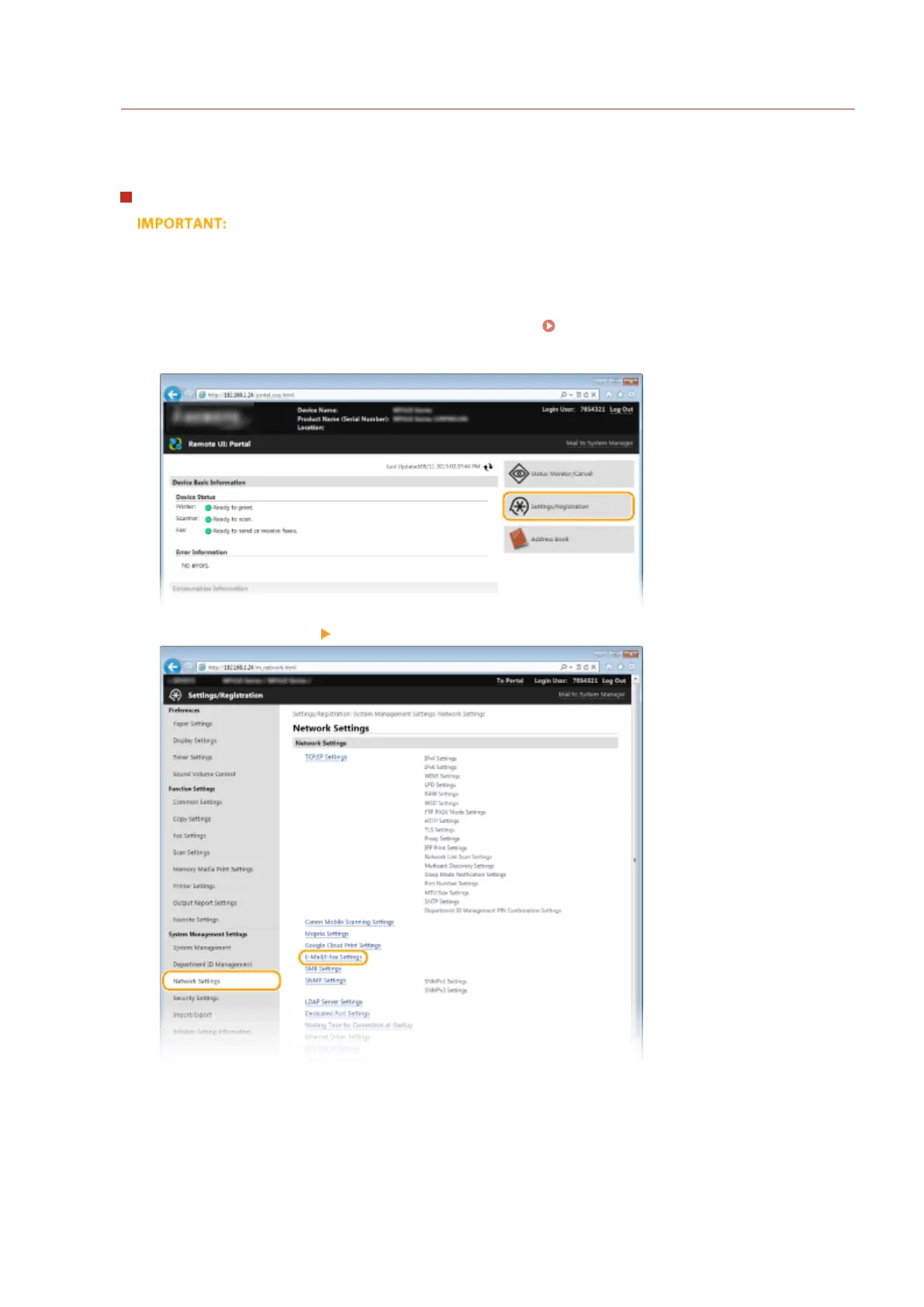
Start the Remote UI and log on in System Manager Mode. Starting Remote UI(P. 606)
2
Click [Settings/Registration].
3
Click [Network Settings] [E-Mail/I-Fax Settings].
4
Click [Clear] in [Clear Mail Box].
Using the Machine as a Scanner
340



 To Next Page