On
Drawer 1
Off
On
Drawer 2
*
Off
On
Other
Multi-Purpose Tray
Off
On
Drawer 1
Off
On
Drawer 2
*
Off
On
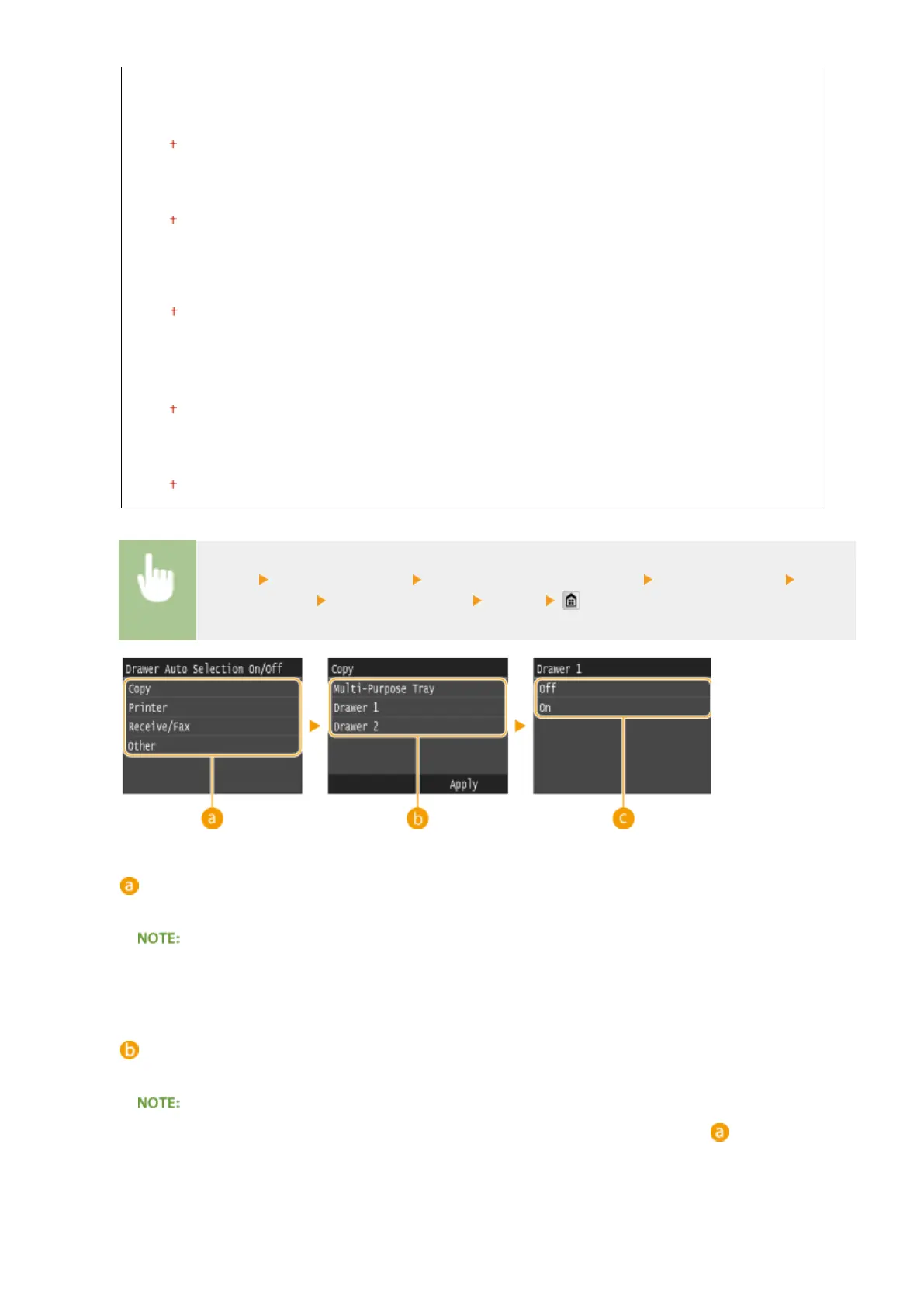
<Menu> <Common Settings> <Drawer Auto Selection On/Off> Select the function Select
the paper source Select <Off> or <On> <Apply>
Functions
Select the function for which you want to congure automatic drawer selection.
● Select <Other> for functions such as printing reports and lists and printing images from a USB memory
device.
Paper Sources
Select the paper source for which you want to enable.
● <Multi-Purpose Tray> is not displayed if <Printer> was selected on the previous screen ( ). Automatic
drawer selection is always enabled for printing on paper fed from the multi-purpose tray.
Setting Menu List
650



 To Next Page