◼ Editing the Content of Destinations
After registering destinations, you can change the content of registered information. For example, you can change the
fax number or name of a registered destination, change the type from fax number to e-mail, change the coded dial
number, and so on.
1
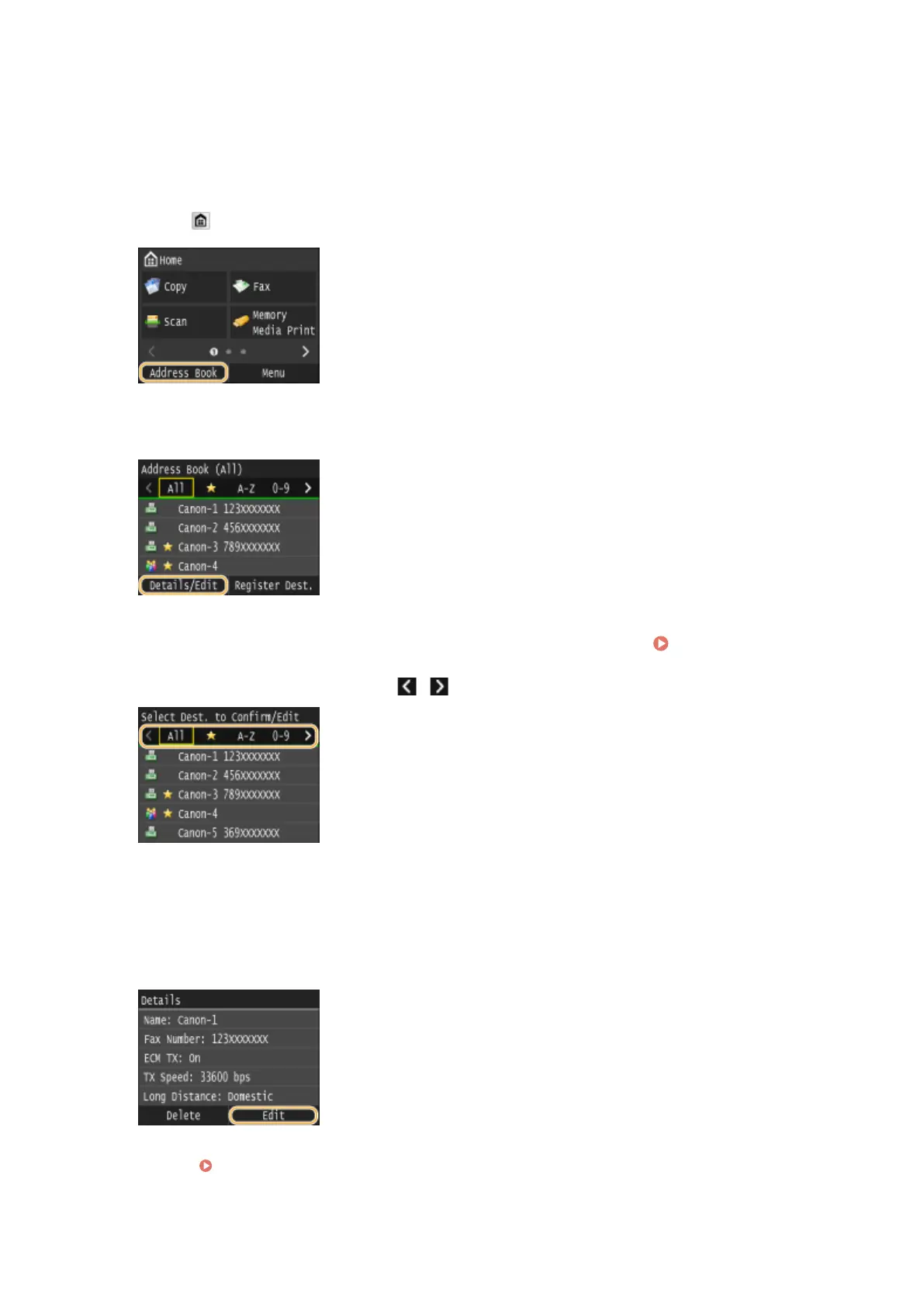
Press and tap <Address Book>.
2
Tap <Details/Edit>.
3
Select the index containing the destination you want to edit. Index(P. 78)
● You can change the display by tapping / .
4
Select the destination.
5
Tap <Edit>.
● If a screen appears prompting you to enter a PIN, enter the correct PIN using the numeric keys, and tap
<Apply>. Setting a PIN for Address Book(P. 556)
Basic Operations
84











 To Next Page