7.
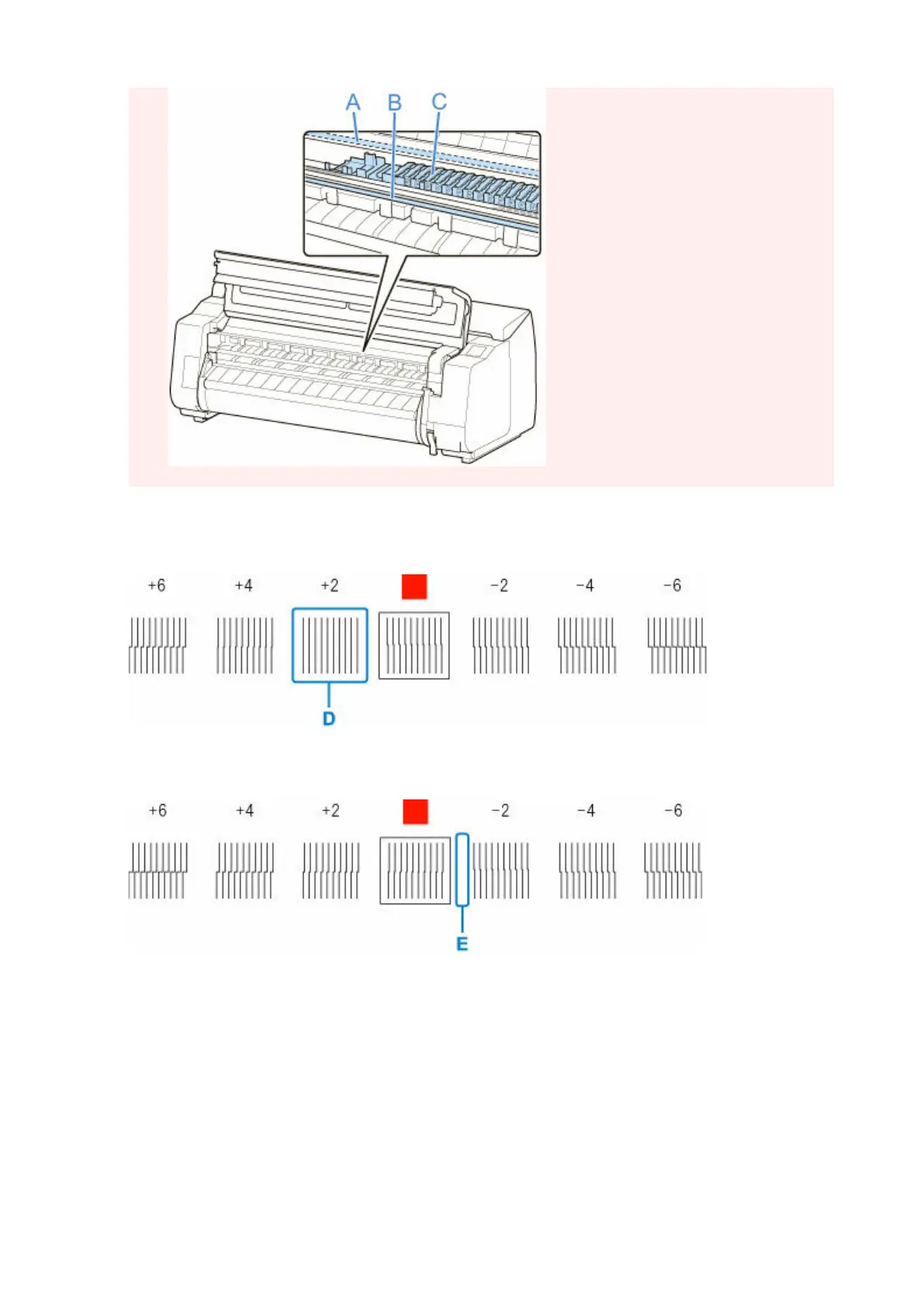
Examine the test pattern for adjustment. Determine the straightest set of lines.
7.
Example 1: Select "+2" in pattern (D).
Example 2: Move the angle adjustment lever to a position between the numbers or between the number
and the square (E) of the two sets of lines that are least misaligned. In this case, select -1.
8.
Open top cover and move angle adjustment lever to match number (or square) of
8.
straightest set of lines.
422












 To Next Page