©2024 Comba Telecom. All Rights Reserved.
568 Gibraltar Drive, Milpitas, CA 95035 | +1 408 526 0180
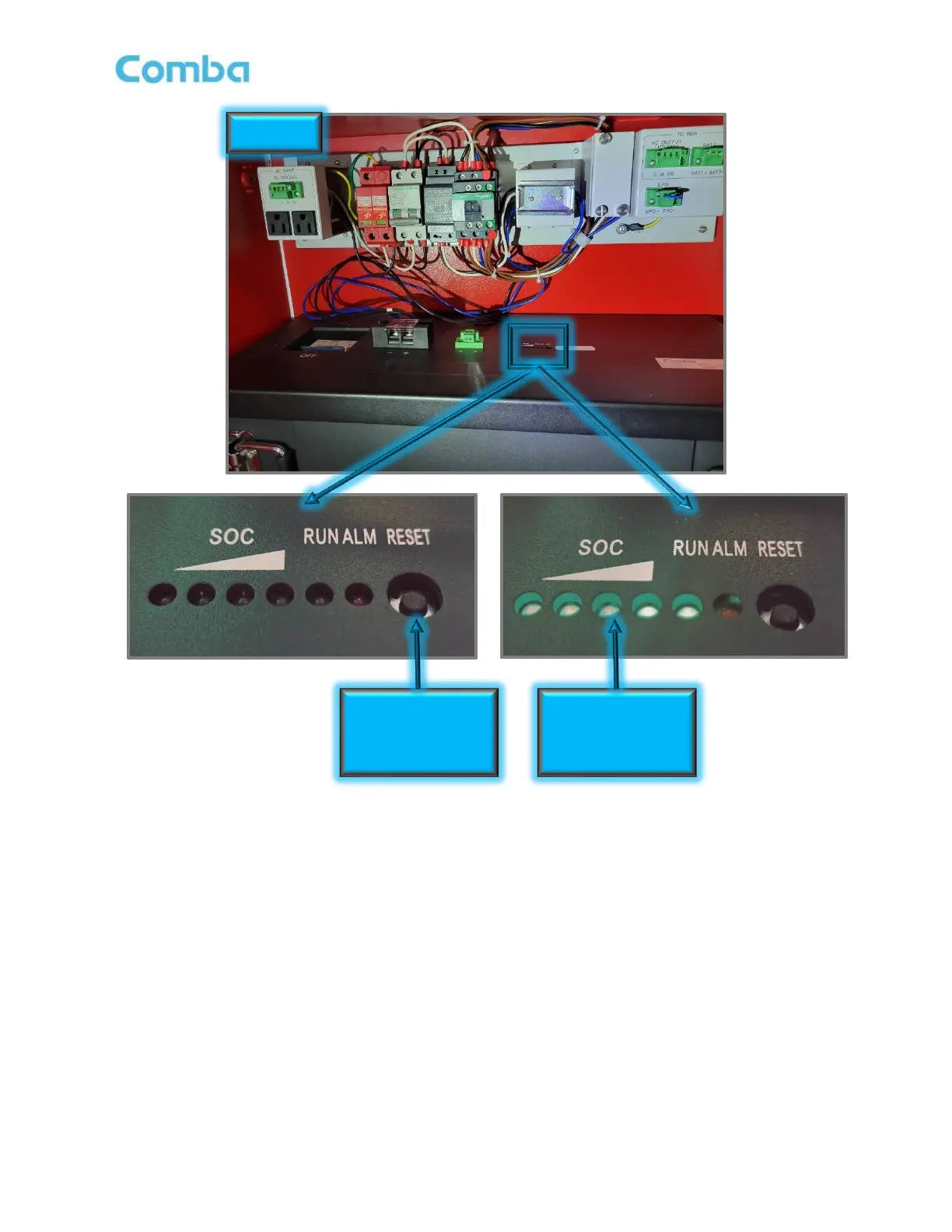
Figure 83: V3 BBU – Waking Up/Turning ON Battery
3.7 V3 BBU – BATTERY SLEEP MODE/TURN OFF THE BATTERY
• Push and hold the recessed RESET button located on top of the LiFEPO4 battery for approximately 3
seconds to put the battery to sleep. Once all the SOC (State of Charge) LEDs begin to extinguish,
release the RESET button immediately (NOTE: Holding the RESET button longer than approximately 5
seconds will cause the battery to wake back up. If this occurs, repeat the step to “Put battery to sleep”).
See Figure 83 for more details.



 To Next Page