©2024 Comba Telecom. All Rights Reserved.
568 Gibraltar Drive, Milpitas, CA 95035 | +1 408 526 0180
2.22 V3 RU OPTICAL FIBER CABLE GLAND ASSEMBLY
The V3 RU comes from the factory with an optical cable connector assembly which can be used to feed up to
2 optical fiber cables into the device.
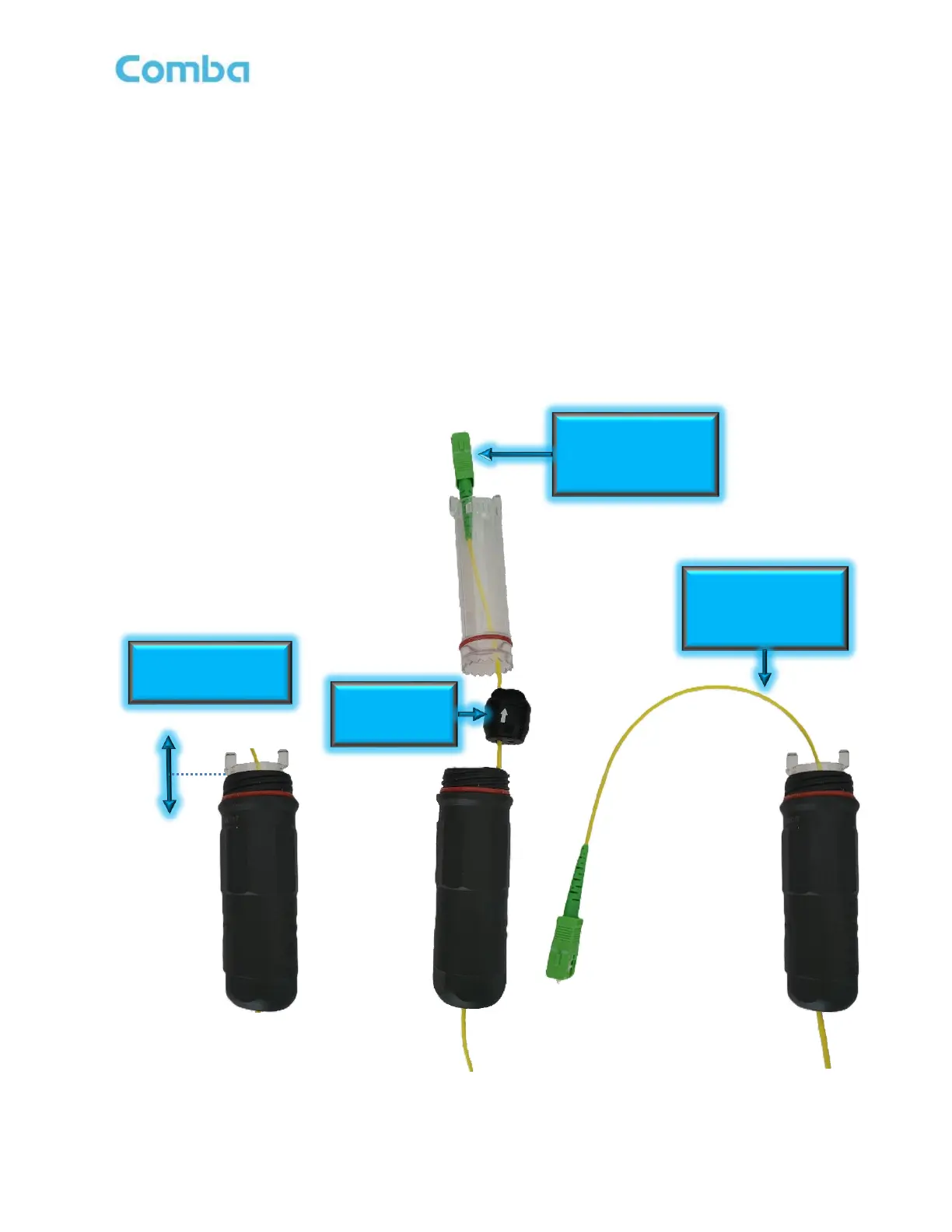
Follow the instructions below to install an optical fiber using the provided optical cable gland assembly:
• Disassemble the optical cable gland assembly by pulling the clear inner-body out of the black outer-
body.
• Remove the rubber cable grommet from the clear inner-body
• Run the optical fiber cable through the outer-body, rubber grommet, and inner-body.
• Reassemble the optical cable gland assembly
• Install in the RU by lining up threads and turning clockwise.
See Figure 56 below.
Figure 56: V3 RU Optical Fiber Cable Gland Assembly
Pull Clear Inner-Body



 To Next Page