©2024 Comba Telecom. All Rights Reserved.
568 Gibraltar Drive, Milpitas, CA 95035 | +1 408 526 0180
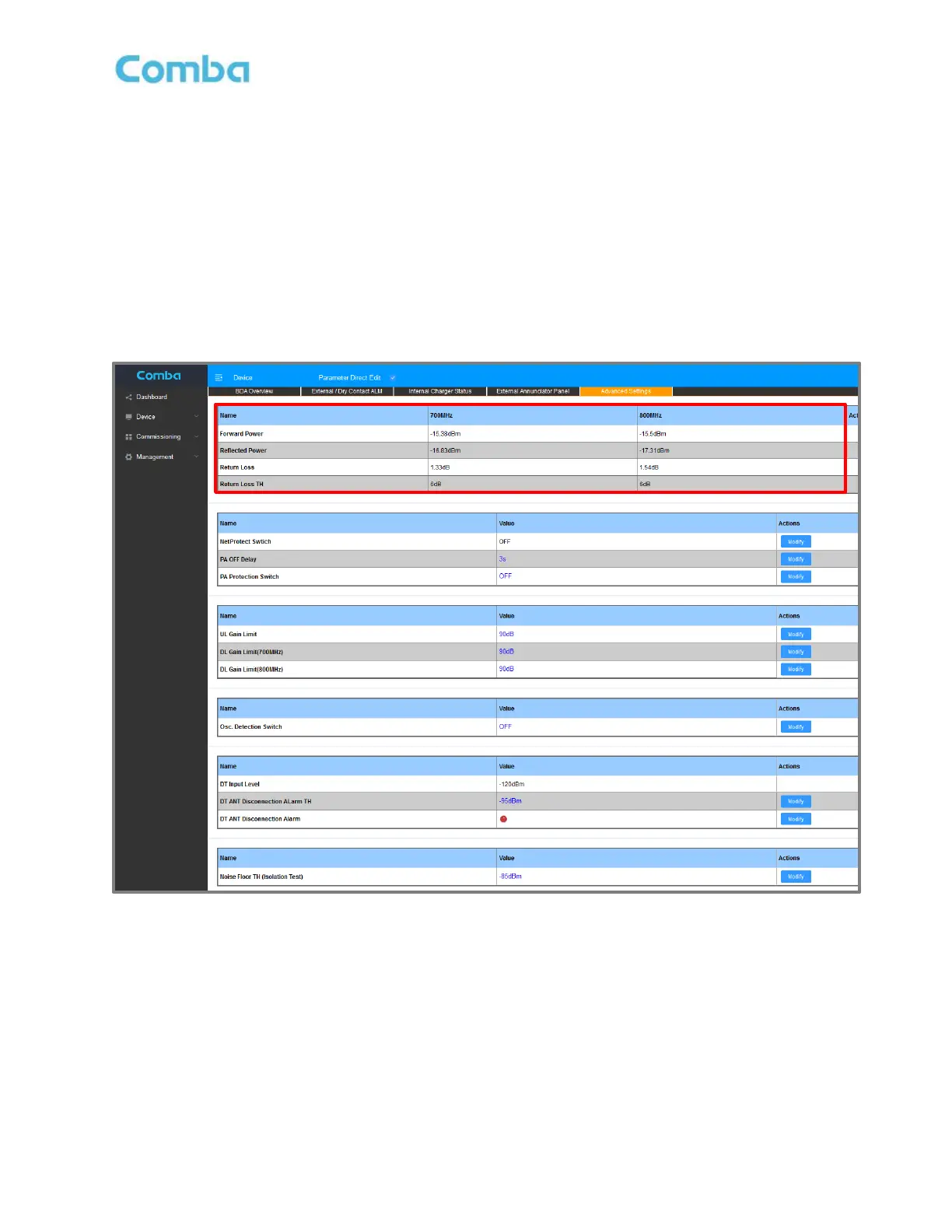
3.32 ADVANCED SETTINGS – DL VSWR/RETURN LOSS MEASUREMENT
The BDA/MU and RU devices will monitor the DL VSWR/Return Loss measured at the Mobile Port (MT Port).
In the Advanced Settings page of each device, the user can view the current DL VSWR/Return Loss
readings to help validate the integrity of the mobile/service antenna branch. Should the DL Return Loss fall
below 6dB, the device will generate an alarm indicating a problem detected with the passive DAS connected
to the MT port.
To view the DL VSWR/Return Loss measurement table:
For BDA, navigate to <Device – Overview – Advanced Settings>
For Fiber DAS, navigate to <Home – Device Checkbox – Advanced>
Figure 151: Advanced Settings – DL VSWR/Return Loss Measurement Table



 To Next Page