©2024 Comba Telecom. All Rights Reserved.
568 Gibraltar Drive, Milpitas, CA 95035 | +1 408 526 0180
2.25 V3 AP ANNUNCIATOR PANEL INSTALLATION AND WIRING
For complete instructions on how to install and commission the V3 APs with the V3 BDA/MU/RU, please refer
to the V3 AP User Manual. V3 AP Dimensions, Installation, Wiring Details, and discovering the V3 AP in the
software GUI are explained below. Further details are provided within the commissioning and alarms sections
of this manual.
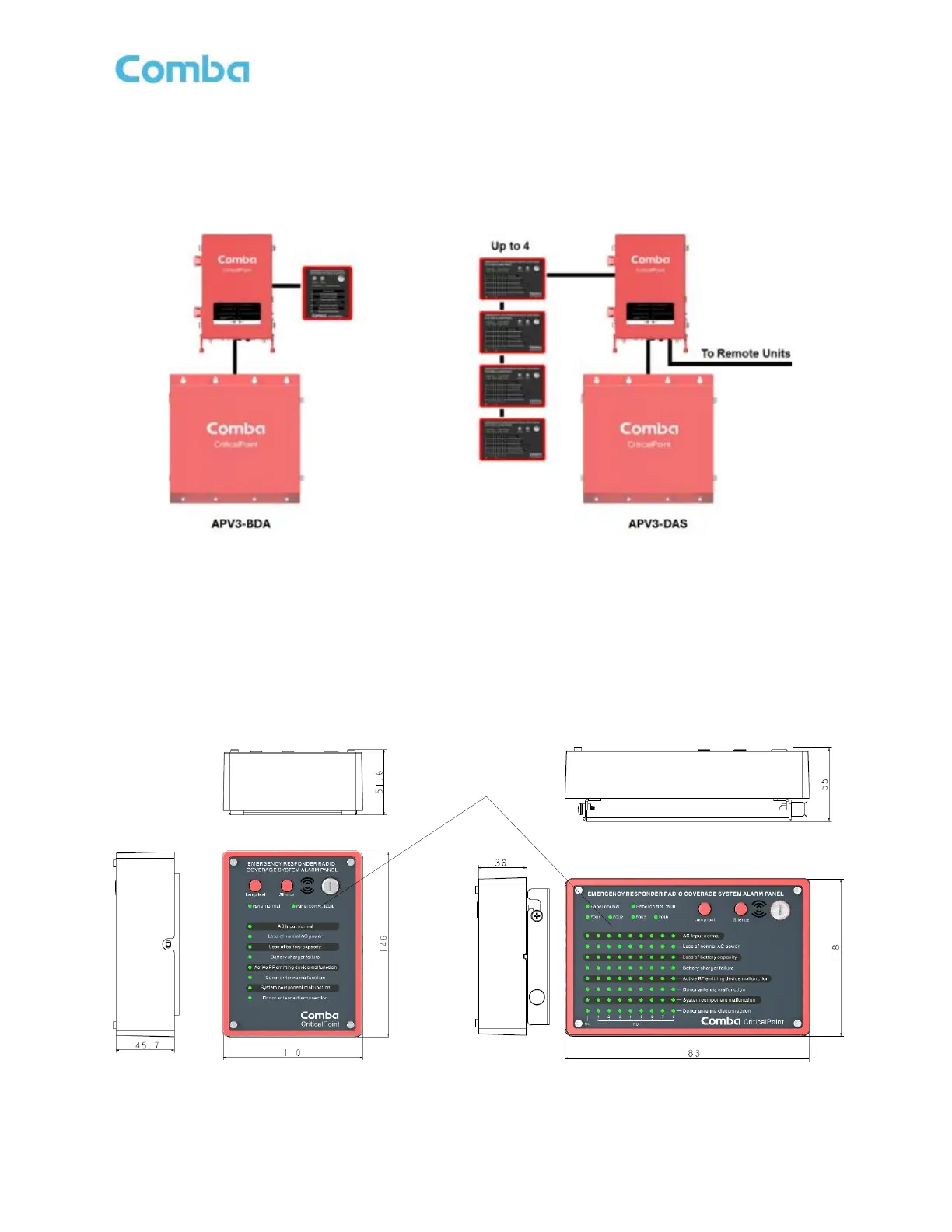
Figure 62: V3 Annunciator System Diagrams
There are (2) V3 annunciator models. APV3-BDA is for BDA and the APV3-DAS is for Fiber DAS systems
with up to 32 remotes. Each model is provided with multiple front alarm plate options for the user to choose
from. The V3 models are used for audible and visual annunciation of alarms only. They DO NOT provide any
Dry-Contact Alarm Outputs to feed a fire alarm system. The V3 annunciators allow for standard wall mounting
or flush mounting to a wall. A “Silence” and a “Lamp Test” button have been added to the exterior of the device.
The provided key must be used to silence alarms or test the lamps/LEDs. The device uses RJ45 connectors
for ease of installation using cat5/6 cable. The BDA/MU/RU devices are now provided with an adapter cable
to be used to connect between the BDA/MU/RU AP terminals and a standard RJ45 ethernet cable.
Figure 63: APV3-BDA Dimensions Figure 64: APV3-DAS Dimensions



 To Next Page