©2024 Comba Telecom. All Rights Reserved.
568 Gibraltar Drive, Milpitas, CA 95035 | +1 408 526 0180
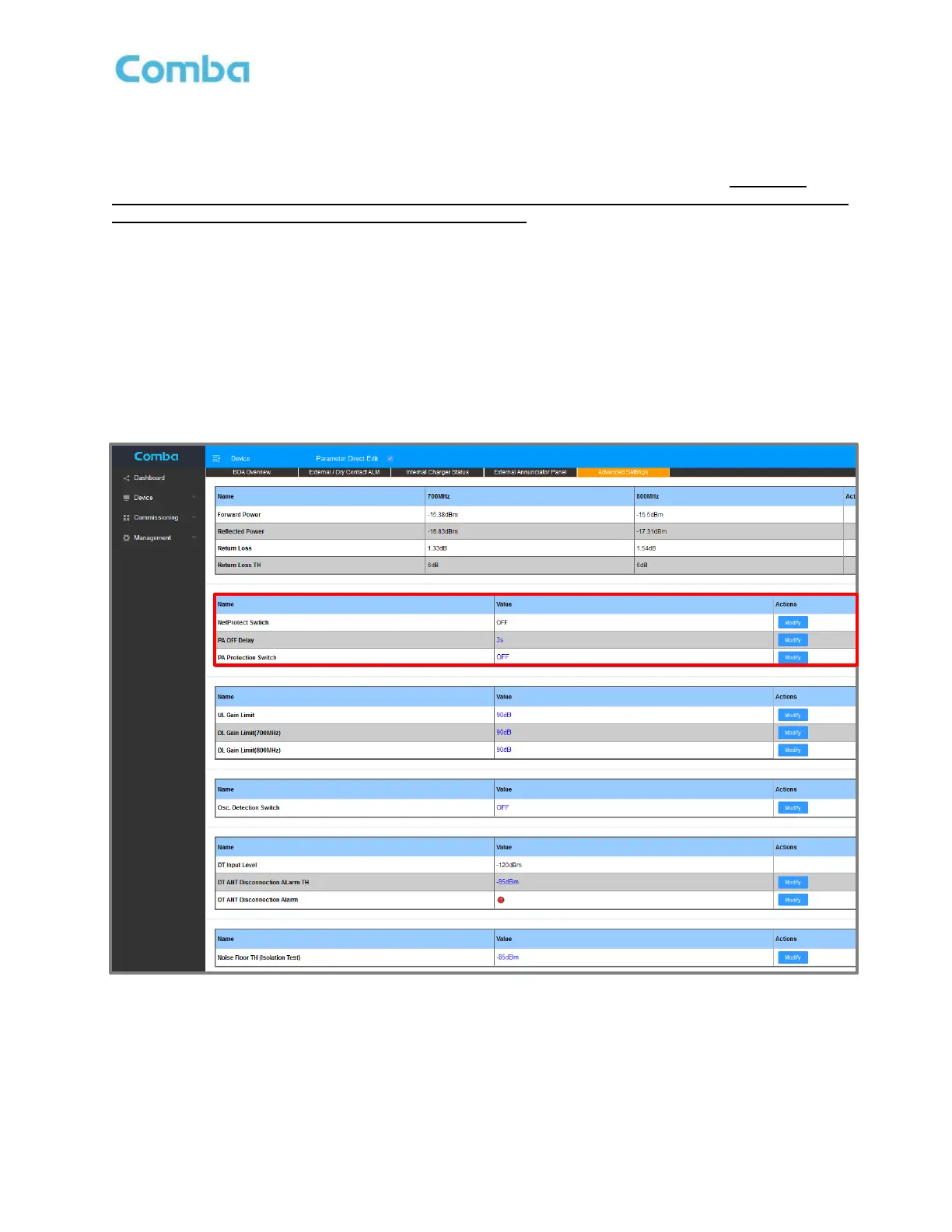
3.33 ADVANCED SETTINGS – NETPROTECT UL PA MUTING
NetProtect UL PA Muting will shut down the UL Power Amplifier when there is no UL traffic. During UL PA
Shutdown, the BDA is not generating any UL output at all (Including No Noise). However, it is highly
recommended to measure the Broadband UL Noise Floor from the BDA DT port after the device has
been commissioned and BEFORE turning on NetProtect. This allows the technician to evaluate the UL
Noise Performance without the impact of NetProtect.
To configure NetProtect UL PA Muting:
• For BDA, navigate to <Device – Overview – Advanced Settings>
For Fiber DAS, navigate to <Home – Device Checkbox – Advanced>
• Click <Modify> in the <NetProtect Switch> row to Turn ON or OFF NetProtect UL PA Muting.
• Click <Modify> in the <PA OFF Delay> row to adjust the delay time before the UL PA will mute.
The default setting is 3s.
Note: NetProtect UL PA Muting may not be supported in Fiber DAS configurations with older FW versions.
Figure 152: Advanced Settings – NetProtect UL PA Muting



 To Next Page