CRITICALPOINT 700/800MHZ BDA/DAS/BBU V3 USER MANUAL
©2024 Comba Telecom. All Rights Reserved.
568 Gibraltar Drive, Milpitas, CA 95035 | +1 408 526 0180
Rev. 1-0-2 Rev. Date: 11-1-2024
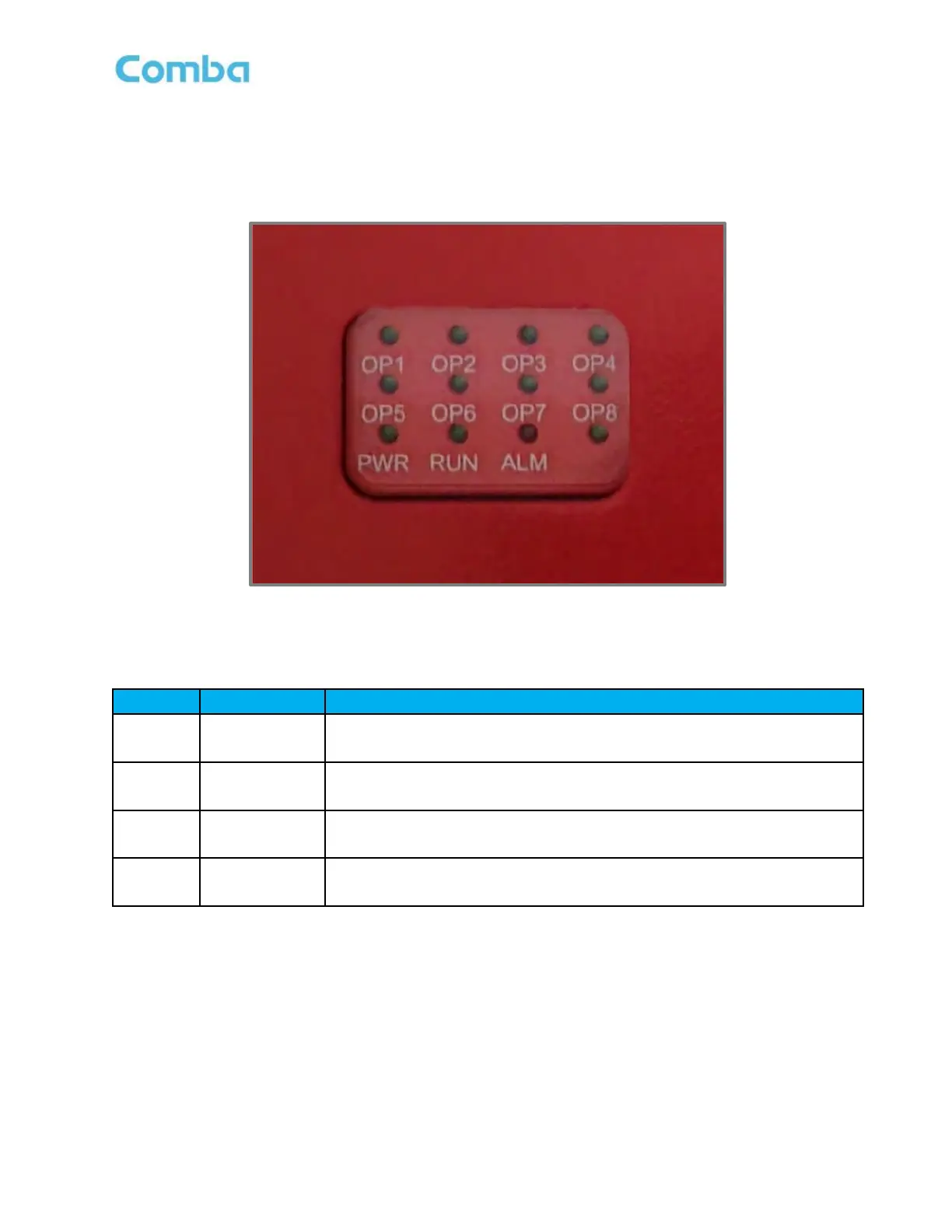
6.2 V2 FOU STATUS LED INDICATORS
The FOU LED indicators help the user to check the equipment’s status quickly and easily. See Figure 177 and
Table 27 below which explain their operation.
Figure 177: V2 FOU LED Status Indicators
Table 27: V2 FOU LED Status Indicator General Explanation
OFF = No Power Detected/Power Switch OFF; ON = Device is Powered
ON
OFF = No Power Detected/Power Switch OFF
Green (1 blink, pause) = Software is normally running.
OFF = No Alarm.
Solid RED = One or more alarm is active.
OFF = Optical link is not detected
Green = Optical Link is normal



 To Next Page