3.25 COMMISSIONING TOOLS – UL INPUT TEST (CLASS A BDA ONLY)
The UL Input Test is a commissioning tool provided to assist users with estimating commissioning parameters.
The user can perform a <UL Input Test> to have the GUI measure the UL Input Power Range the BDA/MU will
see at its Mobile Terminal from radios throughout the coverage area. The measurement is then used in
calculations to estimate the minimum UL Gain and minimum UL Target Power setting that should be used.
This is an optional tool, and the technician can perform a Manual Override measurement and enter the result
instead if that is preferred.
Required Test Equipment: Signal Generator or a Calibrated Portable Radio; Whip Antenna
UL Input Test (GUI Commissioning Tool):
• Prepare a Signal Generator w/Whip Antenna or Calibrated Portable Radio for the test.
If you use a Signal Generator with a whip antenna, use a CW tone for this test. The frequency will need to be
set in the uplink range (700MHz: 799MHz ~ 805MHz, 800MHz: 806MHz ~ 816MHz). You must use a TX
Power Level higher than -10dBm for the best results.
If using a Calibrated Portable Radio, determine the radio TX power and set a fixed frequency for when it keys
up. If the radio only shows the downlink frequencies, below are the conversion formulas between downlink
and uplink frequencies.
700MHz: UL frequency = DL frequency + 30MHz, e.g., DL Freq = 770.5MHz, UL Freq = 800.5MHz
800MHz: UL frequency = DL frequency – 45MHz, e.g., DL Freq = 855.0MHz, UL Freq = 810.0MHz
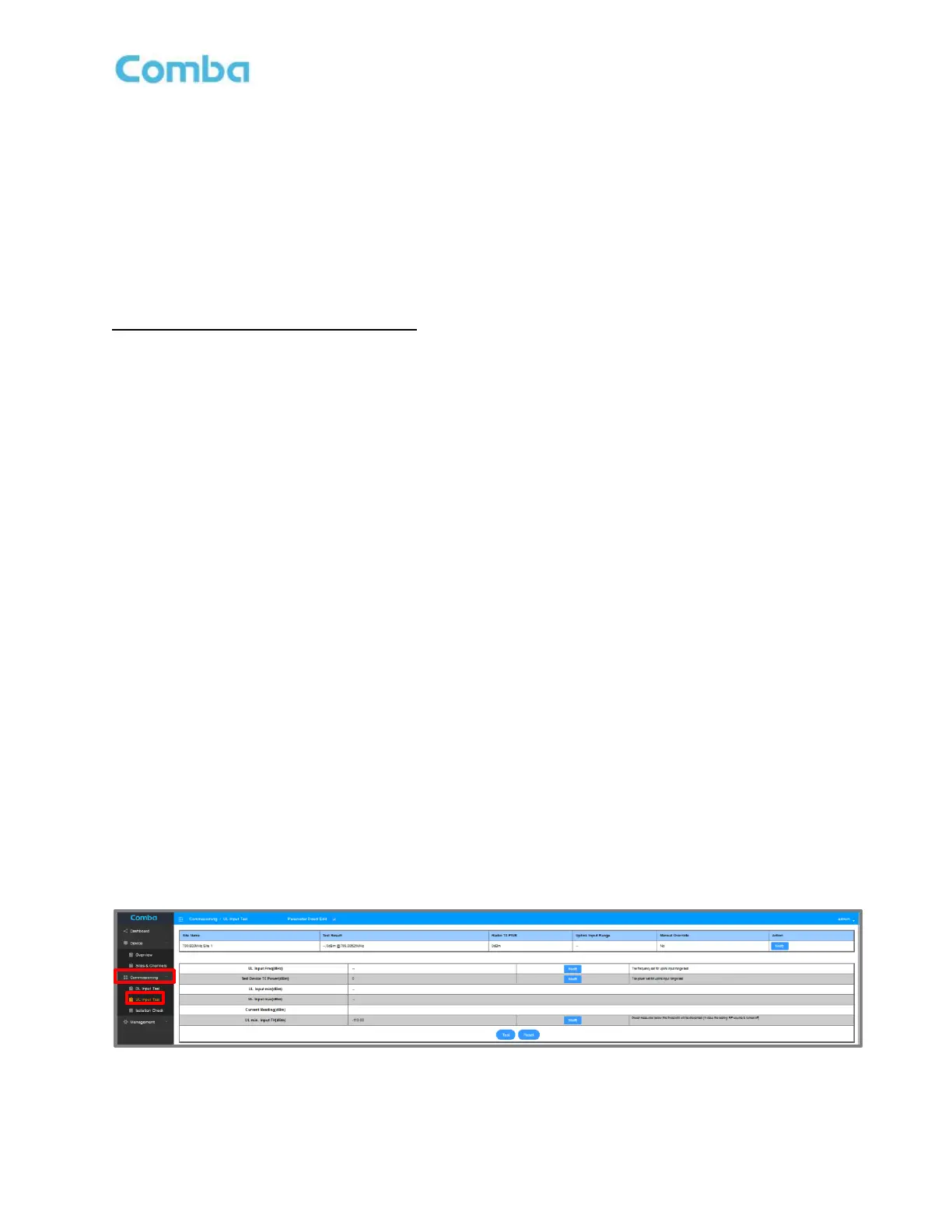
• Navigate to <Commissioning – UL Input Test>
• Select the “Site” that you want to commission
• Click <Modify> in the Site “Action” column. A pop-up window will appear. Ensure <Device
Measurement> is selected. Enter the actual <Radio TX PWR> in dBm of the radios that will be used
for the jurisdiction and click <Submit>. This information must be filled in for each donor site so the
system can apply an offset (between the actual radios and device used during the test) to calculate
the uplink input range from the actual radios.
• <Modify> and set the <UL Input Freq (MHz)> to use for the test.
• <Modify> and set the <Test Device TX Power (dBm)> to use for the test.
• <Modify> and set the <UL min. Input TH dBm)> to use for the test.
The <UL min Input TH> parameter in the testing table is used to prevent the case that the signal generator or
portable radio turns off during the test and ‘no input’ will be recorded as ‘min input’ by mistake. The threshold
can be set to any number between the min input (if this can be estimated from the design) and the noise
floor. Otherwise, just use the default value of -110dBm.
See Figures 118 and 119 below.
Figure 118: V3 BDA/MU Commissioning Tools – UL Input Test



 To Next Page