©2024 Comba Telecom. All Rights Reserved.
568 Gibraltar Drive, Milpitas, CA 95035 | +1 408 526 0180
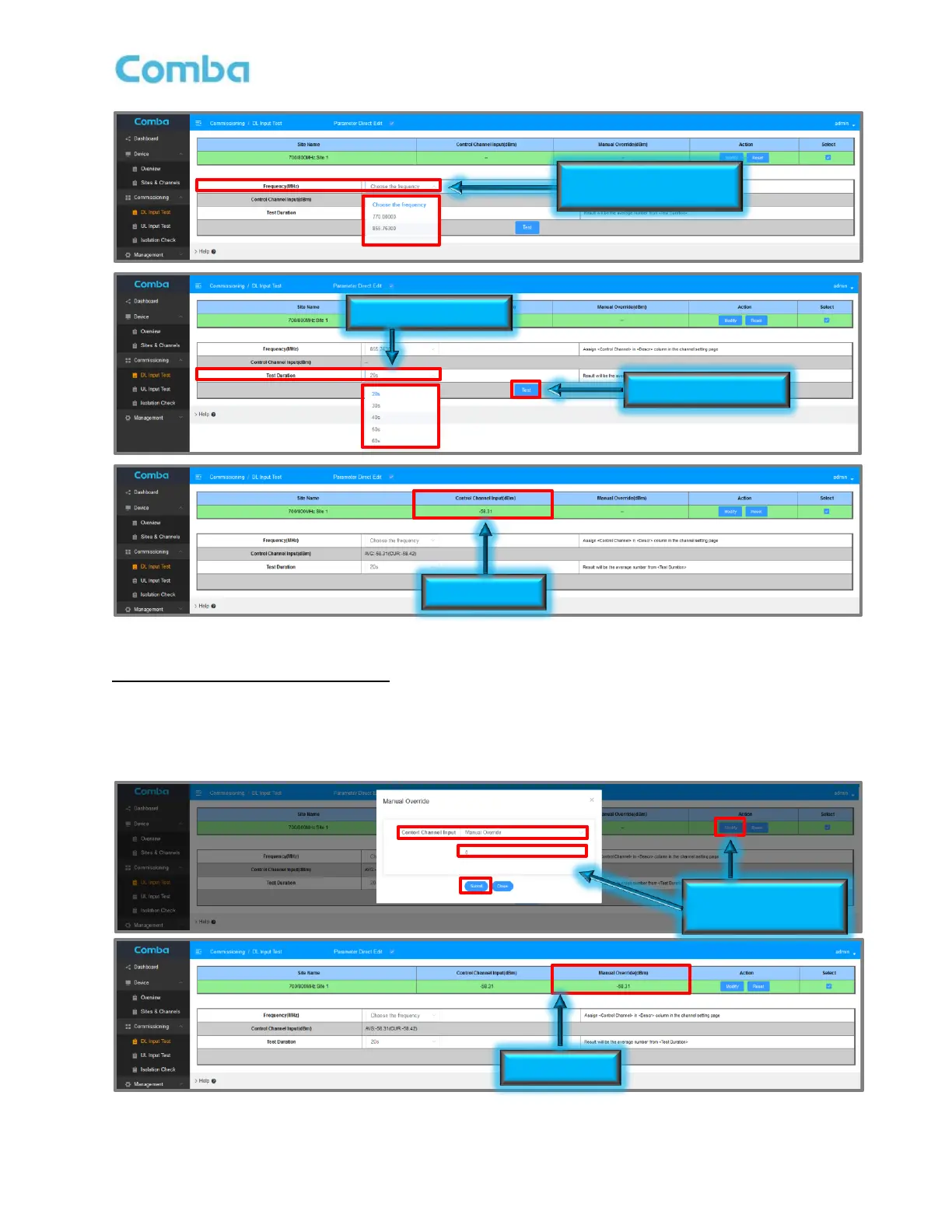
Figure 116: V3 BDA/MU Commissioning Tools – Performing DL Input Test
DL Input Test (Manual Measurement):
• Select the Site and select Control Channel from the drop-down list.
• Click <Modify>, Select <Manual Override> from the drop-down, enter your Measured DL Input Level
in dBm, and click <Submit>. Results will display in <Manual Override (dBm)> section of top window.
Figure 117: V3 BDA/MU Commissioning Tools – DL Input Test Manual Override



 To Next Page