CRITICALPOINT 700/800MHZ BDA/DAS/BBU V3 USER MANUAL
©2024 Comba Telecom. All Rights Reserved.
568 Gibraltar Drive, Milpitas, CA 95035 | +1 408 526 0180
Rev. 1-0-2 Rev. Date: 11-1-2024
3.31 COMMISSIONING FIBER DAS – PARAMETER SYNCHRONIZATION
DAS Internal Syncing
The following RF related parameters are always synchronized between Master Unit and Remote Unit. If
you set these parameters at the Master Unit, the device will automatically configure the remotes with the
same settings. These settings cannot be adjusted while accessing the remote unit directly.
Table 21: Commissioning Fiber DAS – Parameters Synchronized between Master and Remotes
MU Main Menu – Device – Site & Channels
MU Main Menu – Device – Site & Channels
MU Main Menu – Device – Site & Channels
MU Main Menu – Device – Site & Channels
MU Main Menu – Device – Site & Channels
DL Channel Target Power Setting
MU Main Menu – Device – Site & Channels (Does NOT
existing in RU)
DL Channel Individual Gain Setting
MU Main Menu – Device – Site & Channels (Does NOT
existing in RU)
Sync Check
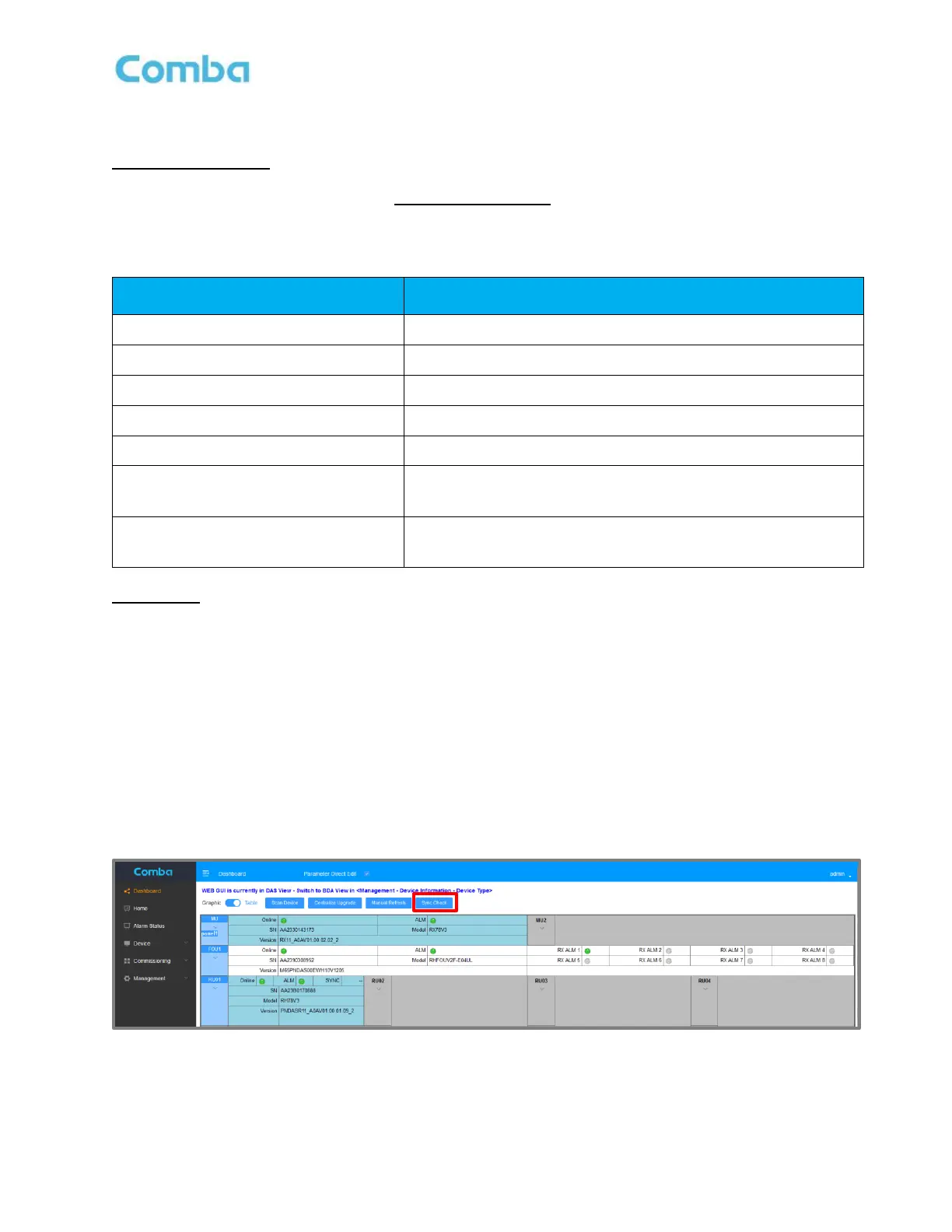
The Sync Check button can check if all the settings have been successfully synchronized to the Remote
Units.
To perform a Sync Check:
• Navigate to <Dashboard – Table View> and click <Sync Check>.
Wait a few moments for the process to be completed. The result will be displayed at the corner of the
Remote Unit. You will receive a “FAIL” if the parameters have not been synchronized properly. If this
happens, wait a few minutes and try again. You will receive a “SUCC” if the parameters have been
successfully synchronized. Once you have confirmed the parameters have synchronized, you can be
confident all the remotes are configured.
Figure 149: Commissioning Fiber DAS – Performing a Sync Check



 To Next Page