©2024 Comba Telecom. All Rights Reserved.
568 Gibraltar Drive, Milpitas, CA 95035 | +1 408 526 0180
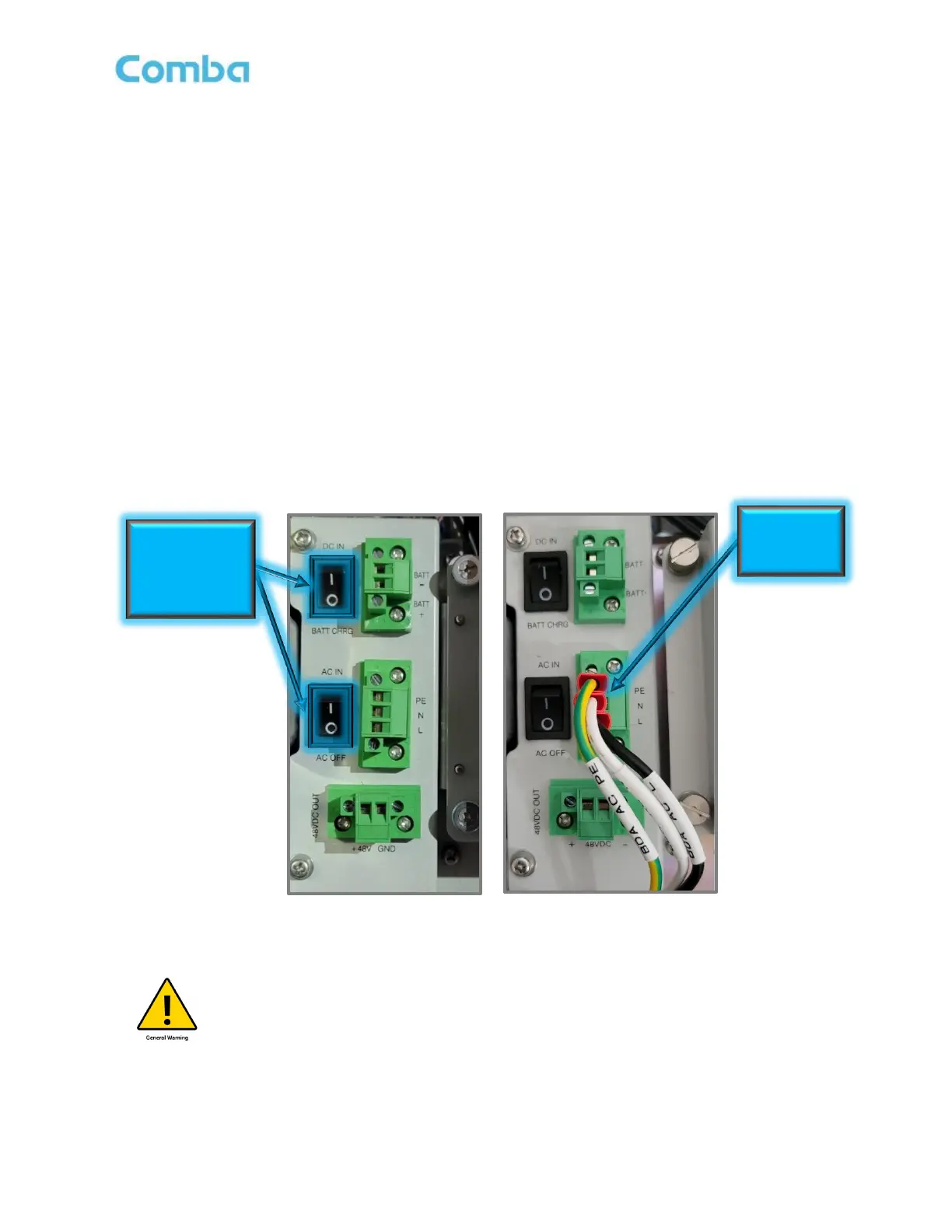
2.9 V3 BDA/MU/RU SYSTEM WIRING - AC POWER ONLY (NO BBU)
In some rare cases the V3 BDA will be fed directly from a 120VAC circuit without utilizing any type of battery
backup system. For those cases, the main AC Cable provided by the installer can be fed directly into the
BDA through a knockout and connected to the AC Input. See below for wiring instructions.
• Switch both AC IN/AC OFF (POWER) and DC IN/BATT CHRG (BATTERY) to OFF (O) in the
BDA/MU/RU
• Ensure the AC Cable you are connecting is not live/hot. Make sure the Main AC Breaker is turned
OFF at the electrical box.
• Connect AC Wires to the Phoenix connector inside the BDA/MU/RU. The Phoenix connector is
removable for ease of installation.
a. Connect (AC) Black Wire to L
b. Connect (AC) White Wire to N
c. Connect (AC) Green/Yellow Wire to PE (GND)
Figure 27: V3 BDA/MU/RU AC Power OFF Switch and Direct AC Power Connection without BBU
Caution: You must follow your local code requirements for guidance on AC Cable
installation. See Section 2.13 for additional guidance on installing cables inside of
conduit as well as free wiring cable. Please ensure the correct liquid tight connector
or cable gland is used accordingly.
• Power up the system by turning on the AC IN Switch
Turn AC OFF
and DC Switch to
“BATT CHRG”
position (“O”)
AC Input
Wire



 To Next Page